홈 › Components › Sketch (그림판) › 화면 32
화면 32. Sketch.readOnly [sink]
원본: Computation Layer 문서(Sketch (그림판)) · Try It (원본 화면)
| 화면 번호 | 32 / 34 |
|---|---|
| 문서 항목 설명 (원문) | readOnly Sets a Boolean value that determines whether or not a component will be ignored when determining a screen's correctness. If all components have a readOnly value of "true," we display a dash for the student's screen in the dashboard's summary view, indicating teachers can focus their efforts elsewhere. |
1. 화면 캡처 (빨간 번호 = 아래 표의 번호)
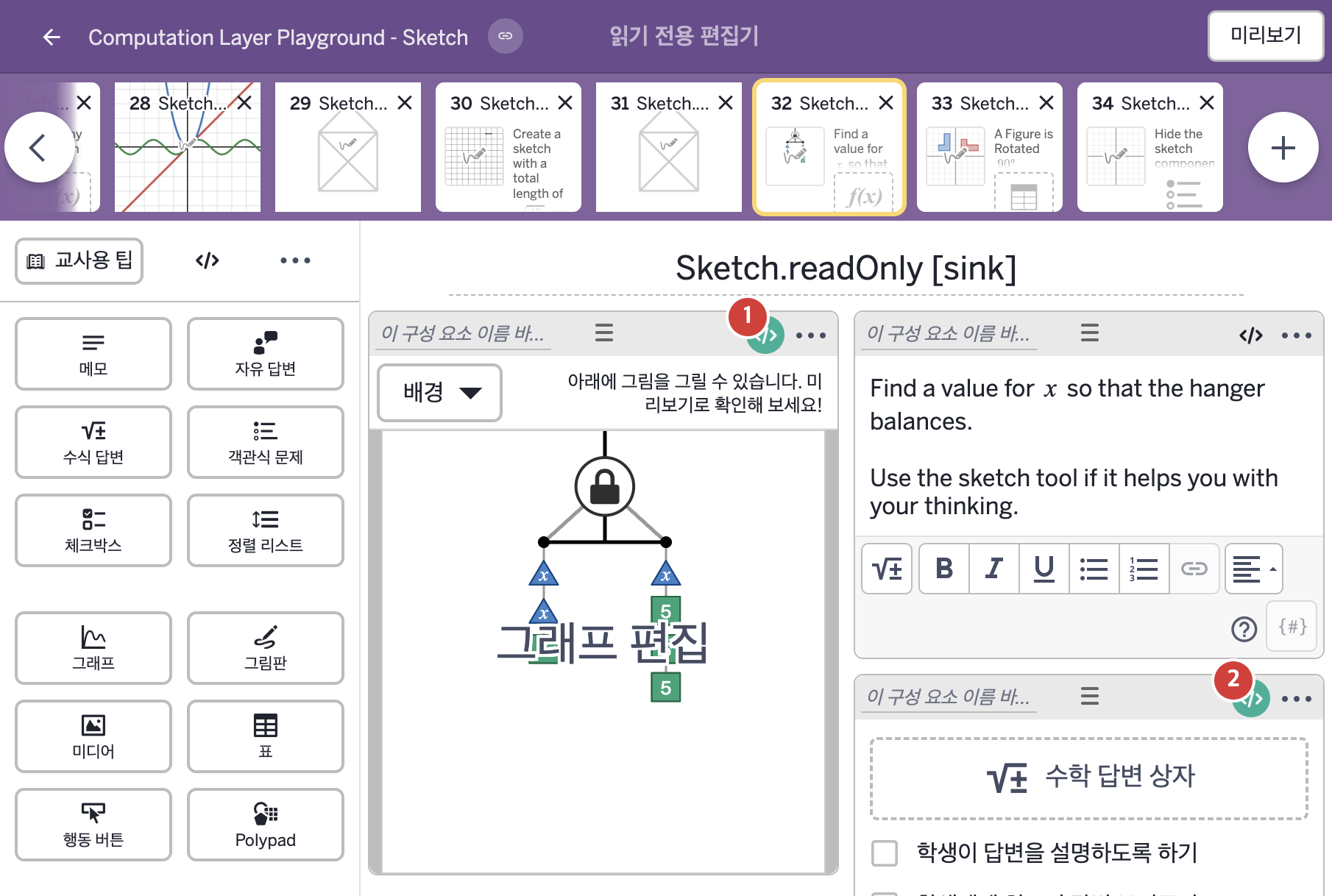
- Find a value for x so that the hanger balances. Use the sketch tool if it helps you with your thinking.
2. CL이 입력된 곳
| 번호 | 이름 | 종류 | CL 코드 원문, 번역, 설명 |
|---|---|---|---|
| 1 | 레이블 없는 그림판 | 그림판 | # Marks this component as read-only, meaning # that there is no student work to be scored. ▷ 이 구성요소를 읽기 전용으로 표시한다. 즉 점수를 매길 학생 작업이 없다는 뜻이다. readOnly: true ▶ 그림판의 읽기 전용 여부(readOnly)는 true로 한다. |
| 2 | 레이블 없는 수식 답변 | 수식 답변 | # Places a check mark in the summary tab of the # teacher dashboard when the numeric value of the # input is 10 ▷ 입력의 숫자 값이 10이면 교사 대시보드의 요약 탭에 체크 표시를 한다. correct: this.numericValue = 10 ▶ 수식 답변의 정답 조건(correct)은 |