홈 › Components › Graph and Graphing Calc › 화면 16
화면 16. Graph.bounds [sink]
원본: Computation Layer 문서(Graph) · Try It (원본 화면)
| 화면 번호 | 16 / 29 |
|---|---|
| 문서 항목 설명 (원문) | Sets the bounds of the graph. Commonly used in combination with the "background" sink. This overrides user interaction, so we caution against using it with fullscreen graphs. |
1. 화면 캡처 (빨간 번호 = 아래 표의 번호)
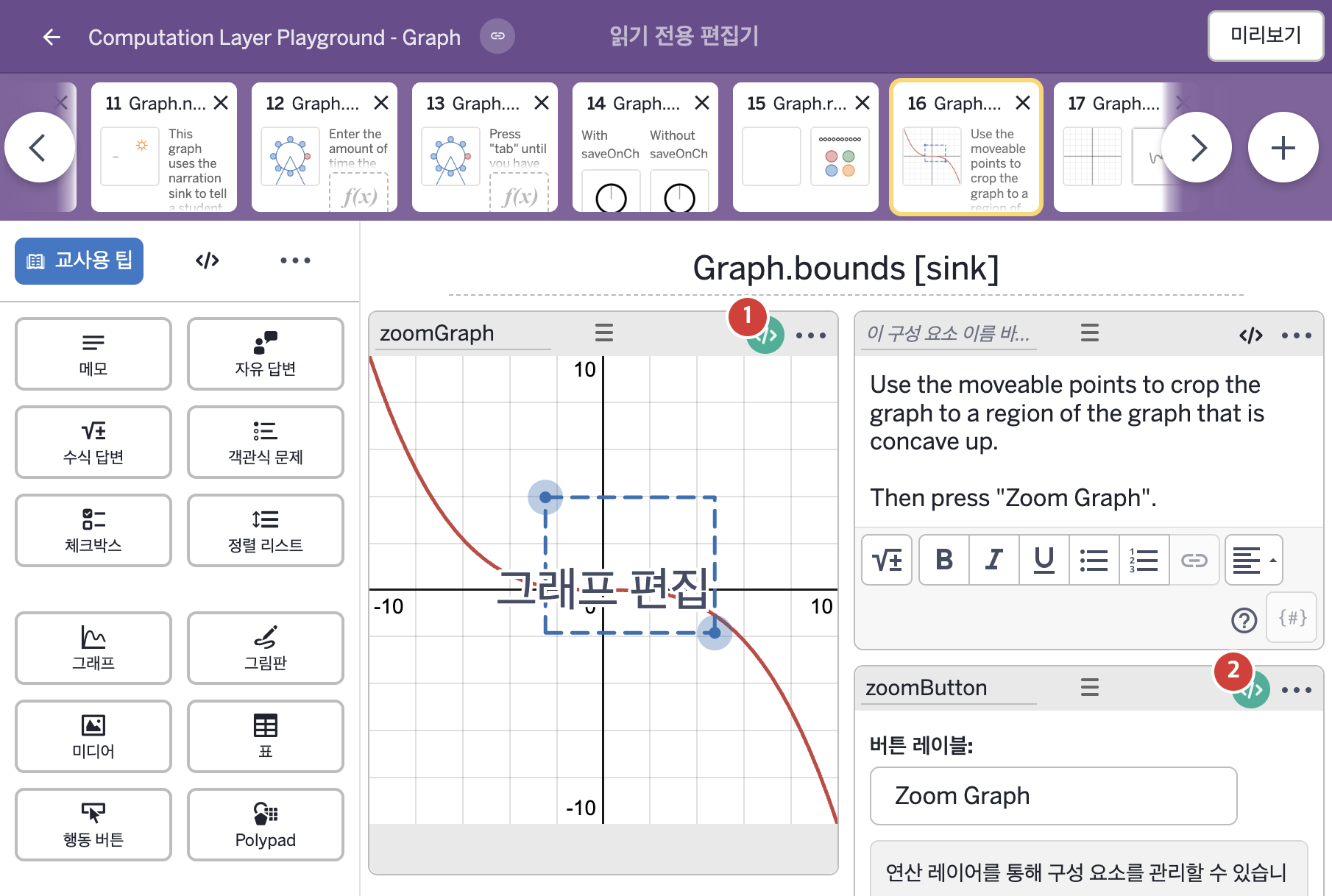
- Use the moveable points to crop the graph to a region of the graph that is concave up. Then press "Zoom Graph".
2. CL이 입력된 곳
| 번호 | 이름 | 종류 | CL 코드 원문, 번역, 설명 |
|---|---|---|---|
| 1 | zoomGraph | 그래프 | # Get variables from the graph that tell us # the desired boundaries of the graph. Store # those in Computation Layer variables. ▷ 그래프에서 원하는 경계를 알려 주는 변수들을 가져와 Computation Layer 변수에 저장한다. xSmall = zoomGraph.number("x_{small}") ▶ 변수 xSmall은 그래프 zoomGraph의 변수 "x_{small}"의 값( |
| 2 | zoomButton | 행동 버튼 | # Set the text of the reset label. ▷ 재설정(reset) 라벨의 글자를 정한다. resetLabel: "Reset" ▶ 행동 버튼의 재설정 라벨(resetLabel)은 "Reset"(재설정)으로 한다. |