홈 › Components › Graph and Graphing Calc › 화면 15
화면 15. Graph.resetAnimationOnChange [sink]
원본: Computation Layer 문서(Graph) · Try It (원본 화면)
| 화면 번호 | 15 / 29 |
|---|---|
| 문서 항목 설명 (원문) | Specify a string value. If that value changes, the animation timer resets. |
1. 화면 캡처 (빨간 번호 = 아래 표의 번호)
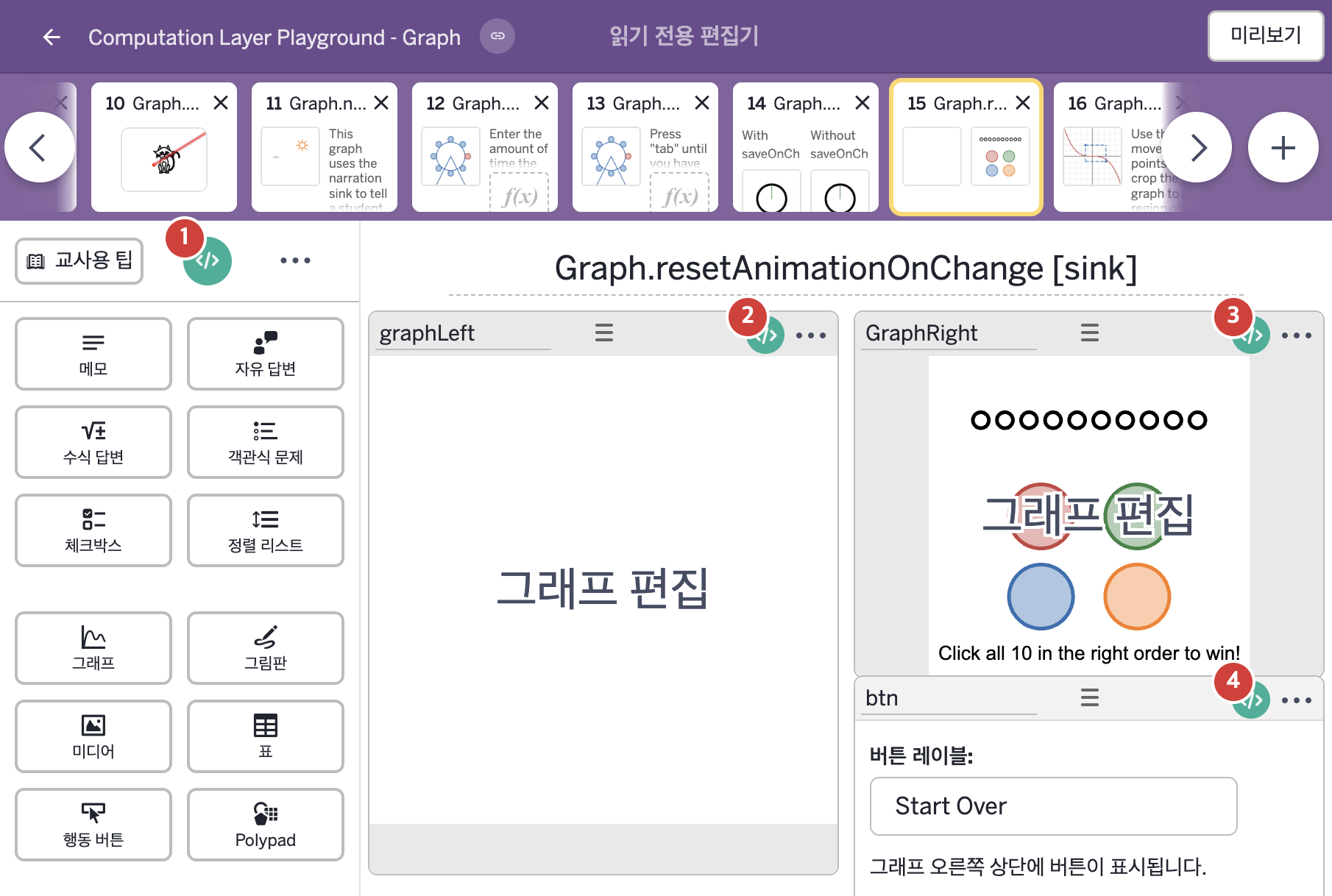
2. CL이 입력된 곳
| 번호 | 이름 | 종류 | CL 코드 원문, 번역, 설명 |
|---|---|---|---|
| 1 | master CL | SCREEN | subtitle: "Press play on the graph to start the timer. Then press the four colored buttons in order to complete the code.\nRewinding the time clears and resets the puzzle." ▶ 화면 제목 아래에 표시할 부제목(subtitle)은 "Press play on the graph to start the timer. Then press the four colored buttons in order to complete the code.\nRewinding the time clears and resets the puzzle."(그래프의 재생 버튼을 눌러 타이머를 시작하시오. 그런 다음 네 가지 색 버튼을 순서대로 눌러 코드를 완성하시오. 시간을 되감으면 퍼즐이 지워지고 처음으로 돌아간다.)로 한다. |
| 2 | graphLeft | 그래프 | # Create the animation cover. # In this example, set the total length to 60 sec. ▷ 애니메이션 덮개를 만든다. 이 예제에서는 전체 길이를 60초로 정한다. animationDuration: 60 ▶ 애니메이션 재생 시간(animationDuration)은 60초로 한다. |
| 3 | GraphRight | 그래프 | # Uses the animation time from graphLeft to start the timer. ▷ graphLeft의 애니메이션 시간을 사용해 타이머를 시작한다. number(`T`): graphLeft.animationTime ▶ 그래프의 변수 |
| 4 | btn | 행동 버튼 | # Do not show the "Start Over" button until # the animation has started. ▷ 애니메이션이 시작되기 전에는 "Start Over" 버튼을 표시하지 않는다. hidden: graphLeft.animationTime = 0 ▶ 버튼의 숨김 조건(hidden)은 |