홈 › Components › Graph and Graphing Calc › 화면 14
화면 14. Graph.saveOnChange [sink]
원본: Computation Layer 문서(Graph) · Try It (원본 화면)
| 화면 번호 | 14 / 29 |
|---|---|
| 문서 항목 설명 (원문) | Specify a string value. If that value changes, the component saves its state. |
1. 화면 캡처 (빨간 번호 = 아래 표의 번호)
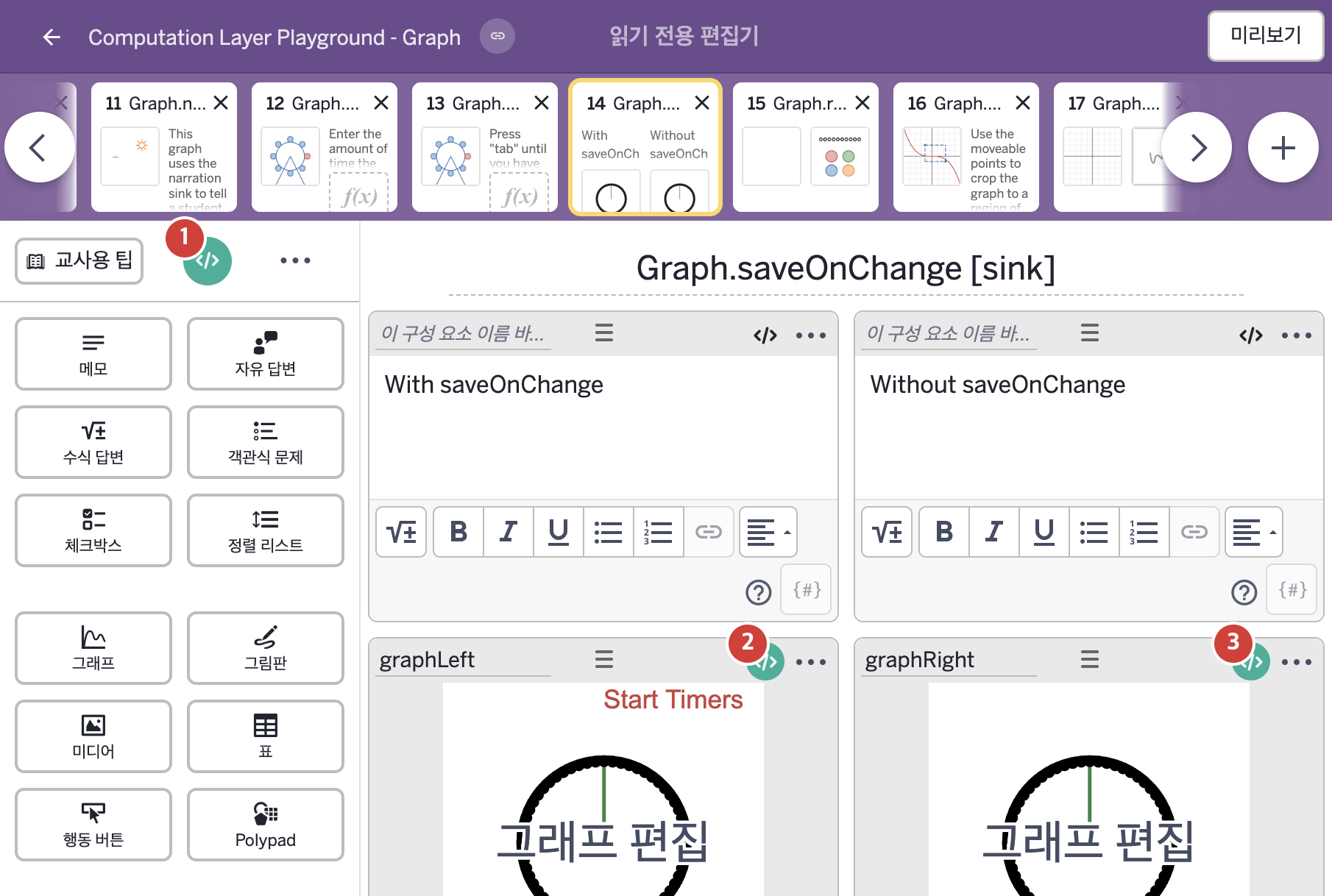
- With saveOnChange
- Without saveOnChange
2. CL이 입력된 곳
| 번호 | 이름 | 종류 | CL 코드 원문, 번역, 설명 |
|---|---|---|---|
| 1 | master CL | SCREEN | subtitle: "Press \"Start Timers\", then navigate to another screen and back.\nNotice how one timer continues where it left off and the other resets?" ▶ 화면 제목 아래에 표시할 부제목(subtitle)은 "Press \"Start Timers\", then navigate to another screen and back.\nNotice how one timer continues where it left off and the other resets?"('Start Timers'를 누른 뒤 다른 화면으로 이동했다가 돌아오시오. 한 타이머는 멈췄던 곳에서 이어지고 다른 타이머는 처음부터 다시 시작되는 것을 확인해 보시오.)로 한다. |
| 2 | graphLeft | 그래프 | # Saves the graph state whenever the number "a" # is updated in the graph. ▷ 그래프의 숫자 "a"가 바뀔 때마다 그래프의 상태를 저장한다. saveOnChange: "${this.number(`a`)}" ▶ 이 그래프의 상태를 저장할 조건(saveOnChange)은 |
| 3 | graphRight | 그래프 | # Syncs the value of p_{ress} in this graph to the # value of p_{ress} in graphLeft. ▷ 이 그래프의 p_{ress} 값을 graphLeft의 p_{ress} 값과 같게 맞춘다. number(`p_{ress}`): graphLeft.number(`p_{ress}`) ▶ 그래프의 변수 |