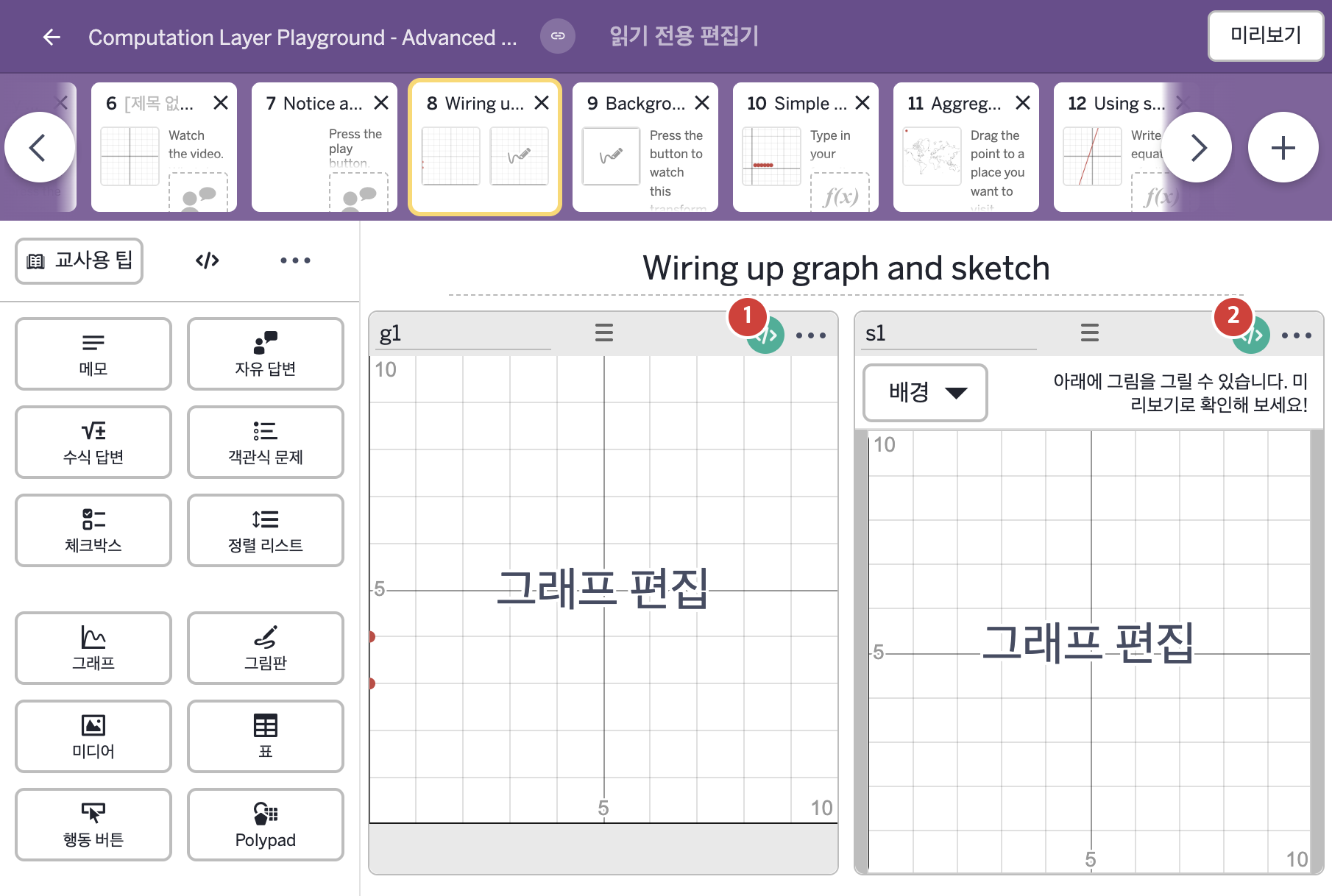
코드 안의 회색 줄은 원문 영어 주석이고, 파란 줄은 그 영어 주석의 번역이며, 연분홍 줄은 코드가 하는 일의 설명이다.
| 번호 | 이름 | 종류 | CL 코드 원문, 번역, 설명 |
|---|
| 1 | g1 | 그래프 | animationDuration: 10
▶ 애니메이션 재생 시간(animationDuration)은 10으로 한다.
animationDuration은 그래프 위에 동영상처럼 재생바(playhead)를 붙이고 그 길이를 정한다. 0 이하의 값은 재생바를 숨기고, 그래프 구성요소(graph exhibit)에서만 작동한다.
number("t"): this.animationTime
▶ 그래프의 변수 t는 이 그래프의 애니메이션 재생 위치(this.animationTime)로 한다.
number("이름")은 그래핑 계산기 안의 변수 값을 정한다. animationTime은 애니메이션 재생 위치를 알려 주며 animationDuration과 함께 쓴다.
numberList("L"): s1.sketch.yValuesAt(this.animationTime)
▶ 그래프의 숫자배열(numberList) L은 그림판 s1의 스케치가 x = 재생 위치에서 지나가는 모든 y 값의 숫자배열(s1.sketch.yValuesAt(this.animationTime))로 한다.
numberList("이름")은 그래핑 계산기의 변수를 주어진 숫자배열의 내용으로 정한다. sketch는 그림판에 그려진 모든 것을 나타내는 스케치 객체를 가져오고, yValuesAt(x)는 스케치가 주어진 x 위치에서 지나가는 모든 y 값을 숫자배열로 돌려준다.
|
| 2 | s1 | 그림판 | #this draws a vertical line in the sketch)
▷ 그림판에 수직선을 그린다.
number("t"): g1.animationTime
▶ 그래프 배경의 변수 t는 그래프 g1의 애니메이션 재생 위치(g1.animationTime)로 한다.
number("이름")은 그래프 배경이 있는 그림판에서 그래핑 계산기 안의 변수 값을 정한다. animationTime은 애니메이션 재생 위치를 알려 주며 animationDuration과 함께 쓴다.
#only show the message before you've drawn
#by looking at currentStroke, we also hide the message as soon as you start sketching
▷ 아직 그리기 전에만 메시지를 보여 준다. currentStroke를 확인하면 그리기 시작하자마자 메시지를 숨기기도 한다.
number("v"):
when (this.sketch.strokeCount = 0 and this.sketch.pointCount = 0 and this.currentStroke.strokeCount = 0) 1
otherwise 0
▶ 그래프 배경의 변수 v는 this.sketch.strokeCount = 0, this.sketch.pointCount = 0, this.currentStroke.strokeCount = 0이 모두 참일 때, 즉 그린 획·점이 없고 지금 그리는 획도 없을 때 1, 그렇지 않으면 0으로 한다.
sketch는 그림판에 그려진 모든 것을 나타내는 스케치 객체를, currentStroke는 지금 그리는 중인 획을 나타내는 스케치 객체를 가져온다. strokeCount는 스케치를 받아 획의 수를, pointCount는 점의 수를 숫자로 돌려준다. and로 이은 조건은 모두 참이어야 참이고, when은 조건을 차례로 확인해 처음 맞는 값을 쓴다.
|