홈 › Components › Action Button (행동 버튼) › 화면 10
화면 10. Button.resetStyle [sink]
원본: Computation Layer 문서(Action Button (행동 버튼)) · Try It (원본 화면)
| 화면 번호 | 10 / 12 |
|---|---|
| 문서 항목 설명 (원문) | resetStyle Sets the button style when in "reset" state. Use "link" for our standard link or "white" for button styling on a dark background. |
1. 화면 캡처 (빨간 번호 = 아래 표의 번호)
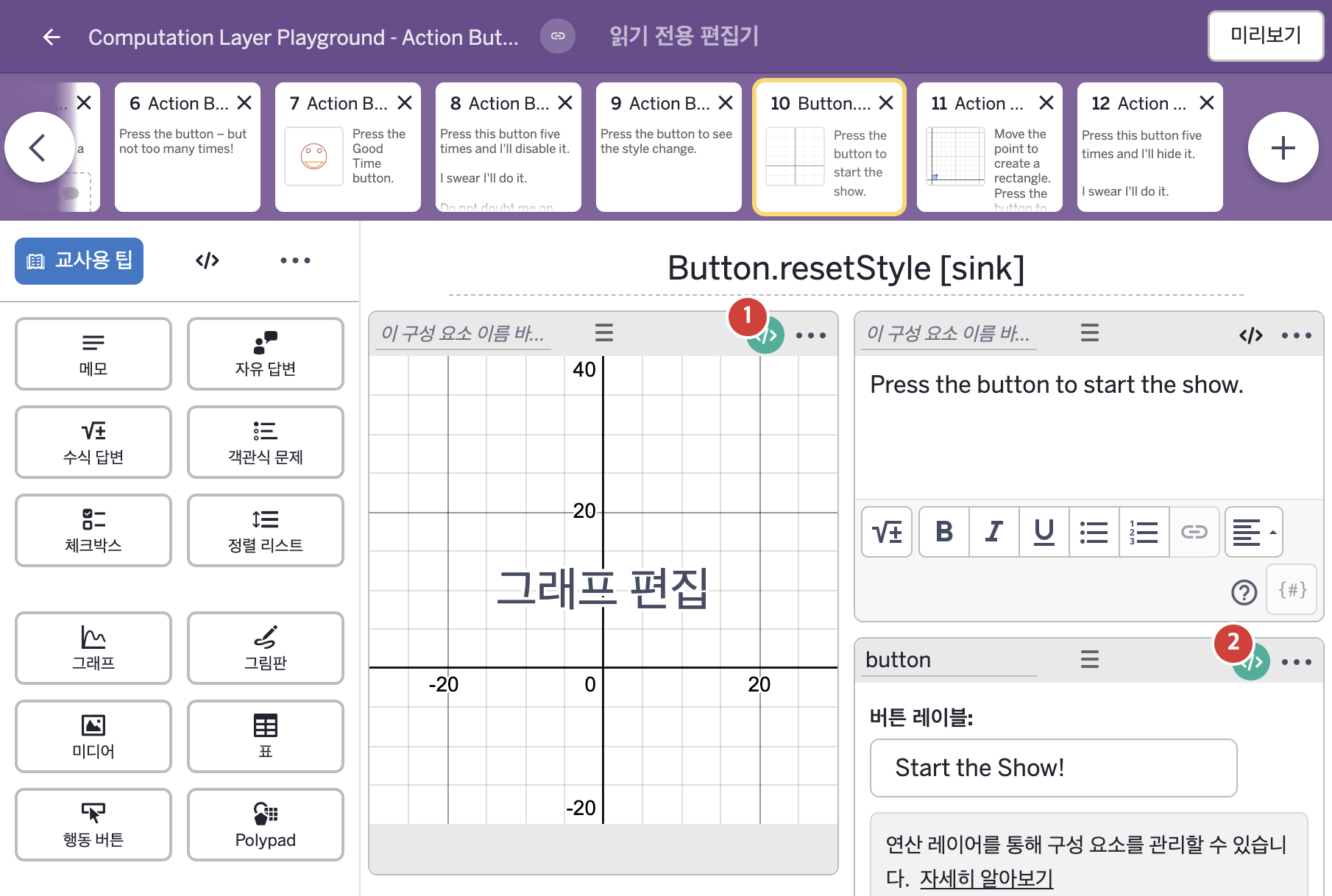
- Press the button to start the show.
- Start the Show!
2. CL이 입력된 곳
| 번호 | 이름 | 종류 | CL 코드 원문, 번역, 설명 |
|---|---|---|---|
| 1 | 레이블 없는 그래프 | 그래프 | # "a" is the variable that drives the animation in the # calculator. We've defined it by the button timer. ▷ "a"는 계산기 안의 애니메이션을 움직이는 변수이다. 버튼의 타이머로 정했다. number("a"): button.timeSincePress(20) ▶ 그래프의 변수 a는 행동 버튼 button을 누른 뒤 지난 시간( |
| 2 | button | 행동 버튼 | # This controls the reset style of the button label. ▷ 이것은 버튼 라벨이 재설정 상태일 때의 스타일을 조절한다. resetStyle: buttonStyles.red ▶ 행동 버튼의 재설정 스타일(resetStyle)은 |