홈 › Components › Action Button (행동 버튼) › 화면 9
화면 9. Action Button.style [sink]
원본: Computation Layer 문서(Action Button (행동 버튼)) · Try It (원본 화면)
| 화면 번호 | 9 / 12 |
|---|---|
| 문서 항목 설명 (원문) | style Sets the button style. Use "default" for our standard blue style. Other options are "red" for a warning or for a confirmatory second click, "white" for a secondary click on a dark background, and "link" for our standard link. |
1. 화면 캡처 (빨간 번호 = 아래 표의 번호)
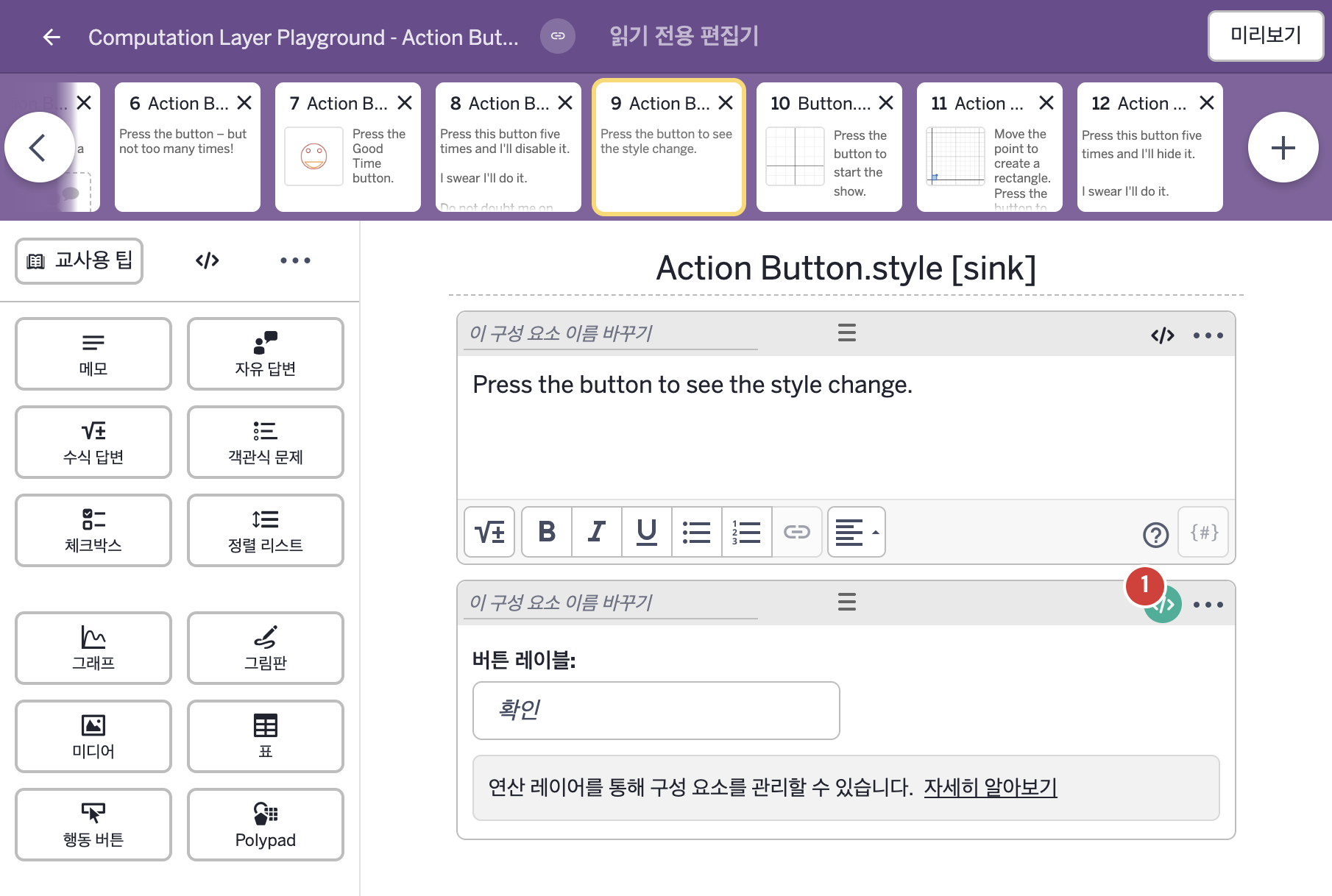
- Press the button to see the style change.
2. CL이 입력된 곳
| 번호 | 이름 | 종류 | CL 코드 원문, 번역, 설명 |
|---|---|---|---|
| 1 | 레이블 없는 행동 버튼 | 행동 버튼 | # Before the button is pressed this button will have the default style. # After pressing the button once the button will turn red. # After the button has been pressed for a second time it will turn and stay as a link. ▷ 버튼을 누르기 전에는 이 버튼이 기본 스타일이다. 한 번 누르면 버튼이 빨간색이 된다. 두 번째로 누른 뒤에는 링크로 바뀌어 그대로 남는다. style: when this.pressCount = 0 buttonStyles.default when this.pressCount = 1 buttonStyles.red otherwise buttonStyles.link ▶ 행동 버튼의 스타일(style)은 |