홈 › Components › Action Button (행동 버튼) › 화면 8
화면 8. Action Button.disabled [sink]
원본: Computation Layer 문서(Action Button (행동 버튼)) · Try It (원본 화면)
| 화면 번호 | 8 / 12 |
|---|---|
| 문서 항목 설명 (원문) | disabled Sets a Boolean that determines when the action button is disabled or enabled. (When it's disabled, we gray out the button and make it unpressable.) |
1. 화면 캡처 (빨간 번호 = 아래 표의 번호)
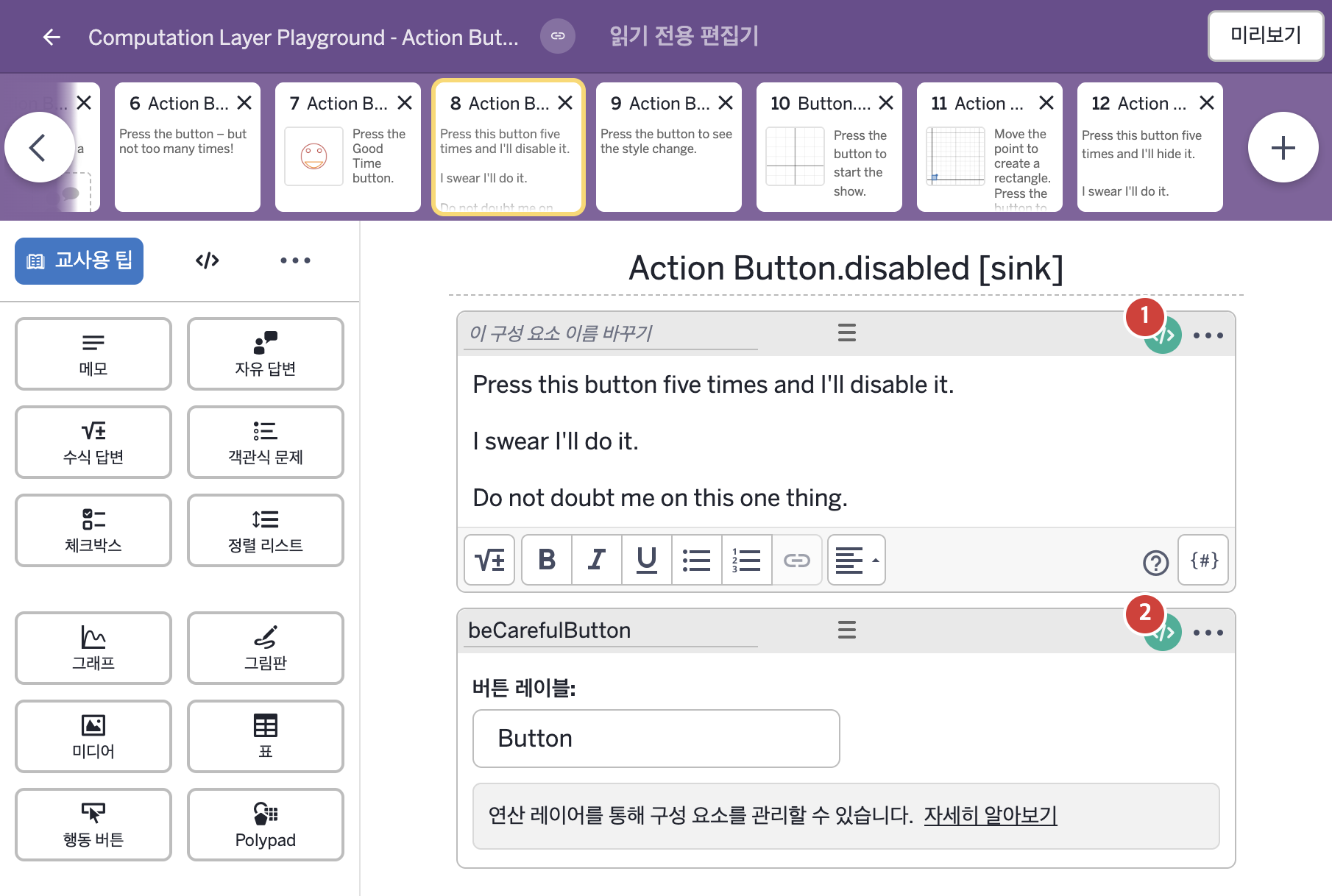
- Press this button five times and I'll disable it. I swear I'll do it. Do not doubt me on this one thing.
- Button
2. CL이 입력된 곳
| 번호 | 이름 | 종류 | CL 코드 원문, 번역, 설명 |
|---|---|---|---|
| 1 | 레이블 없는 메모 | 메모 | # This variable "threats" conditionally stores a threat based # on the number of times the "beCarefulButton" has been pressed. # (The "\n\n" creates two line breaks before the threat.) ▷ 이 변수 "threats"는 "beCarefulButton"이 눌린 횟수에 따라 협박 문구 하나를 조건에 맞게 저장한다. ("\n\n"은 협박 문구 앞에 줄바꿈 두 번을 만든다.) threats = when beCarefulButton.pressCount = 1 "\n\nI'm serious." when beCarefulButton.pressCount = 2 "\n\nAre YOU serious?" when beCarefulButton.pressCount = 3 "\n\nOkay, this is happening." when beCarefulButton.pressCount = 4 "\n\nOne more press and it's lights-out time." when beCarefulButton.pressCount = 5 "\n\nGood night, pal." otherwise "" ▶ 변수 threats는 beCarefulButton이 눌린 횟수가 1이면 "\n\nI'm serious."(진심이다.), 2이면 "\n\nAre YOU serious?"(너야말로 진심인가?), 3이면 "\n\nOkay, this is happening."(좋아, 시작한다.), 4이면 "\n\nOne more press and it's lights-out time."(한 번만 더 누르면 불이 꺼질 시간이다.), 5이면 "\n\nGood night, pal."(잘 자시오, 친구.), 그 밖에는 빈 글자로 한다. |
| 2 | beCarefulButton | 행동 버튼 | # When the button named "beCarefulButton" is pressed for the fifth time # this button will become disabled. ▷ "beCarefulButton"이라는 버튼이 다섯 번째로 눌리면 이 버튼은 비활성화된다. disabled: beCarefulButton.pressCount = 5 ▶ 행동 버튼의 비활성화 조건(disabled)은 beCarefulButton이 눌린 횟수가 5와 같은지 비교한 결과( |