화면 2. Table.cellNumericValue [source]
원본: Computation Layer 문서(Table (표)) · Try It (원본 화면)
| 화면 번호 | 2 / 17 |
|---|
| 문서 항목 설명 (원문) | cellNumericValuerowIndex: number, columnIndex: number Gets the evaluated numeric value of that cell given a row index and column index. (Row index 1 is the first row underneath the header.) If a student types "2 + 2", we will return "4". |
|---|
1. 화면 캡처 (빨간 번호 = 아래 표의 번호)
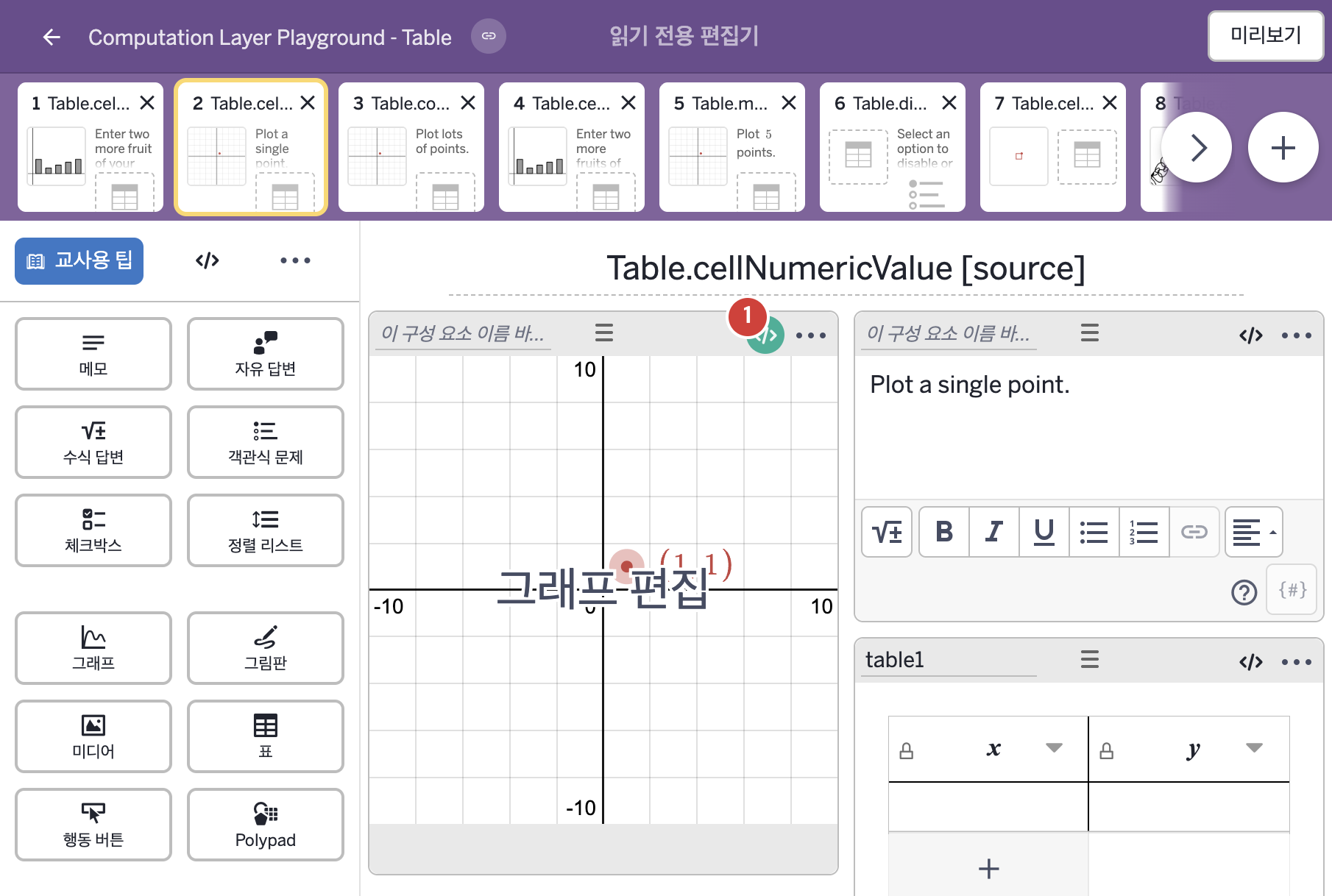
화면에 적힌 영어 문구(원문):
2. CL이 입력된 곳
코드 안의 회색 줄은 원문 영어 주석이고, 파란 줄은 그 영어 주석의 번역이며, 연분홍 줄은 코드가 하는 일의 설명이다.
| 번호 | 이름 | 종류 | CL 코드 원문, 번역, 설명 |
|---|
| 1 | 레이블 없는 그래프 | 그래프 | # Define the numbers X_1 and Y_1 using the
# numeric values in each of the columns
# "x" and "y" in "table1".
▷ "table1"의 "x" 열과 "y" 열에 있는 숫자 값으로 숫자 X_1과 Y_1을 정한다.
number("X_1"): table1.cellNumericValue(1,1)
▶ 그래프의 변수 X_1은 표 table1의 1행 1열 셀("x" 열)의 숫자 값(table1.cellNumericValue(1,1))으로 한다.
number("이름")은 그래핑 계산기 안의 변수 값을 정하고, cellNumericValue(행, 열)은 그 셀을 계산한 숫자 값을 가져온다. 학생이 "2 + 2"를 입력하면 4를 돌려준다.
number("Y_1"): table1.cellNumericValue(1,2)
▶ 그래프의 변수 Y_1은 표 table1의 1행 2열 셀("y" 열)의 숫자 값(table1.cellNumericValue(1,2))으로 한다.
|