홈 › Components › Sketch (그림판) › 화면 29
화면 29. Sketch.resetOnChange [sink]
원본: Computation Layer 문서(Sketch (그림판)) · Try It (원본 화면)
| 화면 번호 | 29 / 34 |
|---|---|
| 문서 항목 설명 (원문) | resetOnChange Specify a string value. If that value changes, the component resets. |
1. 화면 캡처 (빨간 번호 = 아래 표의 번호)
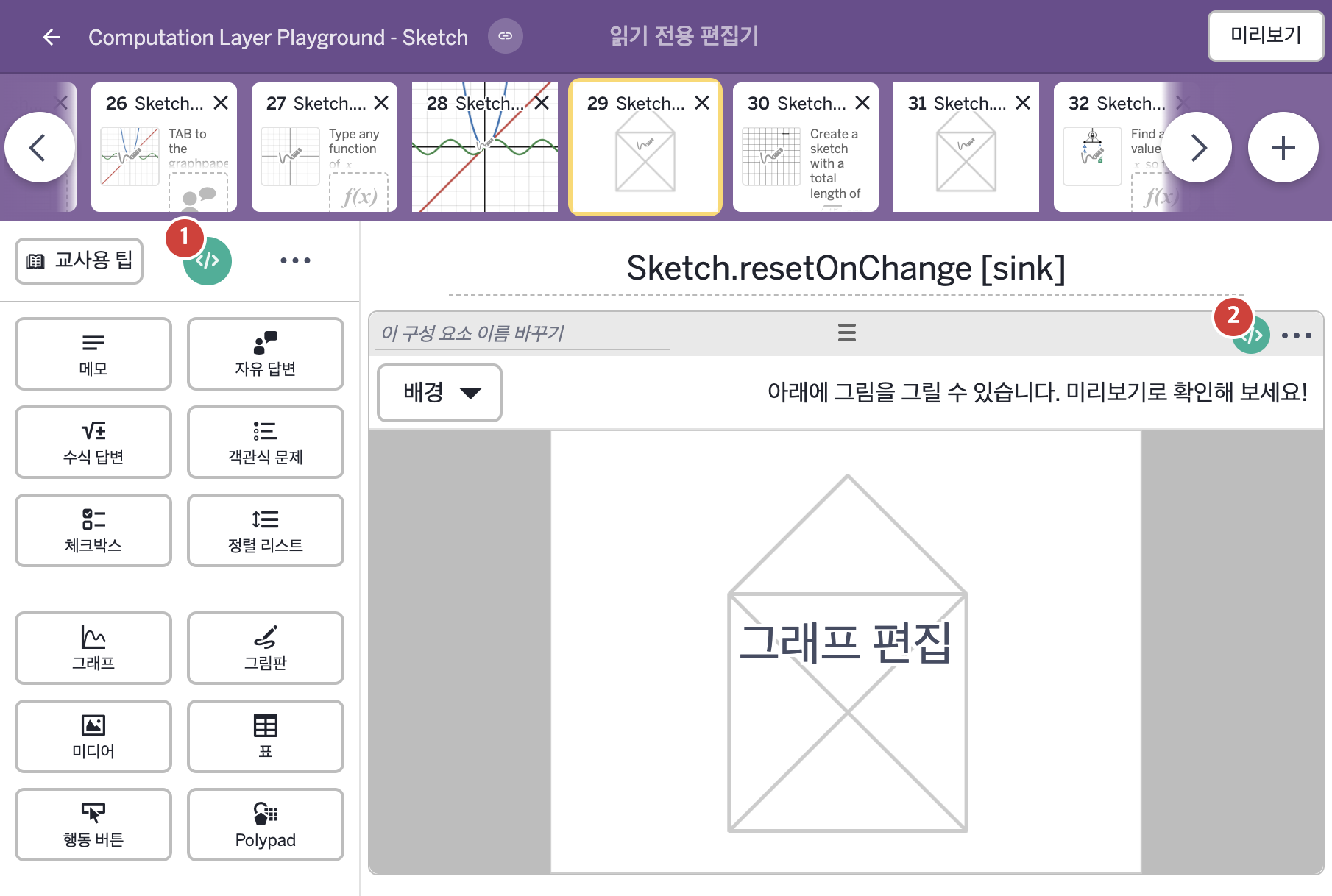
2. CL이 입력된 곳
| 번호 | 이름 | 종류 | CL 코드 원문, 번역, 설명 |
|---|---|---|---|
| 1 | master CL | SCREEN | # Creates a subtitle to display some instructions # for the student without using a note. ▷ 메모 없이 학생에게 안내를 보여 주는 부제목을 만든다. subtitle: "Trace the figure using a single sketch stroke." ▶ 화면 제목 아래에 표시할 부제목(subtitle)은 "Trace the figure using a single sketch stroke."(한 번의 스케치 획으로 도형을 따라 그리시오.)로 한다. |
| 2 | 레이블 없는 그림판 | 그림판 | # Merges the current sketch and the existing sketch into # a single sketch layer. ▷ 현재 스케치와 기존 스케치를 하나의 스케치 레이어로 합친다. totalSketch = mergeSketches(this.sketch,this.currentStroke) ▶ 변수 totalSketch는 |