홈 › Components › Sketch (그림판) › 화면 22
화면 22. Sketch.number [sink]
원본: Computation Layer 문서(Sketch (그림판)) · Try It (원본 화면)
| 화면 번호 | 22 / 34 |
|---|---|
| 문서 항목 설명 (원문) | numberidentifier: latex If the sketch has a graph background, sets the value of a variable in the calculator. This will override any existing definitions of that variable. |
1. 화면 캡처 (빨간 번호 = 아래 표의 번호)
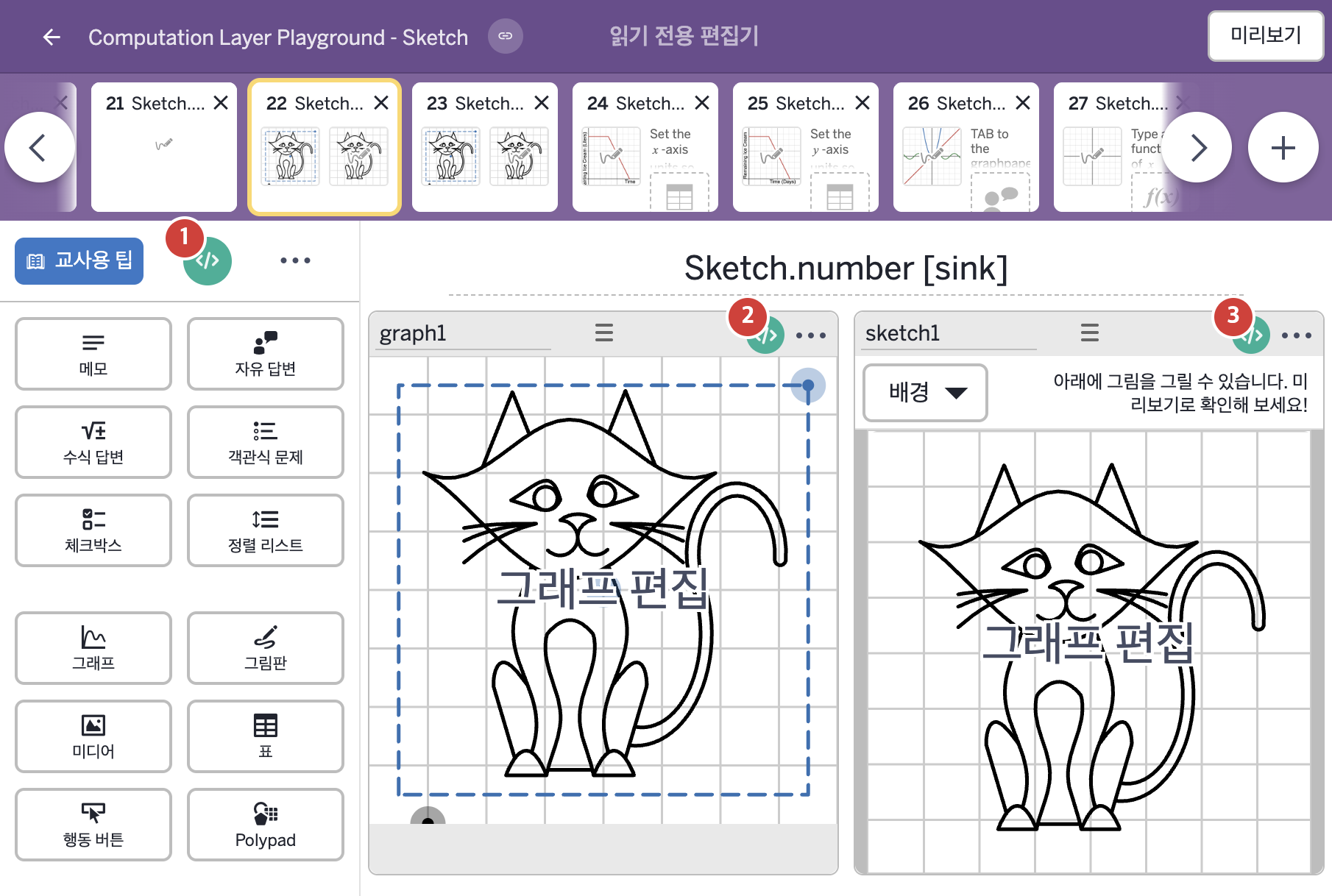
2. CL이 입력된 곳
| 번호 | 이름 | 종류 | CL 코드 원문, 번역, 설명 |
|---|---|---|---|
| 1 | master CL | SCREEN | # Uses a subtitle sink to add some instruction for students below the title. ▷ 부제목 sink로 제목 아래에 학생에게 줄 안내를 더한다. subtitle: "Use the sketch tool to complete the drawing of this cat.\nThe grid and window adjustment are there to help you add detail." ▶ 화면 제목 아래에 표시할 부제목(subtitle)은 "Use the sketch tool to complete the drawing of this cat.\nThe grid and window adjustment are there to help you add detail."(스케치 도구로 이 고양이 그림을 완성하시오. 격자와 창 조절은 세부를 그리는 데 도움을 준다.)로 한다. |
| 2 | graph1 | 그래프 | # This uses a background sink to bring the sketch into the graph. ▷ 배경(background) sink로 그림판을 그래프에 가져온다. background: layerStack(sketchLayer(sketch1.sketch),sketchLayer(sketch1.currentStroke)) ▶ 그래프의 배경(background)은 |
| 3 | sketch1 | 그림판 | # This code uses the number source from graph1 # to create a matching value in this sketch component. # The variable is used to control the spacing between gridlines. ▷ 이 코드는 graph1의 number source로 이 그림판 구성요소에 같은 값을 만든다. 이 변수는 격자선 간격을 조절하는 데 쓰인다. number("a"): graph1.number("a") ▶ 그래프 배경의 변수 a는 그래프 graph1의 변수 a의 숫자 값( |