홈 › Components › Sketch (그림판) › 화면 10
화면 10. Sketch.currentY [source]
원본: Computation Layer 문서(Sketch (그림판)) · Try It (원본 화면)
| 화면 번호 | 10 / 34 |
|---|---|
| 문서 항목 설명 (원문) | currentY Gets the current y-coordinate of the mouse. Works on hover with a mouse and while depressed for touch. |
1. 화면 캡처 (빨간 번호 = 아래 표의 번호)
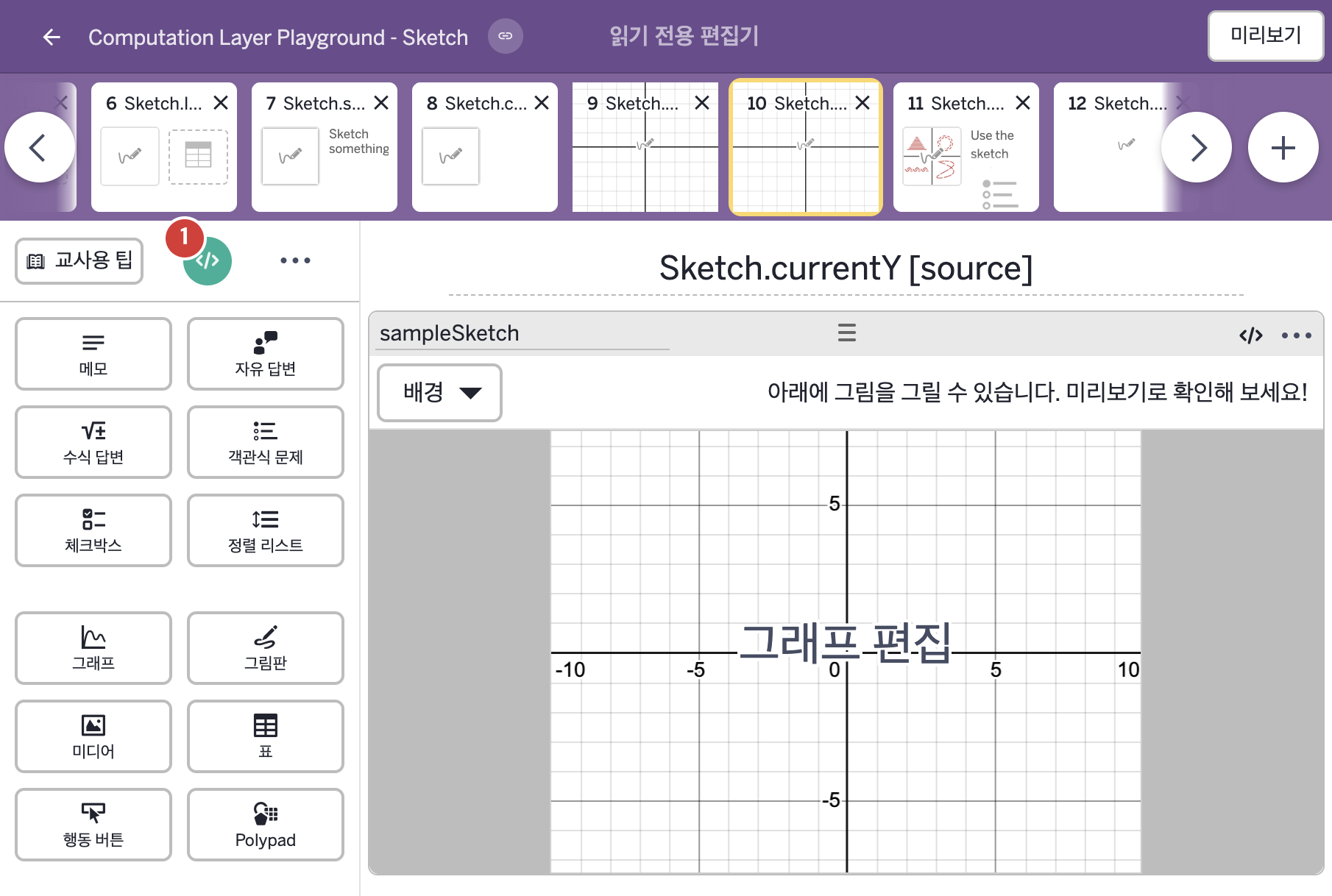
2. CL이 입력된 곳
| 번호 | 이름 | 종류 | CL 코드 원문, 번역, 설명 |
|---|---|---|---|
| 1 | master CL | SCREEN | # Use a subtitle sink to display the current # y-coordinate of the cursor on the sketch component. # A ${ } is used to put the number into a string. ▷ 부제목 sink로 그림판 구성요소에서 커서의 현재 y좌표를 표시한다. 숫자를 글자에 넣을 때 ${ }를 쓴다. subtitle: "Current `y`: `${sampleSketch.currentY}`" ▶ 화면 제목 아래에 표시할 부제목(subtitle)은 "Current `y`: `${sampleSketch.currentY}`"(현재 y: 뒤에 커서의 y좌표)로 한다. |