화면 6. Polypad.hidden [sink]
원본: Computation Layer 문서(Polypad) · Try It (원본 화면)
| 화면 번호 | 6 / 9 |
|---|
| 문서 항목 설명 (원문) | hidden When true, this component will not be shown to students. |
|---|
1. 화면 캡처 (빨간 번호 = 아래 표의 번호)
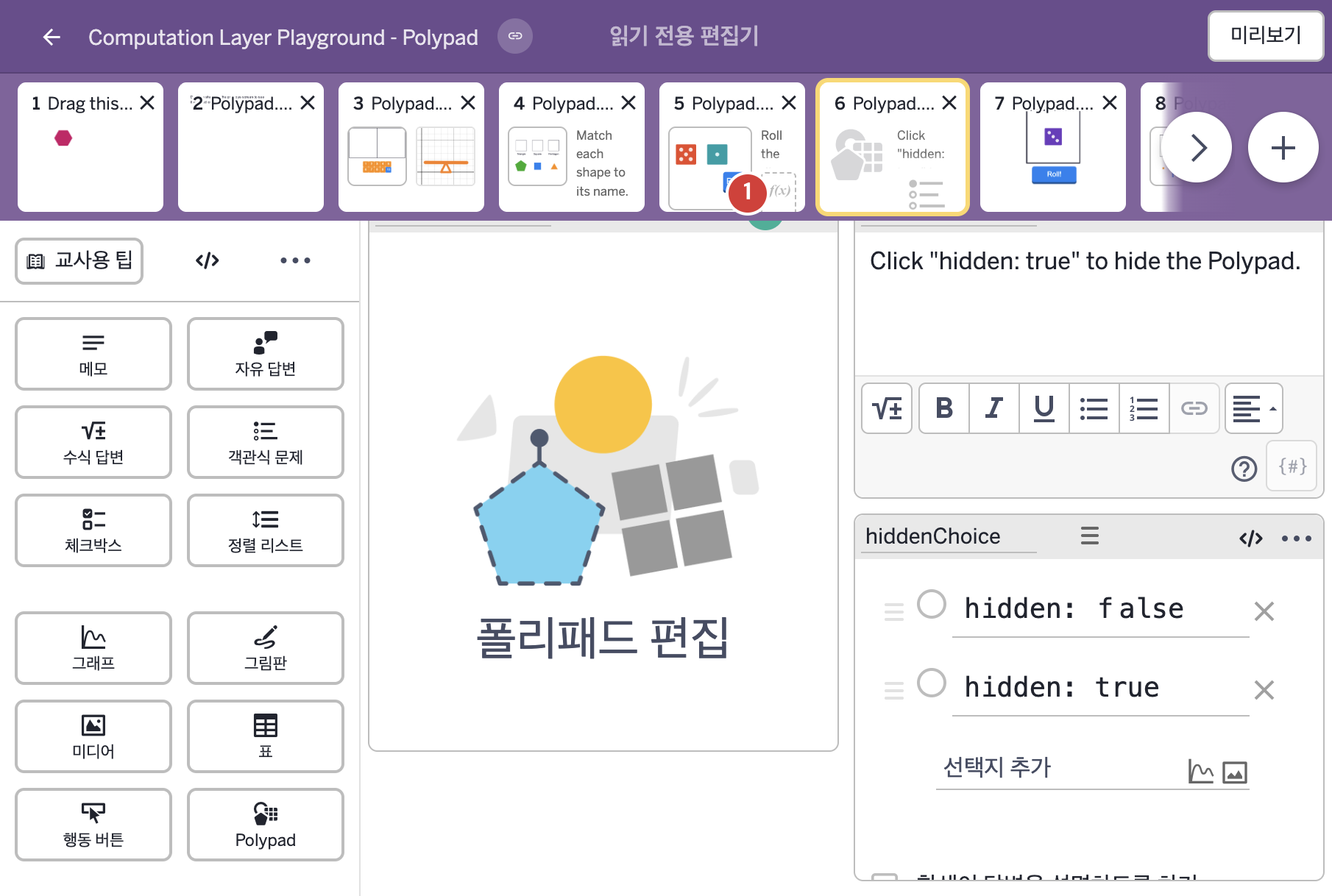
화면에 적힌 영어 문구(원문):
- Click "hidden: true" to hide the Polypad.
- hidden: false
hidden: true
2. CL이 입력된 곳
코드 안의 회색 줄은 원문 영어 주석이고, 파란 줄은 그 영어 주석의 번역이며, 연분홍 줄은 코드가 하는 일의 설명이다.
| 번호 | 이름 | 종류 | CL 코드 원문, 번역, 설명 |
|---|
| 1 | 레이블 없는 Polypad | 일부화면 POLYPAD | # Use hidden to set the condition for hiding a component.
# It will still run in the background, but it will be
# hidden from a student's screen.
▷ hidden으로 구성요소를 숨기는 조건을 정한다. 구성요소는 배경에서 계속 실행되지만 학생의 화면에서는 숨겨진다.
hidden: hiddenChoice.isSelected(2)
▶ Polypad의 숨김 조건(hidden)은 객관식 구성요소 hiddenChoice의 2번 보기가 선택되었을 때(hiddenChoice.isSelected(2)) 참으로 한다.
isSelected(번호)는 객관식 구성요소에서 그 번호의 보기가 선택되었는지를 참 또는 거짓으로 알려 준다.
|