홈 › Components › Multiple Choice and Checkboxes › 화면 21
화면 21. Choice.matchesKey [Source]
원본: Computation Layer 문서(Multiple Choice and Checkboxes) · Try It (원본 화면)
| 화면 번호 | 21 / 21 |
|---|---|
| 문서 항목 설명 (원문) | Returns whether response matches the answer key. If no answer key is provided, returns false. |
1. 화면 캡처 (빨간 번호 = 아래 표의 번호)
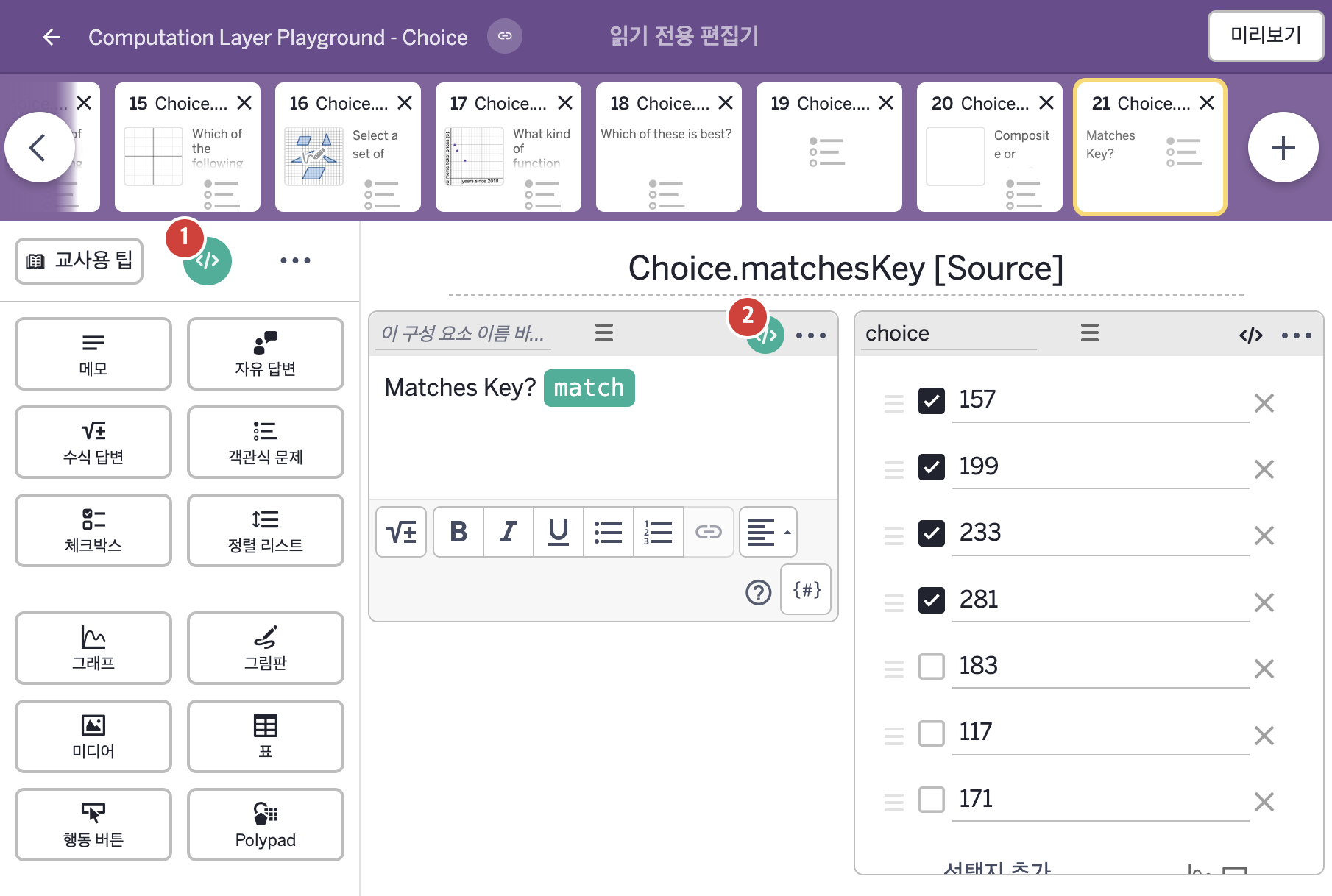
- Matches Key?
- 157 199 233 281 183 117 171
2. CL이 입력된 곳
| 번호 | 이름 | 종류 | CL 코드 원문, 번역, 설명 |
|---|---|---|---|
| 1 | master CL | SCREEN | subtitle: "Select all of the prime numbers." ▶ 화면 제목 아래에 표시할 부제목(subtitle)은 "Select all of the prime numbers."(소수를 모두 고르시오.)로 한다. |
| 2 | 레이블 없는 메모 | 메모 | # Answers the question "Matches Key?" in the note with a "✅" # when the seleected options match the answer key. ▷ 메모의 "Matches Key?"(정답 키와 일치하는가?)라는 질문에, 선택한 보기가 정답 키와 일치하면 "✅"로 답한다. match = when choice.matchesKey "✅" otherwise "" ▶ 변수 match는 |