홈 › Components › Multiple Choice and Checkboxes › 화면 19
화면 19. Choice.hidden [sink]
원본: Computation Layer 문서(Multiple Choice and Checkboxes) · Try It (원본 화면)
| 화면 번호 | 19 / 21 |
|---|---|
| 문서 항목 설명 (원문) | When true, this component will not be shown to students. |
1. 화면 캡처 (빨간 번호 = 아래 표의 번호)
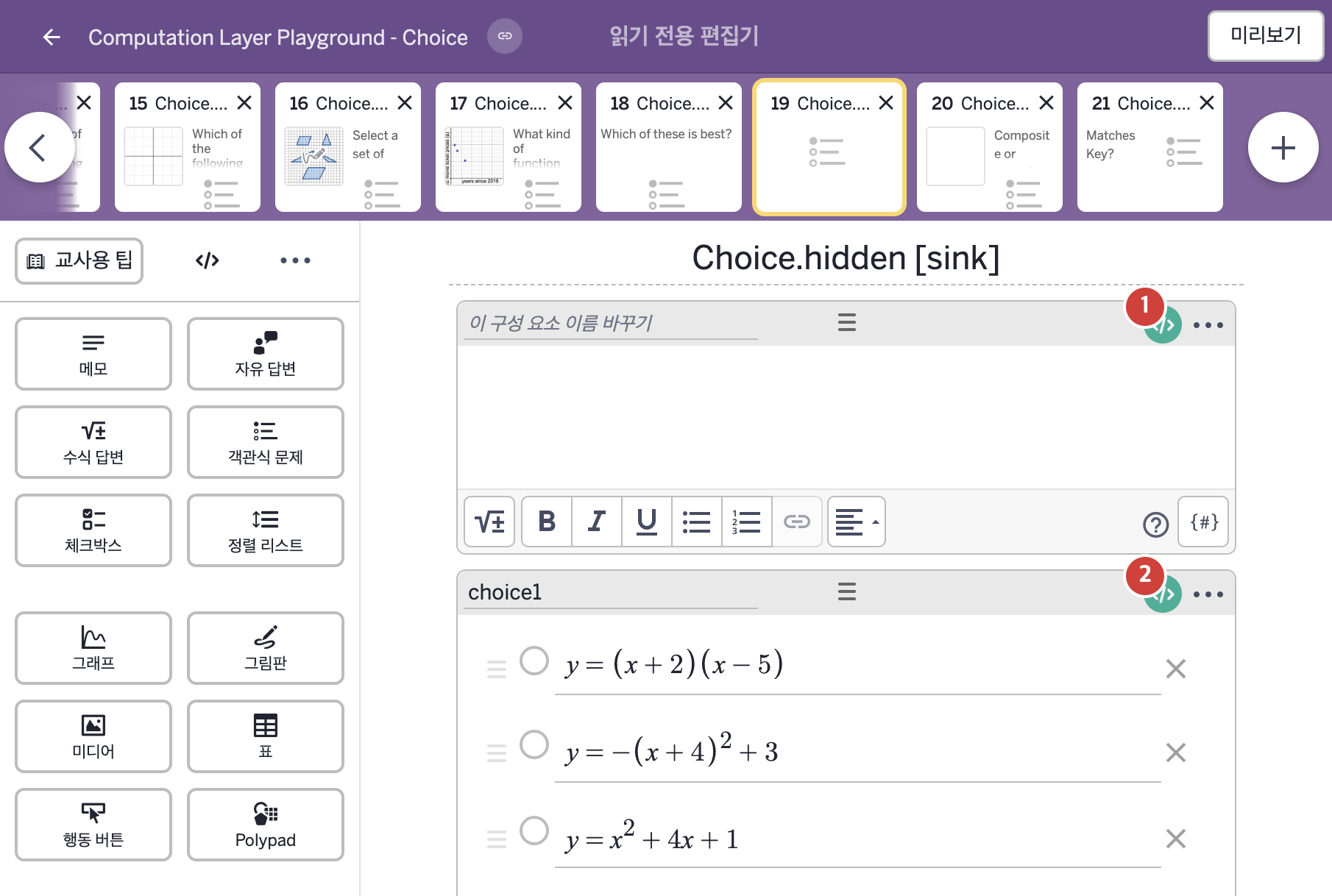
- y = (x + 2)(x − 5) y = −(x + 4)² + 3 y = x² + 4x + 1
2. CL이 입력된 곳
| 번호 | 이름 | 종류 | CL 코드 원문, 번역, 설명 |
|---|---|---|---|
| 1 | 레이블 없는 메모 | 메모 | # Creates a variable that displays the content from the # input only after it has been submitted. the "\n" here # add a carriage return in the note (one per "\n"). ▷ 입력이 제출된 뒤에만 입력 내용을 보여 주는 변수를 만든다. 여기의 "\n"은 메모에 줄바꿈을 넣는다("\n" 하나당 한 줄). c = when choice1.isSelected(1) "\n\nYou selected:\n`y=\left(x+2\right)\left(x-5\right)`" when choice1.isSelected(2) "\n\nYou selected:\n`y=-\left(x+4\right)^{2}+3`" when choice1.isSelected(3) "\n\nYou selected:\n`y=x^{2}+4x+1`" otherwise "" ▶ 변수 c는 choice1의 1번 보기가 선택되었다면( |
| 2 | choice1 | 객관식 문제 | # Hides this component once a choice has been made. ▷ 보기가 하나라도 선택되면 이 구성요소를 숨긴다. hidden: this.isSelected(1) or this.isSelected(2) or this.isSelected(3) ▶ 숨김 조건(hidden)은 이 구성요소의 1번, 2번, 3번 보기 가운데 하나라도 선택되었다면( |