← 수업 제작 도구
홈 › Components › Multiple Choice and Checkboxes › 화면 4

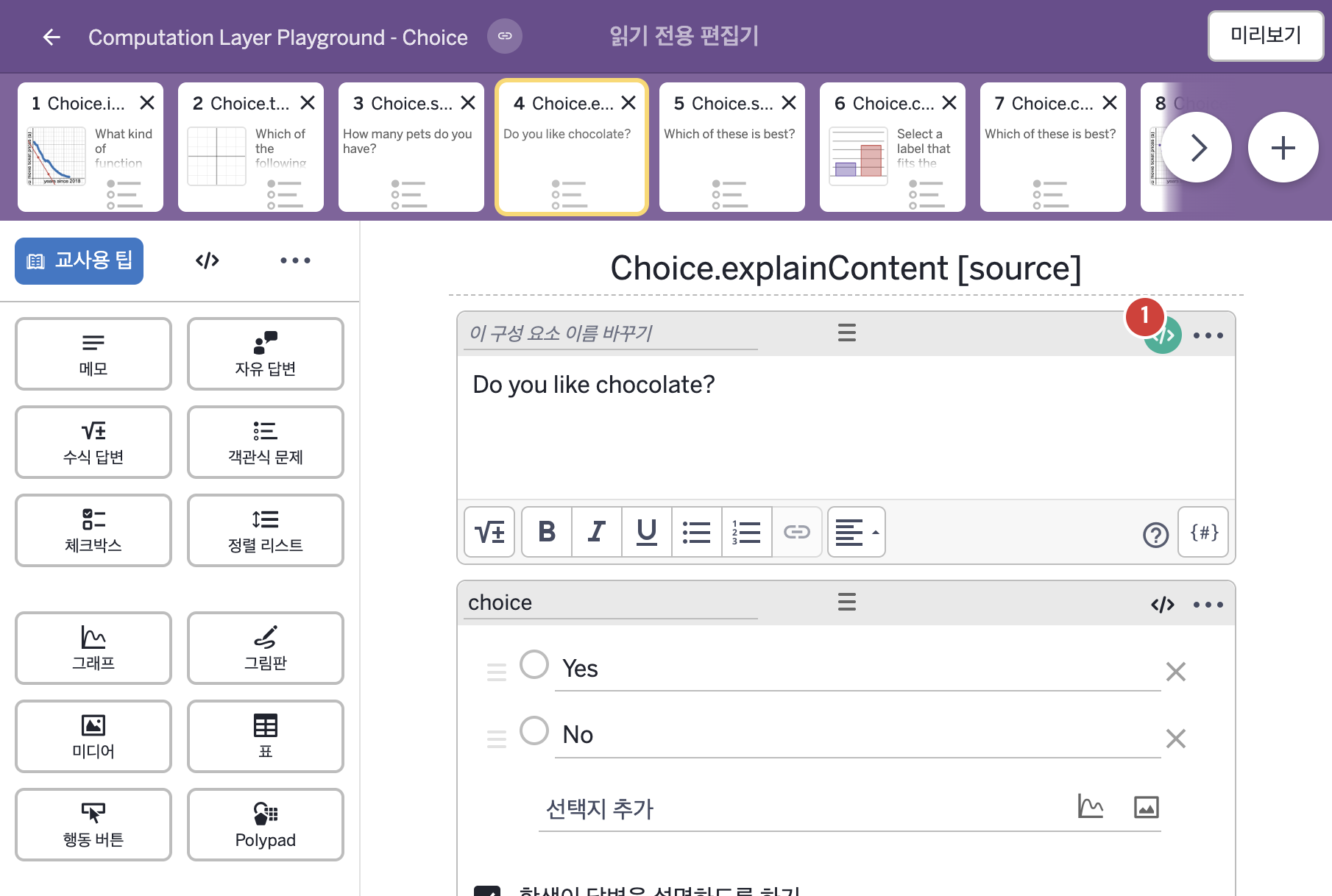
화면 4. Choice.explainContent [source]

원본: Computation Layer 문서(Multiple Choice and Checkboxes) · Try It (원본 화면)

화면 번호4 / 21
문서 항목 설명 (원문)Content of the "explain" text box.

1. 화면 캡처 (빨간 번호 = 아래 표의 번호)

화면 4 캡처

화면에 적힌 영어 문구(원문):

2. CL이 입력된 곳

코드 안의 회색 줄은 원문 영어 주석이고, 파란 줄은 그 영어 주석의 번역이며, 연분홍 줄은 코드가 하는 일의 설명이다.

번호이름종류CL 코드 원문, 번역, 설명
1레이블 없는 메모메모
# This note will display the question "Do you like chocolate?"
# until something is entered into the explanation field.
# Once the explainContent is not blank it will switch to 
# "You like/dislike chocolate because..." followed by
# The reason entered in the explanation field
▷ 이 메모는 설명 입력칸에 무언가가 입력될 때까지 "초콜릿을 좋아하는가?"라는 질문을 보여 준다. explainContent가 비어 있지 않게 되면 "당신은 초콜릿을 좋아한다/싫어한다. 왜냐하면..."으로 바뀌고, 그 뒤에 설명 입력칸에 입력된 이유가 이어진다.

preference = when choice.isSelected(1) "like" otherwise "dislike"
▶ 변수 preference는 choice의 1번 보기가 선택되었다면(choice.isSelected(1)) "like"(좋아한다), 그렇지 않으면 "dislike"(싫어한다)로 한다.
isSelected(번호)는 객관식 구성요소에서 그 번호의 보기가 선택되었는지를 참 또는 거짓으로 알려 주고, when은 조건을 차례로 확인해 처음 맞는 값을 쓴다.
content: when isBlank(choice.explainContent) "Do you like chocolate?" otherwise "You ${preference} chocolate because ... \n\n${choice.explainContent}" ▶ 메모의 내용(content)은 isBlank(choice.explainContent)가 참이면, 즉 설명 입력칸이 비어 있으면 "Do you like chocolate?"(초콜릿을 좋아하는가?), 그렇지 않으면 "You ${preference} chocolate because ... \n\n${choice.explainContent}"로 한다.
뒤의 글자는 preference가 like이면 "당신은 초콜릿을 좋아한다. 왜냐하면 ...", dislike이면 "당신은 초콜릿을 싫어한다. 왜냐하면 ..."이 되고, 줄바꿈 두 번(\n\n) 뒤에 설명 입력칸의 내용이 이어진다. explainContent는 설명(explain) 입력칸의 내용을 알려 주고, isBlank(…)는 글자를 받아 빈 글자인지를 참/거짓으로 알려 준다. ${ }는 글자 안에 변수의 값을 끼워 넣는 표기이고, content는 메모에 직접 적은 글을 덮어쓴다. when은 조건을 차례로 확인해 처음 맞는 값을 쓴다.
# note: All of the text is surrounded by double quotations to # indicate a string and the choice and explain content are # inserted into the string using ${ }. ▷ 참고: 모든 글자는 문자열임을 나타내려고 큰따옴표로 감싸고, 선택한 보기와 설명 내용은 ${ }를 사용해 문자열 안에 끼워 넣는다.