홈 › Components › Math Response (수식 답변) › 화면 9
화면 9. Math Input.initialLatex [sink]
원본: Computation Layer 문서(Math Response (수식 답변)) · Try It (원본 화면)
| 화면 번호 | 9 / 28 |
|---|---|
| 문서 항목 설명 (원문) | initialLatex Sets the initial value of the expression input. Should be a valid LaTeX string. |
1. 화면 캡처 (빨간 번호 = 아래 표의 번호)
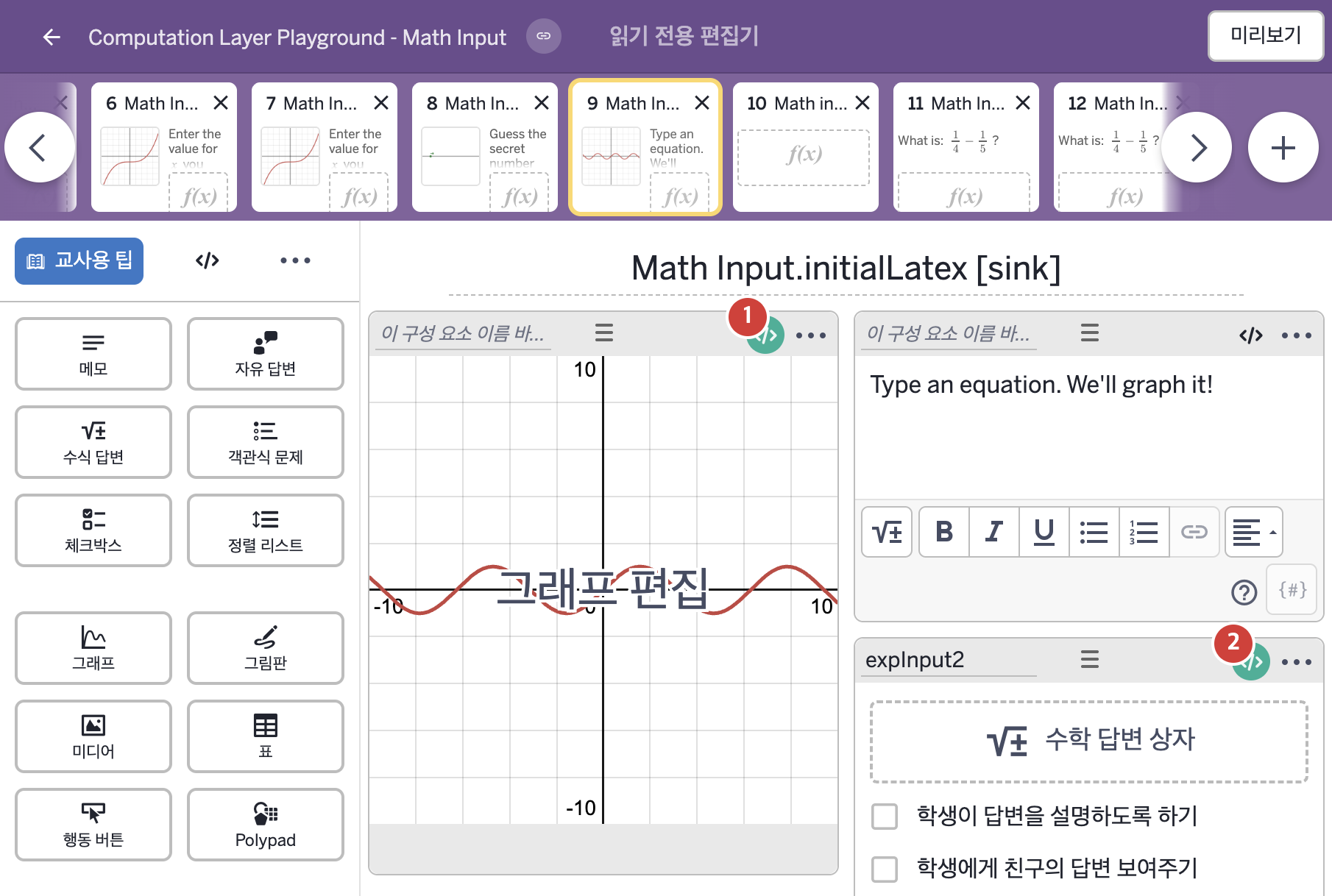
- Type an equation. We'll graph it!
2. CL이 입력된 곳
| 번호 | 이름 | 종류 | CL 코드 원문, 번역, 설명 |
|---|---|---|---|
| 1 | 레이블 없는 그래프 | 그래프 | # Here we use simpleFunction and the function sink to defined a function in the graph # Note here that we only use the student's expresison if they have pressesed "submit" ▷ 여기서는 simpleFunction과 function sink를 써서 그래프에 함수를 정의한다. 학생이 "submit"을 눌렀을 때만 학생의 식을 쓴다는 점에 주의하라. latex = when expInput2.submitted expInput2.latex otherwise "" ▶ 변수 latex는 expInput2가 제출되었으면 그 입력의 LaTeX 글자( |
| 2 | expInput2 | 수식 답변 | # This sink uses the LaTeX representation for "f(x)=" # which will display in the expression input. # Note that we have enclosed the LaTeX in quotes so that it's a string. ▷ 이 sink는 수식 답변에 표시될 "f(x)="의 LaTeX 표현을 쓴다. LaTeX를 큰따옴표로 감싸 글자(string)로 만들었음에 주의하라. initialLatex: "f\left(x\right)=" ▶ 수식 답변의 처음 값(initialLatex)은 "f\left(x\right)="로 한다. |