홈 › Components › Math Response (수식 답변) › 화면 3
화면 3. Math Input.timeSinceSubmit [source]
원본: Computation Layer 문서(Math Response (수식 답변)) · Try It (원본 화면)
| 화면 번호 | 3 / 28 |
|---|---|
| 문서 항목 설명 (원문) | timeSinceSubmitmaxTime: number Gets the seconds (plus milliseconds) since the the expression input was submitted. It resets to zero if the student focuses into the input again. Increase that time by passing a parameter, as in timeSincePress(20). |
1. 화면 캡처 (빨간 번호 = 아래 표의 번호)
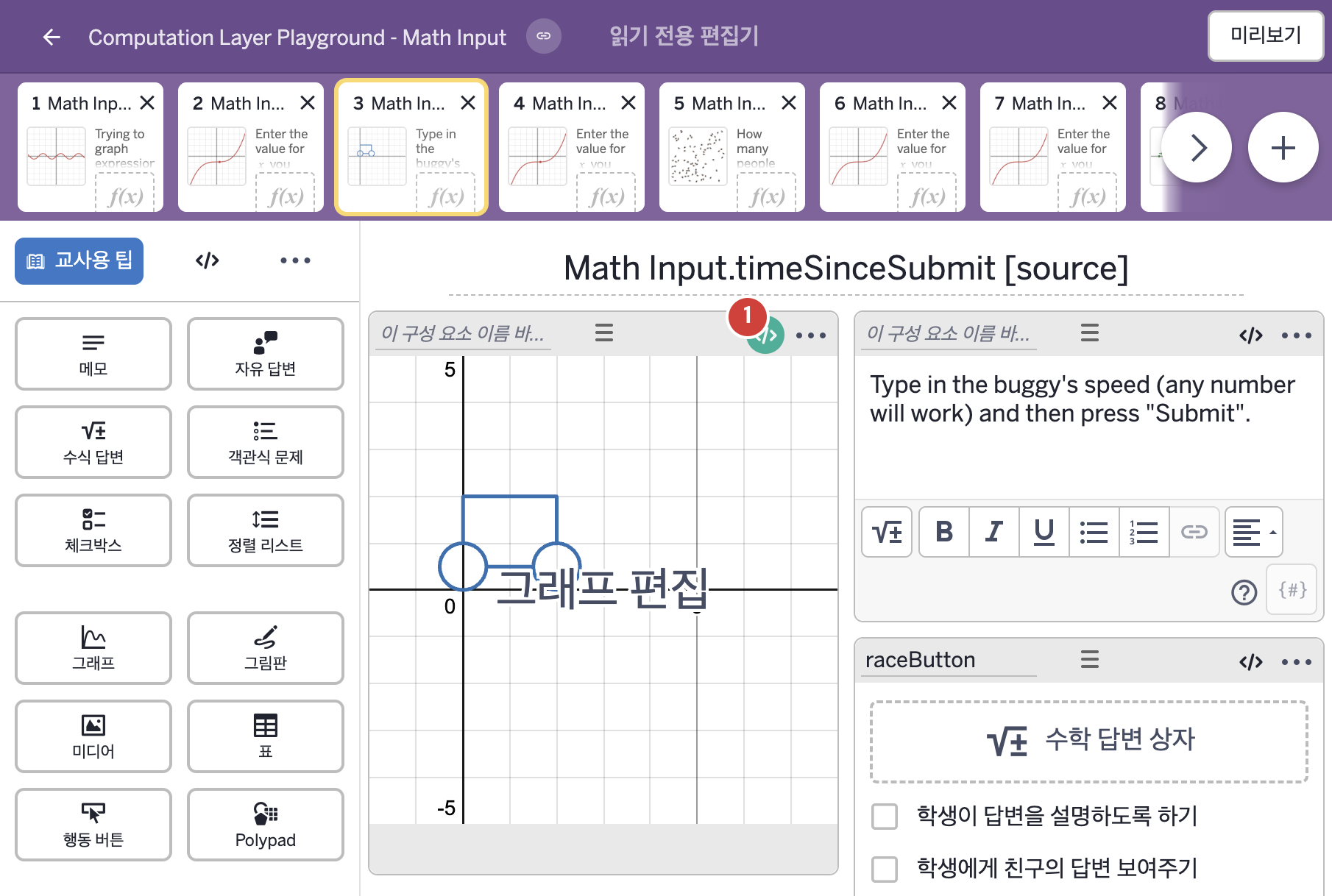
- Type in the buggy's speed (any number will work) and then press "Submit".
2. CL이 입력된 곳
| 번호 | 이름 | 종류 | CL 코드 원문, 번역, 설명 |
|---|---|---|---|
| 1 | 레이블 없는 그래프 | 그래프 | # This imports the time since the expression input # was submitted. ▷ 수식 답변이 제출된 뒤 지난 시간을 가져온다. number("t_0"): raceButton.timeSinceSubmit ▶ 그래프의 변수 t_0은 수식 답변 raceButton을 제출한 뒤 지난 시간( |