홈 › Components › Math Response (수식 답변) › 화면 1
화면 1. Math Input.latex [source]
원본: Computation Layer 문서(Math Response (수식 답변)) · Try It (원본 화면)
| 화면 번호 | 1 / 28 |
|---|---|
| 문서 항목 설명 (원문) | latex Gets the LaTeX string of the input, which is useful for importing into the graphing calculator, the note, and other components. |
1. 화면 캡처 (빨간 번호 = 아래 표의 번호)
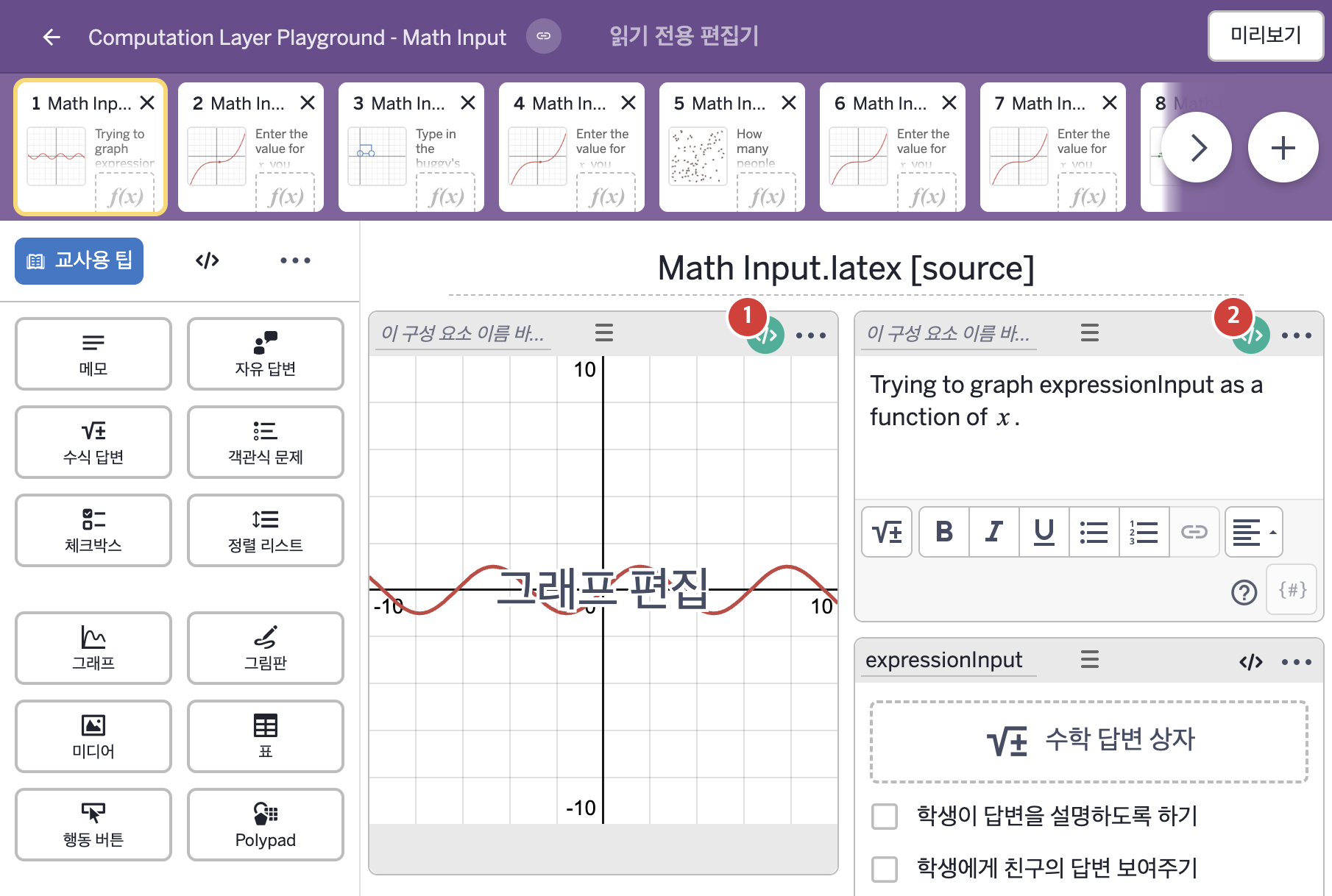
- Trying to graph expressionInput as a function of x.
2. CL이 입력된 곳
| 번호 | 이름 | 종류 | CL 코드 원문, 번역, 설명 |
|---|---|---|---|
| 1 | 레이블 없는 그래프 | 그래프 | function("f"): simpleFunction(expressionInput.latex,"x") ▶ 그래프의 함수 f는 학생이 expressionInput에 입력한 latex 글자를 x에 관한 함수로 만든 |
| 2 | 레이블 없는 메모 | 메모 | # This extracts the latex-formatted math the student has entered, and inserts # it into the note's text, wrapping it in ` characters so that it will print as math. ▷ 학생이 입력한 latex 형식의 수식을 가져와 메모의 글에 끼워 넣는다. 이때 ` 문자로 감싸서 수식으로 표시되게 한다. content: "Trying to graph `${expressionInput.latex}` as a function of `x`." ▶ 메모의 내용(content)은 "Trying to graph `${expressionInput.latex}` as a function of `x`."(`식`을 x에 관한 함수로 그리려는 중)로 한다. |