홈 › Components › Graph and Graphing Calc › 화면 12
화면 12. Graph.animationDuration [sink]
원본: Computation Layer 문서(Graph) · Try It (원본 화면)
| 화면 번호 | 12 / 29 |
|---|---|
| 문서 항목 설명 (원문) | Adds an animation playhead on top of the graph as if it were a video. This sets the duration for the animation. A non-positive value hides the playhead. Note: Only works with graph exhibits. |
1. 화면 캡처 (빨간 번호 = 아래 표의 번호)
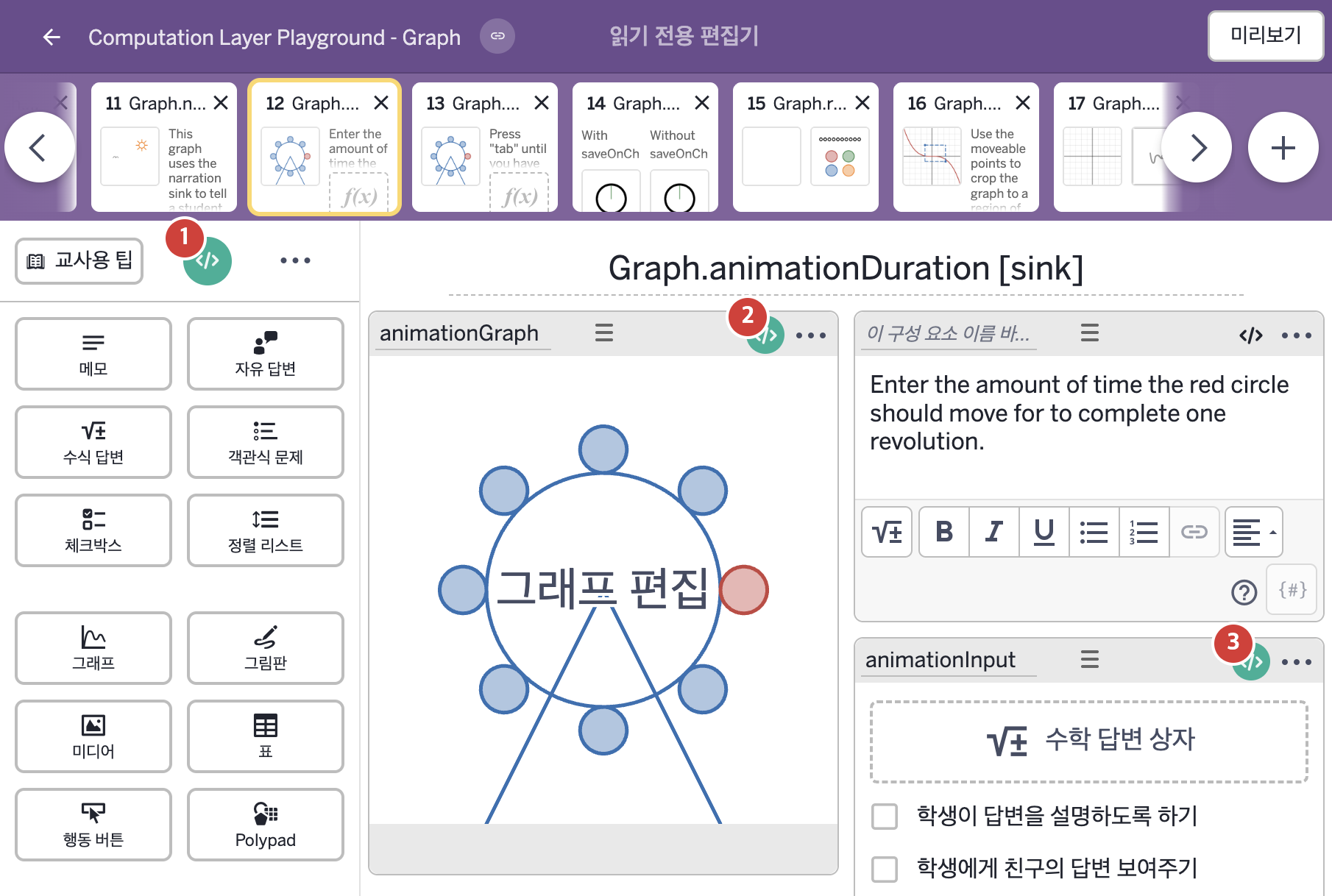
- Enter the amount of time the red circle should move for to complete one revolution.
2. CL이 입력된 곳
| 번호 | 이름 | 종류 | CL 코드 원문, 번역, 설명 |
|---|---|---|---|
| 1 | master CL | SCREEN | subtitle: "Use the sketch tool to trace the path of the red carriage." ▶ 화면 제목 아래에 표시할 부제목(subtitle)은 "Use the sketch tool to trace the path of the red carriage."(스케치 도구를 사용해 빨간 마차의 경로를 따라 그리시오.)로 한다. |
| 2 | animationGraph | 그래프 | # Sets the length of time the animation playhead runs for. ▷ 애니메이션 재생바가 재생되는 시간의 길이를 정한다. animationDuration: when animationInput.submitted animationInput.numericValue otherwise 0 ▶ 애니메이션 재생 시간(animationDuration)은 |
| 3 | animationInput | 수식 답변 | # Creates a suffix in the input field that displays the singular "second" # when the number entered is 1 or -1 and the plural "seconds" in all other cases. ▷ 입력칸에 접미사(suffix)를 만든다. 입력한 숫자가 1이나 -1이면 단수형 "second"를, 그 외에는 복수형 "seconds"를 표시한다. suffix: when this.numericValue = 1 or this.numericValue = -1 "second" otherwise "seconds" ▶ 수식 답변 상자의 접미사(suffix)는 |