홈 › Components › Graph and Graphing Calc › 화면 1
화면 1. Graph.number [source]
원본: Computation Layer 문서(Graph) · Try It (원본 화면)
| 화면 번호 | 1 / 29 |
|---|---|
| 문서 항목 설명 (원문) | Gets the numerical value of a variable in the graph. |
1. 화면 캡처 (빨간 번호 = 아래 표의 번호)
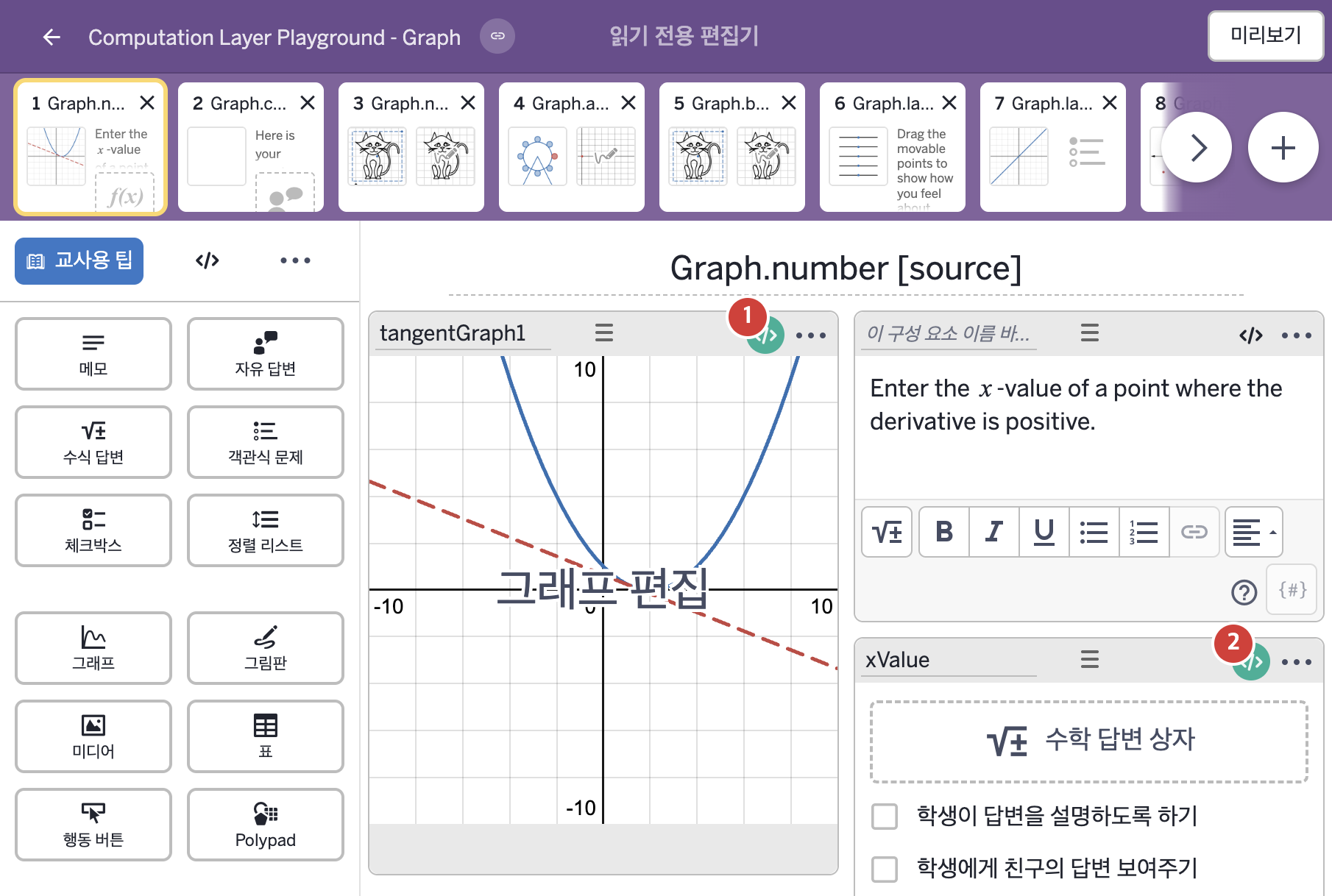
- Enter the x-value of a point where the derivative is positive.
2. CL이 입력된 곳
| 번호 | 이름 | 종류 | CL 코드 원문, 번역, 설명 |
|---|---|---|---|
| 1 | tangentGraph1 | 그래프 | # Sets the value of "a" in the graphing calculator to be # the numeric value of "xValue" provided that it has been # submitted. Otherwise we choose an x value that is far outside # of the graph bounds. ▷ xValue의 값이 제출되었다면 그래핑 계산기의 변수 "a"의 값을 그 값으로 정한다. 제출되지 않았을 때는 경계를 한참 벗어난 값으로 정한다. number("a"): when xValue.submitted xValue.numericValue otherwise 10000 ▶ 그래프의 변수 "a"는 |
| 2 | xValue | 수식 답변 | # Sets the correct sink as true when the "c_orrect" variable # in the tangentGraph calculator component is equal to 1. ▷ |