← 수업 제작 도구
홈 › Components › Free Response (자유 답변) › 화면 2

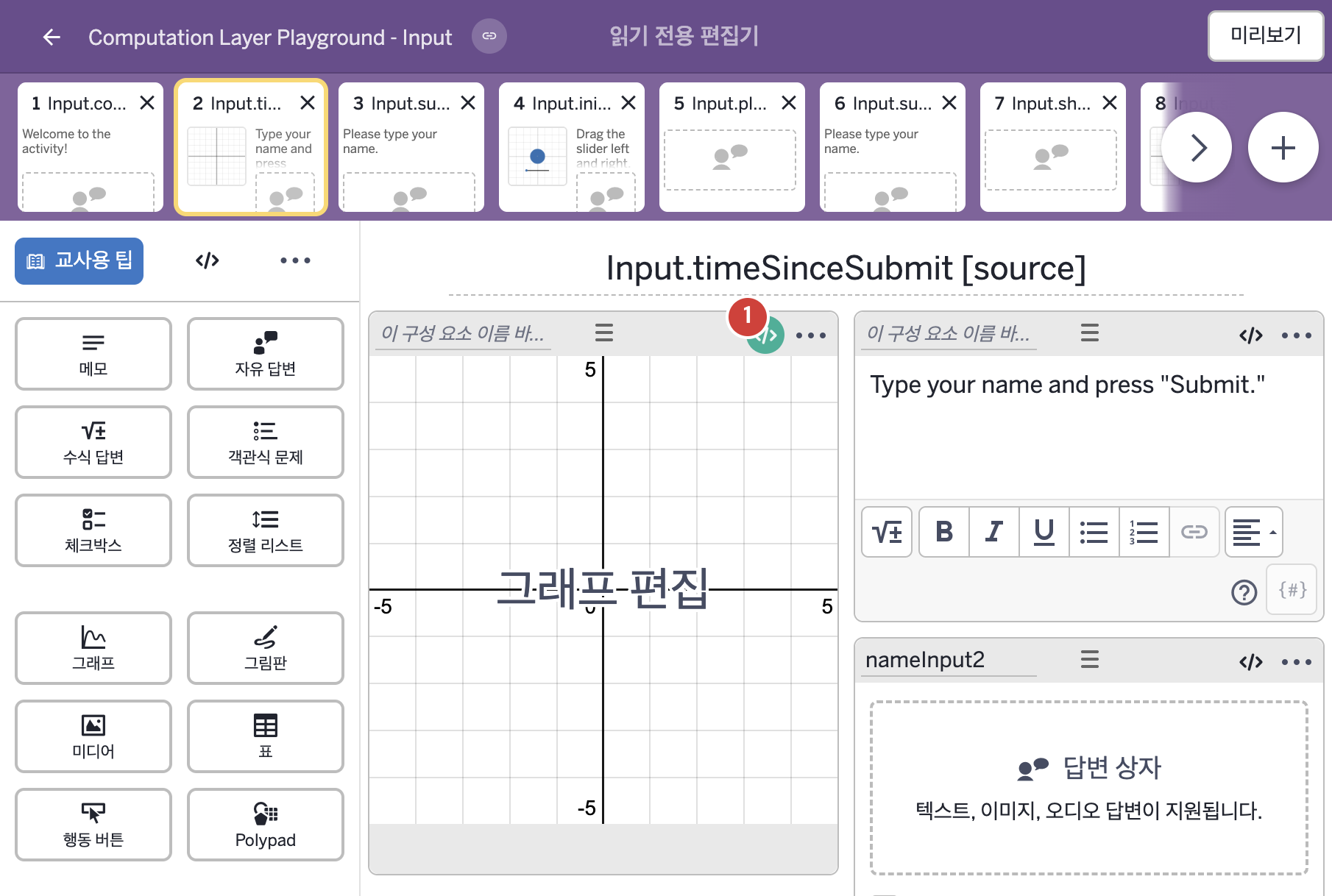
화면 2. Input.timeSinceSubmit [source]

원본: Computation Layer 문서(Free Response (자유 답변)) · Try It (원본 화면)

화면 번호2 / 9
문서 항목 설명 (원문)timeSinceSubmitmaxTime: number Gets the seconds (plus milliseconds) since the submit button was pressed.

1. 화면 캡처 (빨간 번호 = 아래 표의 번호)

화면 2 캡처

화면에 적힌 영어 문구(원문):

2. CL이 입력된 곳

코드 안의 회색 줄은 원문 영어 주석이고, 파란 줄은 그 영어 주석의 번역이며, 연분홍 줄은 코드가 하는 일의 설명이다.

번호이름종류CL 코드 원문, 번역, 설명
1레이블 없는 그래프그래프
# This code imports the time since a student pressed submit
# on an input called “nameInput2” and assigns it to a variable
# called "myTime". It will be used to define the y-coordinate
# of the point on the graph.
▷ 이 코드는 학생이 "nameInput2"라는 입력칸에서 제출을 누른 뒤 지난 시간을 가져와 "myTime"이라는 변수에 정한다. 이 값은 그래프 위 점의 y좌표를 정하는 데 쓰인다.

myTime = nameInput2.timeSinceSubmit
▶ 변수 myTime은 자유 답변 구성요소 nameInput2의 제출 버튼을 누른 뒤 지난 시간(초)(nameInput2.timeSinceSubmit)으로 한다.

# This code injects that time variable into a number in a
# graph component. The point (0,y_val) will then rise
# vertically as more time passes since the button was pressed.
▷ 이 코드는 그 시간 변수를 그래프 구성요소의 숫자에 끼워 넣는다. 그러면 점 (0,y_val)은 버튼을 누른 뒤 시간이 흐를수록 수직으로 올라간다.

number("y_{val}"): myTime
▶ 그래프의 변수 y_{val}은 myTime으로 한다.
number("이름")은 그래핑 계산기 안의 변수 값을 정한다.
# Change the point label to match the student's name. ▷ 점의 라벨을 학생의 이름에 맞게 바꾼다. pointLabel("P"): when myTime < 2 and nameInput2.submitted "Hi, ${nameInput2.content}." when nameInput2.submitted "Okay, bye, ${nameInput2.content}." otherwise "" ▶ 점 P의 라벨(pointLabel)은 myTime이 2보다 작고 nameInput2가 제출되었으면 "Hi, ${nameInput2.content}."(안녕, 이름.)로, 그렇지 않고 제출되었으면 "Okay, bye, ${nameInput2.content}."(좋아, 잘 가, 이름.)로, 그 밖에는 빈 글자로 한다.
pointLabel("이름")은 A=(1,2)처럼 정의된 점의 라벨 글자를 정하며, 이름이 점의 이름과 같아야 하고 빈 글자를 주면 라벨이 꺼진다. submitted는 입력이 제출되었는지를 참 또는 거짓으로 알려 주고, nameInput2.content는 학생이 입력한 값을 글자(string)로 가져오며, and는 둘 다 참이어야 참이고, when은 조건을 차례로 확인해 처음 맞는 값을 쓴다. ${ }는 글자 안에 변수의 값을 끼워 넣는 표기이다.