홈 › Components › Free Response (자유 답변) › 화면 1
화면 1. Input.content [source]
원본: Computation Layer 문서(Free Response (자유 답변)) · Try It (원본 화면)
| 화면 번호 | 1 / 9 |
|---|---|
| 문서 항목 설명 (원문) | content Gets the student input value as a string. |
1. 화면 캡처 (빨간 번호 = 아래 표의 번호)
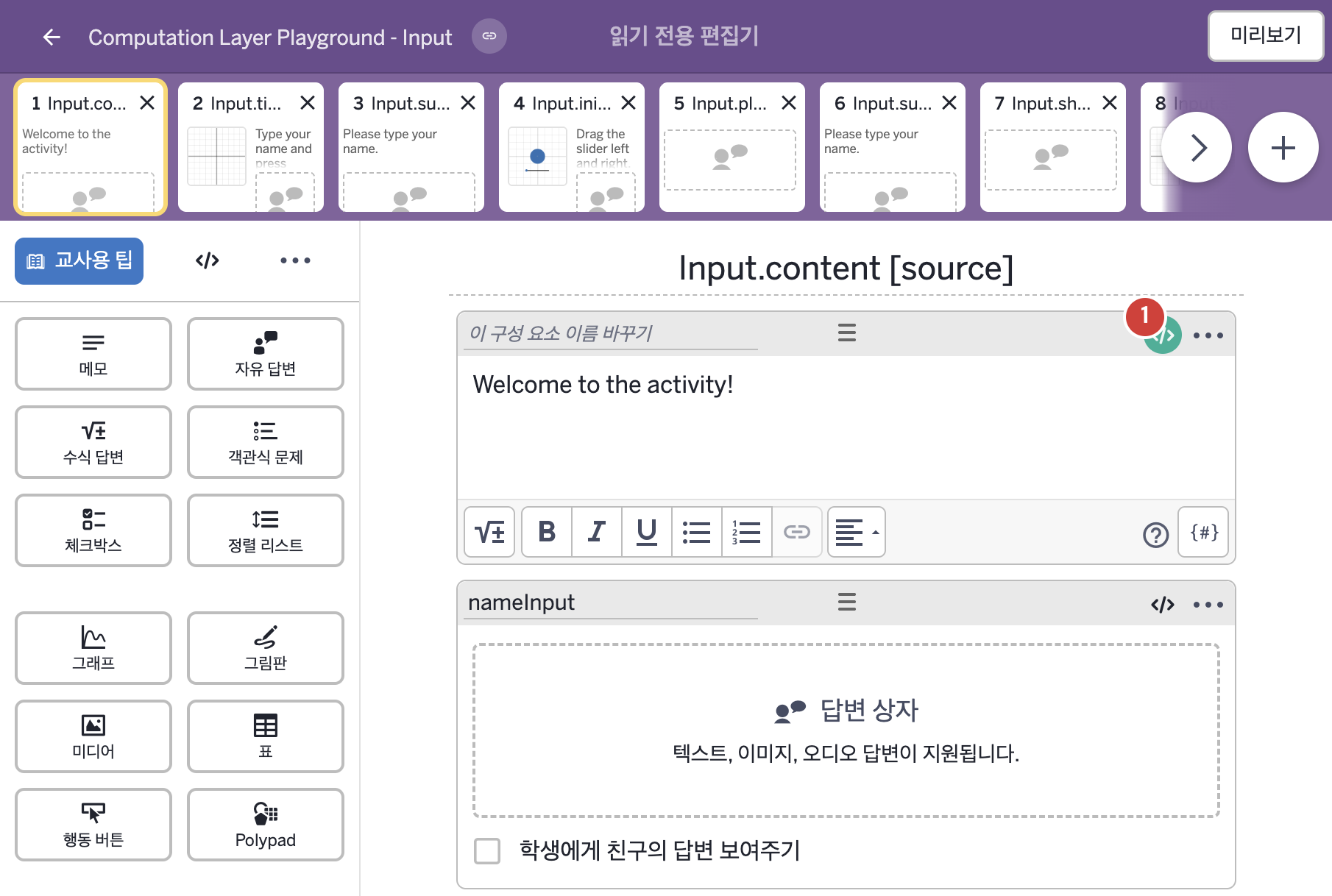
- Welcome to the activity!
2. CL이 입력된 곳
| 번호 | 이름 | 종류 | CL 코드 원문, 번역, 설명 |
|---|---|---|---|
| 1 | 레이블 없는 메모 | 메모 | # This code imports the value a student typed into # an input called “nameInput” and assigns it to a # variable called “myName”. ▷ 이 코드는 학생이 "nameInput"이라는 입력칸에 입력한 값을 가져와 "myName"이라는 변수에 정한다. myName = nameInput.content ▶ 변수 myName은 nameInput에 학생이 입력한 값( |