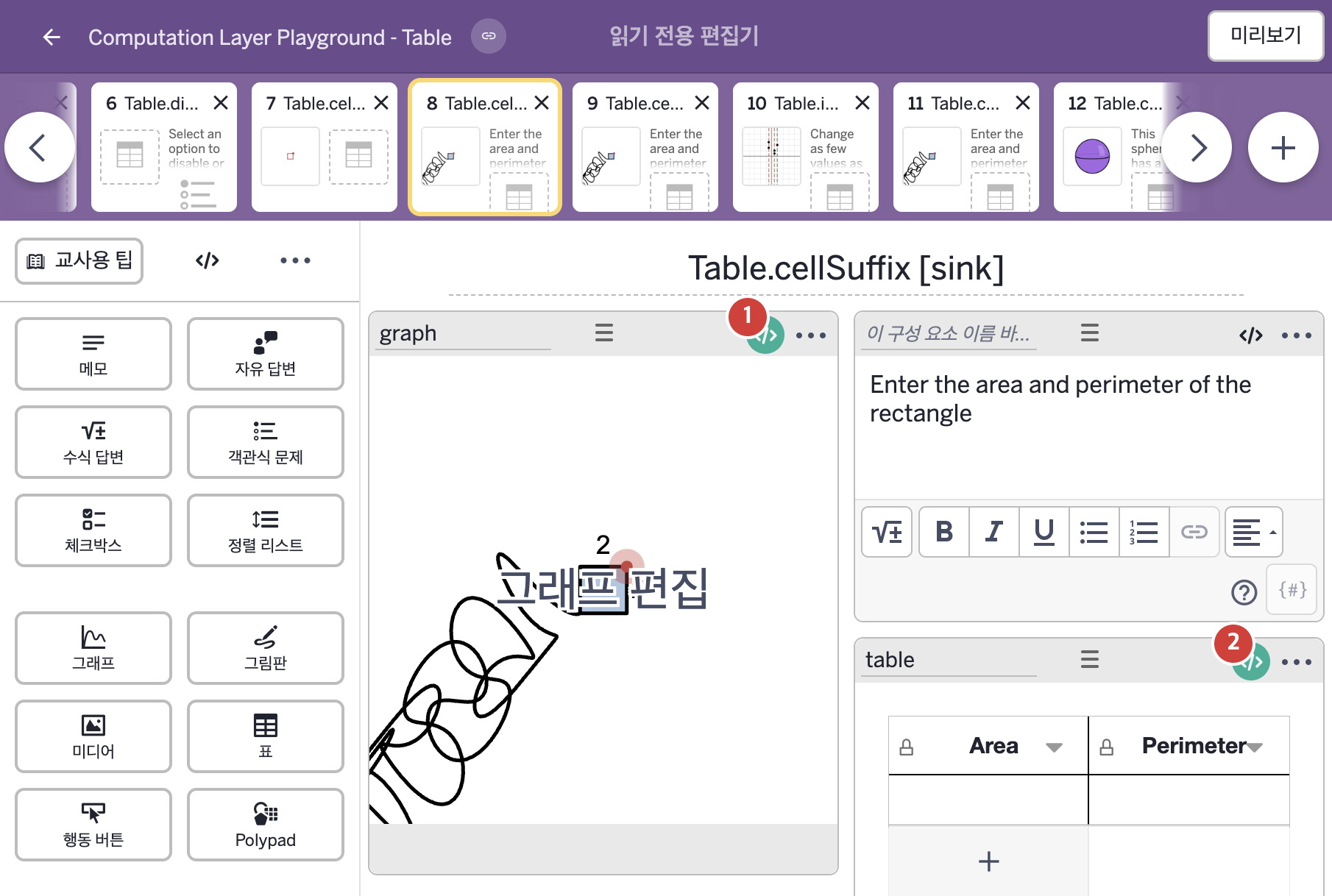
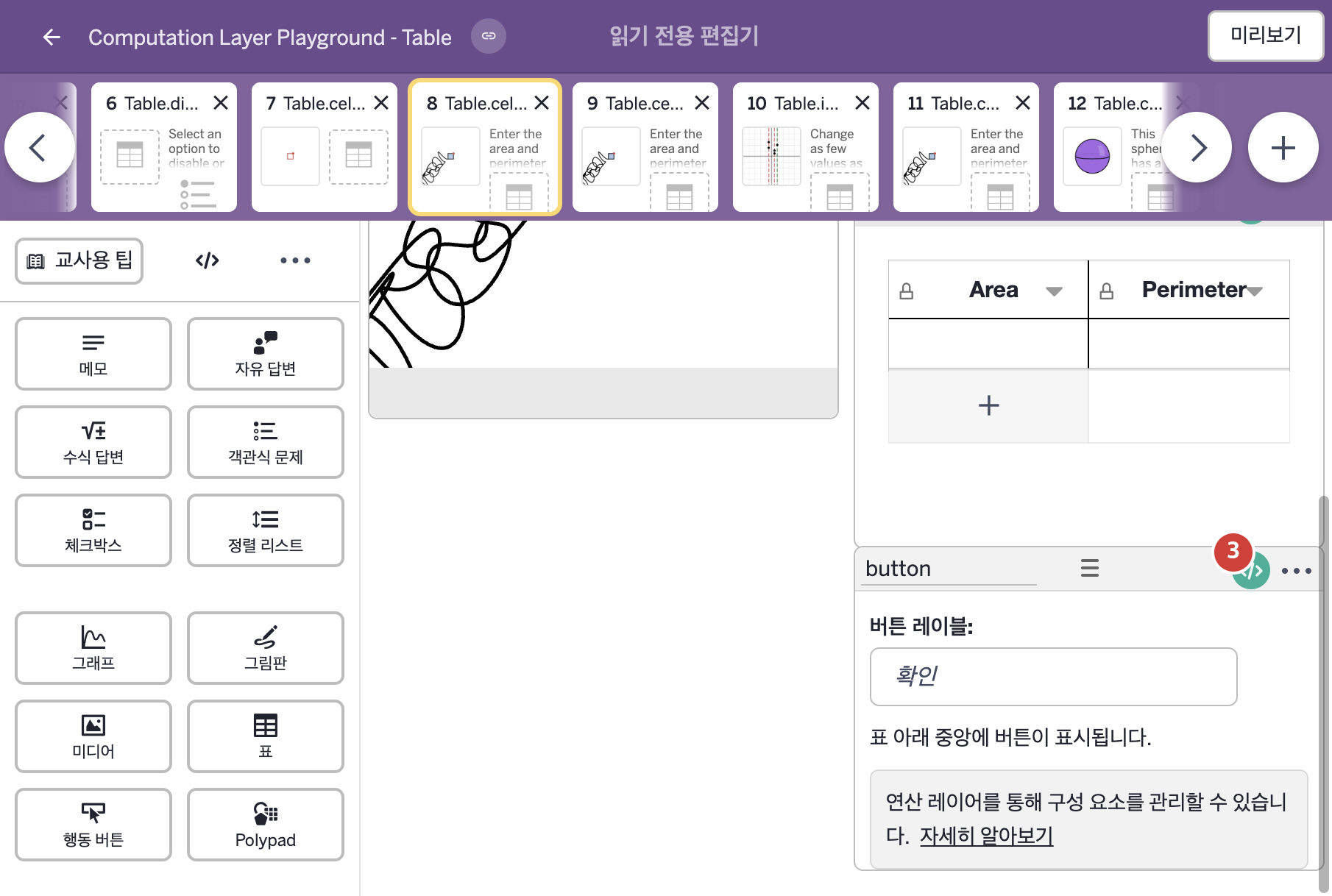
화면을 아래로 스크롤한 캡처이다. 빨간 번호 3은 위 캡처에서 보이지 않던 구성요소이다.
코드 안의 회색 줄은 원문 영어 주석이고, 파란 줄은 그 영어 주석의 번역이며, 연분홍 줄은 코드가 하는 일의 설명이다.
| 번호 | 이름 | 종류 | CL 코드 원문, 번역, 설명 |
|---|
| 1 | graph | 그래프 | # Creates a number that matches the amount of time passed
# since the button has been pressed.
▷ 버튼을 누른 뒤 지난 시간과 같은 숫자를 만든다.
number("t_0"): button.timeSincePress()
▶ 그래프의 변수 t_0은 행동 버튼 button을 누른 뒤 지난 시간(button.timeSincePress())으로 한다.
number("이름")은 그래핑 계산기 안의 변수 값을 정한다. timeSincePress()는 버튼을 누른 뒤 지난 시간(초)을 알려 주며, 재설정 링크를 누르거나 같은 화면의 구성요소를 선택하거나 편집하면 0으로 돌아가고 기본으로 10초까지 센다.
# Creates numbers that reflect the numeric values in
# each of the two cells in the column.
▷ 그 열의 두 셀에 있는 숫자 값을 반영하는 숫자들을 만든다.
number("a"): table.cellNumericValue(1,1)
▶ 그래프의 변수 a는 표 table의 1행 1열 셀의 숫자 값(table.cellNumericValue(1,1))으로 한다.
cellNumericValue(행, 열)은 그 셀을 계산한 숫자 값을 가져온다. 학생이 "2 + 2"를 입력하면 4를 돌려준다.
number("p"): table.cellNumericValue(1,2)
▶ 그래프의 변수 p는 표 table의 1행 2열 셀의 숫자 값(table.cellNumericValue(1,2))으로 한다.
|
| 2 | table | 표 | # Sets the suffix of cell 1 to "square feet" when plural
# and "square foot" when singular.
▷ 1번 셀의 접미사(suffix)를 복수일 때는 "square feet", 단수일 때는 "square foot"로 정한다.
cellSuffix(1,1):
when this.cellNumericValue(1,1) = 1 or this.cellNumericValue(1,1) = -1 "square foot"
otherwise "square feet"
▶ 1행 1열 셀의 접미사(cellSuffix)는 이 표의 1행 1열 셀의 숫자 값이 1 또는 -1이면 "square foot"(제곱피트, 단수), 그렇지 않으면 "square feet"(제곱피트, 복수)로 한다.
cellSuffix(행, 열)은 학생이 입력한 모든 값 뒤에 접미사(suffix)를 붙이며, 식(expression) 종류의 셀에서만 보인다. this는 이 구성요소(표)이고, or는 둘 중 하나라도 참이면 참이며, when은 조건을 차례로 확인해 처음 맞는 값을 쓴다.
# Sets the suffix of cell 2 to "feet" when plural and
# "foot" when singular.
▷ 2번 셀의 접미사(suffix)를 복수일 때는 "feet", 단수일 때는 "foot"로 정한다.
cellSuffix(1,2):
when this.cellNumericValue(1,2) = 1 or this.cellNumericValue(1,2) = -1 "foot"
otherwise "feet"
▶ 1행 2열 셀의 접미사(cellSuffix)는 이 표의 1행 2열 셀의 숫자 값이 1 또는 -1이면 "foot"(피트, 단수), 그렇지 않으면 "feet"(피트, 복수)로 한다.
|
| 3 | button | 행동 버튼 | # Resets the button when the point is moved.
▷ 점을 움직이면 버튼을 재설정한다.
resetOnChange: "${graph.number("x_1")}${graph.number("y_1")}"
▶ 행동 버튼의 변경 시 자동 재설정(resetOnChange)은 그래프 graph의 변수 x_1의 값과 변수 y_1의 값을 이어 붙인 글자 "${graph.number("x_1")}${graph.number("y_1")}"로 한다.
resetOnChange는 글자 값을 받아 그 값이 바뀌면 구성요소를 재설정한다. ${ }는 글자 안에 변수의 값을 끼워 넣는 표기이고, 그 안의 "x_1", "y_1"은 number(...)에 넘기는 변수 이름이다.
|