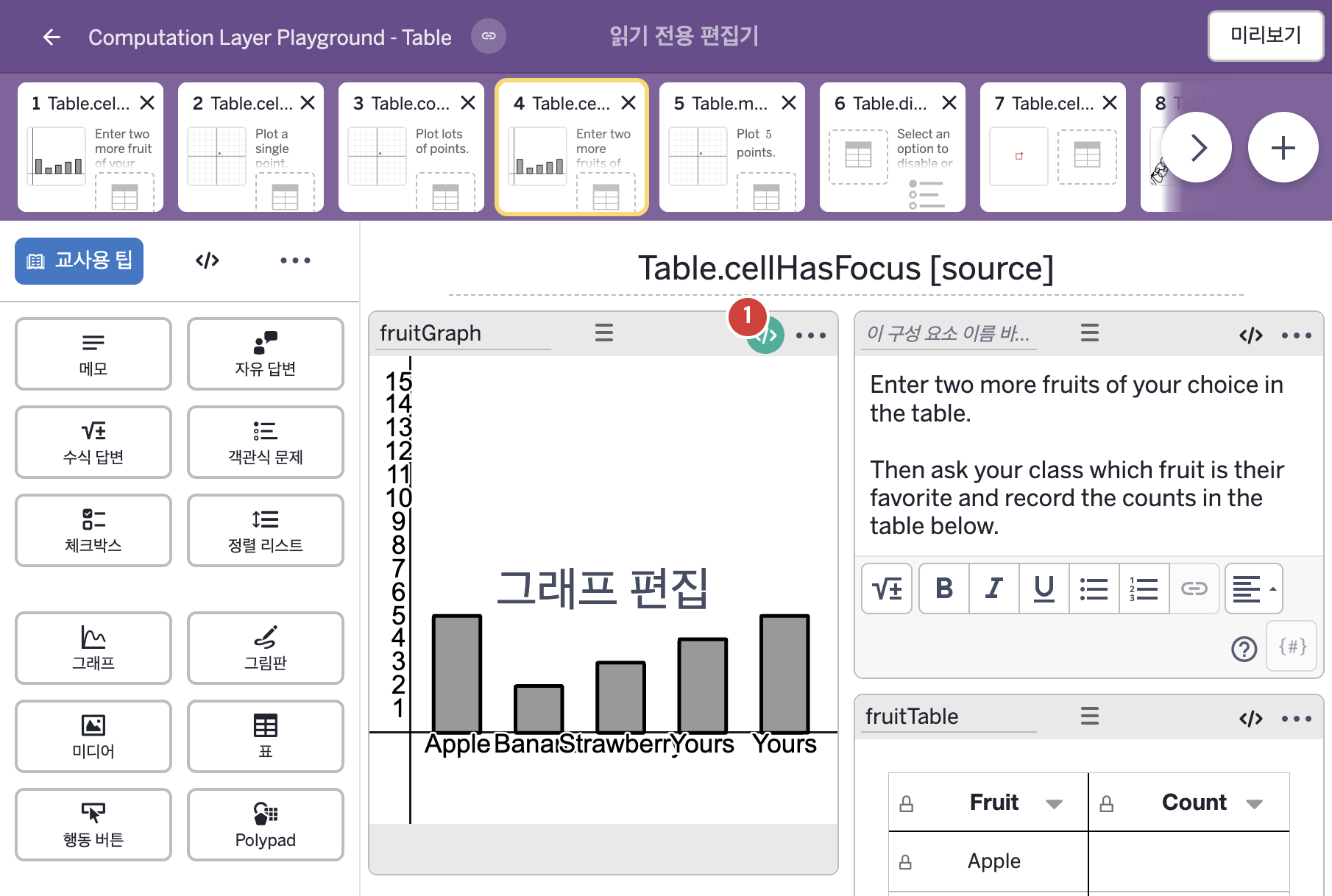
코드 안의 회색 줄은 원문 영어 주석이고, 파란 줄은 그 영어 주석의 번역이며, 연분홍 줄은 코드가 하는 일의 설명이다.
| 번호 | 이름 | 종류 | CL 코드 원문, 번역, 설명 |
|---|
| 1 | fruitGraph | 그래프 | # Sets variables in the calculator in the calculator to 1 or 0
# depending on whether or particular cell in a table is
# focused or not. The calculator then uses those variable to
# change the display of the bar graph.
▷ 표의 특정 셀이 선택(포커스)되어 있는지 여부에 따라 계산기의 변수를 1 또는 0으로 정한다. 그러면 계산기는 그 변수들을 이용해 막대그래프의 표시를 바꾼다.
number("F_{1focus}"): when fruitTable.cellHasFocus(1,2) 1 otherwise 0
▶ 그래프의 변수 F_{1focus}는 표 fruitTable의 1행 2열 셀을 편집 중이면 1, 아니면 0으로 한다.
number("이름")은 그래핑 계산기 안의 변수 값을 정한다. cellHasFocus(행, 열)은 학생이 그 셀을 편집 중인지를 참 또는 거짓으로 알려 주고, when은 조건을 차례로 확인해 처음 맞는 값을 쓴다.
number("F_{2focus}"): when fruitTable.cellHasFocus(2,2) 1 otherwise 0
▶ 그래프의 변수 F_{2focus}는 표 fruitTable의 2행 2열 셀을 편집 중이면 1, 아니면 0으로 한다.
number("F_{3focus}"): when fruitTable.cellHasFocus(3,2) 1 otherwise 0
▶ 그래프의 변수 F_{3focus}는 표 fruitTable의 3행 2열 셀을 편집 중이면 1, 아니면 0으로 한다.
number("F_{4focus}"): when fruitTable.cellHasFocus(4,1) or fruitTable.cellHasFocus(4,2) 1 otherwise 0
▶ 그래프의 변수 F_{4focus}는 표 fruitTable의 4행 1열 셀 또는 4행 2열 셀을 편집 중이면 1, 아니면 0으로 한다.
or는 둘 중 하나라도 참이면 참이다.
number("F_{5focus}"): when fruitTable.cellHasFocus(5,1) or fruitTable.cellHasFocus(5,2) 1 otherwise 0
▶ 그래프의 변수 F_{5focus}는 표 fruitTable의 5행 1열 셀 또는 5행 2열 셀을 편집 중이면 1, 아니면 0으로 한다.
|