홈 › Components › Sketch (그림판) › 화면 8
화면 8. Sketch.currrentStroke [source]
원본: Computation Layer 문서(Sketch (그림판)) · Try It (원본 화면)
| 화면 번호 | 8 / 34 |
|---|---|
| 문서 항목 설명 (원문) | currentStroke Gets a sketch object that represents the current stroke in progress. |
1. 화면 캡처 (빨간 번호 = 아래 표의 번호)
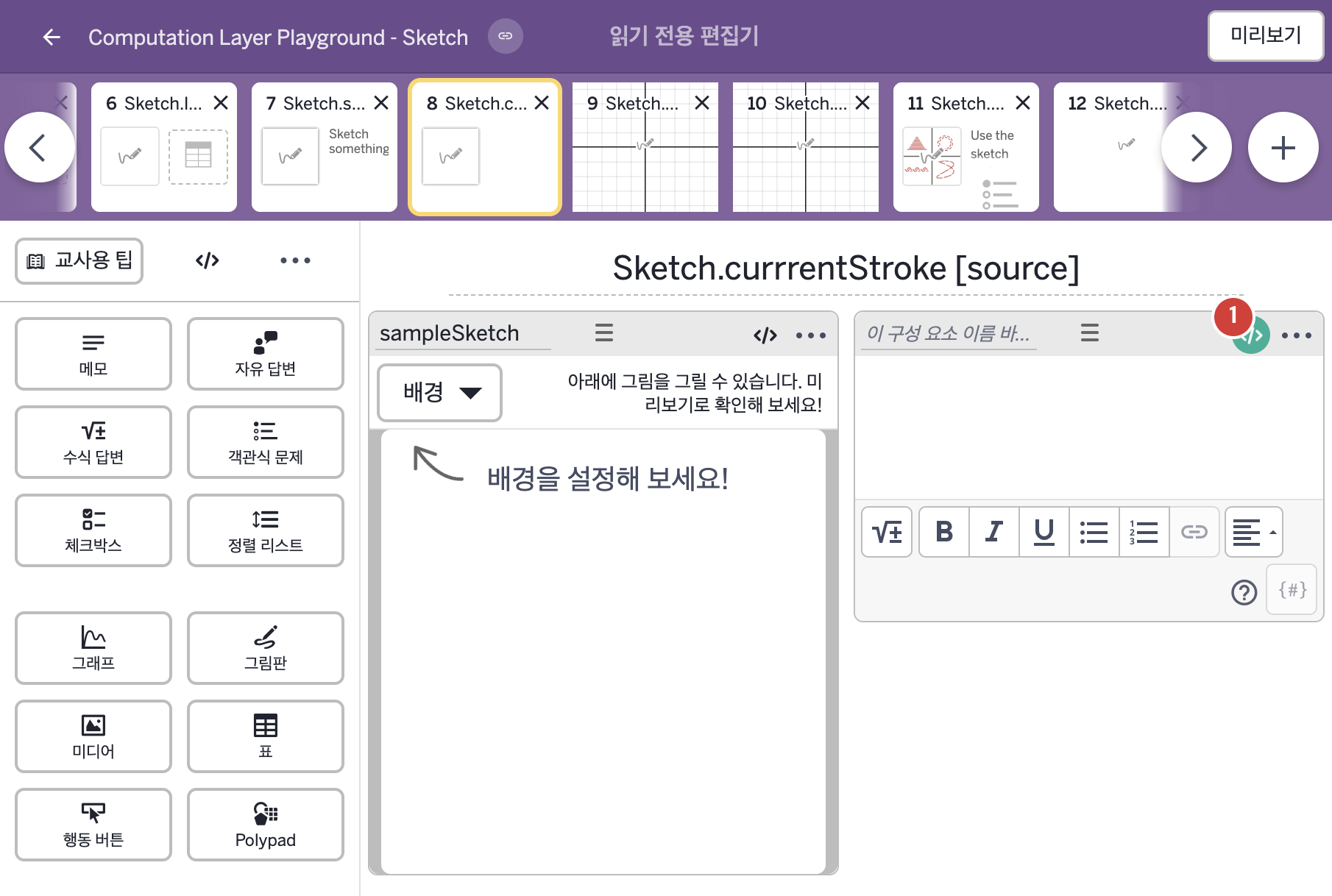
2. CL이 입력된 곳
| 번호 | 이름 | 종류 | CL 코드 원문, 번역, 설명 |
|---|---|---|---|
| 1 | 레이블 없는 메모 | 메모 | content: # Ask the student to sketch something and change the note to "sketching..." # while they are actively sketching. ▷ 학생에게 스케치를 하라고 요청하고, 스케치하는 동안에는 메모를 "sketching..."으로 바꾼다. when sampleSketch.currentStroke.totalStrokeLength = 0 "Sketch something." otherwise "sketching..." ▶ 메모의 내용(content)은 |