← 수업 제작 도구
홈 › Components › Sketch (그림판) › 화면 5

화면 5. Sketch.labelLatex [source]

원본: Computation Layer 문서(Sketch (그림판)) · Try It (원본 화면)

화면 번호5 / 34
문서 항목 설명 (원문)labelLatexidentifier: string If the sketch has a graph background, gets the inner latex content from a point label in the graph based on the name of the point.

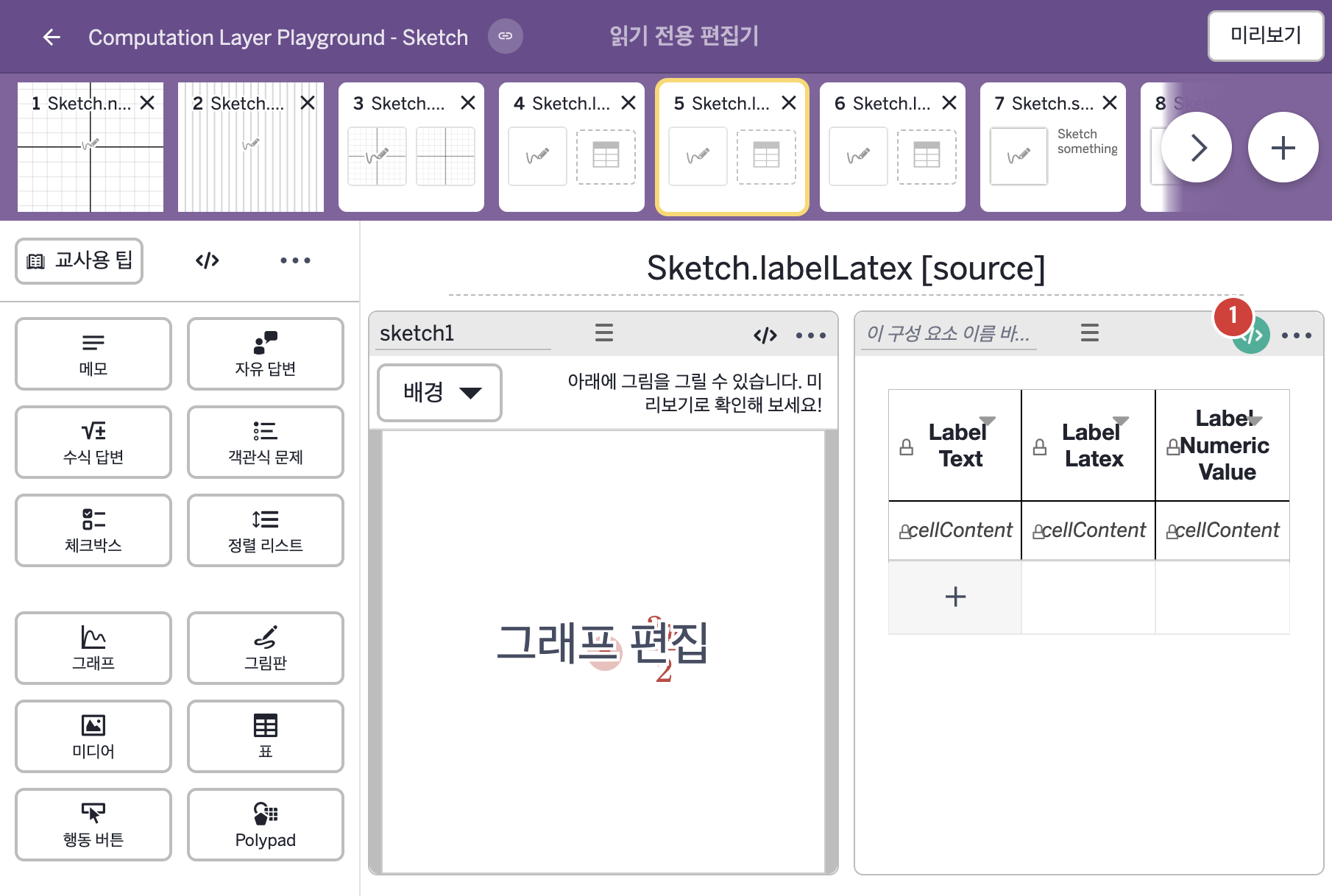
1. 화면 캡처 (빨간 번호 = 아래 표의 번호)

화면 5 캡처

화면에 적힌 영어 문구(원문):

2. CL이 입력된 곳

코드 안의 회색 줄은 원문 영어 주석이고, 파란 줄은 그 영어 주석의 번역이며, 연분홍 줄은 코드가 하는 일의 설명이다.

번호이름종류CL 코드 원문, 번역, 설명
1레이블 없는 표표
# This code displays the exact text written in the
# label of a point.
▷ 이 코드는 점의 라벨에 적힌 글자를 그대로 표시한다.
cellContent(1,1): sketch1.labelText("P")
▶ 표의 1행 1열 셀의 내용(cellContent)은 그림판 sketch1에서 점 P의 라벨에 적힌 글자(sketch1.labelText("P"))로 한다.
cellContent(행, 열)은 지정한 셀의 내용을 정하고, labelText("P")는 그래프 배경이 있는 그림판에서 점 P의 라벨에 적힌 글자를 그대로 가져온다.
# If the point's label is written as math using ``, # the latex will be printed here: ▷ 점의 라벨을 ``로 수식으로 적었다면, latex가 여기에 표시된다. cellContent(1,2): "`${sketch1.labelLatex("P")}`" ▶ 표의 1행 2열 셀의 내용(cellContent)은 "`${sketch1.labelLatex("P")}`", 즉 점 P의 라벨 안쪽 latex를 백틱으로 감싼 글자로 한다.
labelLatex("P")는 점 P의 라벨 안쪽 latex 내용을 가져오고, 글자 안에서 백틱(`)으로 감싼 부분은 latex 값이다. ${ }는 글자 안에 변수의 값을 끼워 넣는 표기이다.
# This code will display the numeric value of whatever # is typed into the point label. ▷ 이 코드는 점 라벨에 입력된 값의 숫자 값을 표시한다. cellContent(1,3): "${sketch1.labelNumericValue("P")}" ▶ 표의 1행 3열 셀의 내용(cellContent)은 "${sketch1.labelNumericValue("P")}", 즉 점 P의 라벨 내용을 계산한 값을 넣은 글자로 한다.
labelNumericValue("P")는 점 P의 라벨 내용을 계산한 값을 가져온다. ${ }는 글자 안에 변수의 값을 끼워 넣는 표기이다.