화면 3. Polypad.value [source]
원본: Computation Layer 문서(Polypad)
1. 화면 캡처 (빨간 번호 = 아래 표의 번호)
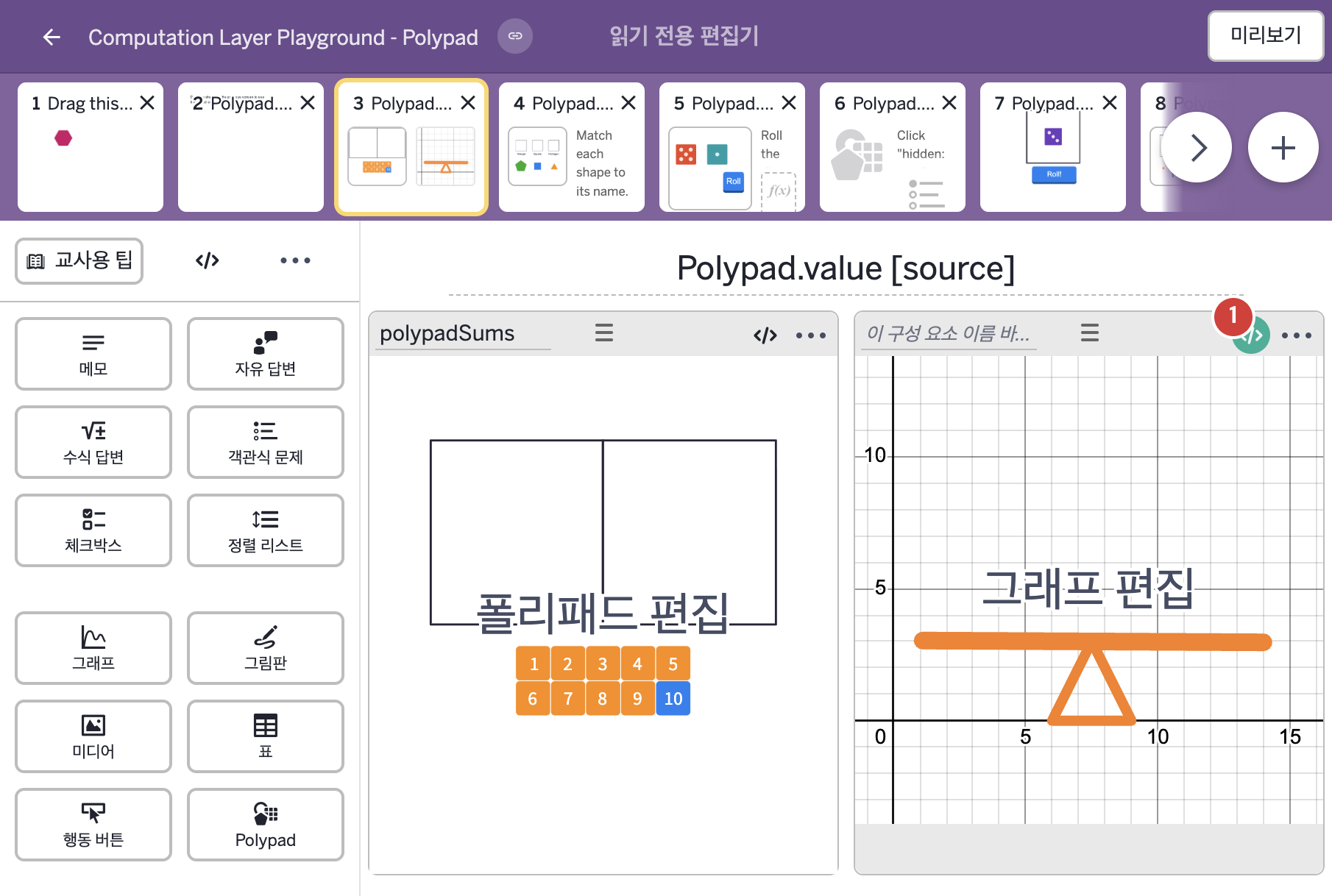
2. CL이 입력된 곳
코드 안의 회색 줄은 원문 영어 주석이고, 파란 줄은 그 영어 주석의 번역이며, 연분홍 줄은 코드가 하는 일의 설명이다.
| 번호 | 이름 | 종류 | CL 코드 원문, 번역, 설명 |
|---|
| 1 | 레이블 없는 그래프 | 그래프 | # Read the sum from the drop zone on the left
# and send it into the graph.
▷ 왼쪽 드롭 영역의 합을 읽어 그래프로 보낸다.
number("w_{left}"): polypadSums.value("leftSum")
▶ 그래프의 변수 w_{left}는 polypadSums.value("leftSum"), 즉 코드 주석에 따르면 왼쪽 드롭 영역의 합으로 한다.
number("이름")은 그래핑 계산기 안의 변수 값을 정한다.
# Read the sum from the drop zone on the right
# and send it into the graph.
▷ 오른쪽 드롭 영역의 합을 읽어 그래프로 보낸다.
number("w_{right}"): polypadSums.value("rightSum")
▶ 그래프의 변수 w_{right}는 polypadSums.value("rightSum"), 즉 코드 주석에 따르면 오른쪽 드롭 영역의 합으로 한다.
|