홈 › Components › Ordered List (정렬 리스트) › 화면 9
화면 9. Ordered List.warning [sink]
원본: Computation Layer 문서(Ordered List (정렬 리스트)) · Try It (원본 화면)
| 화면 번호 | 9 / 11 |
|---|---|
| 문서 항목 설명 (원문) | warning Sets a string that is displayed as a tooltip in the teacher dashboard attached to a warning icon. |
1. 화면 캡처 (빨간 번호 = 아래 표의 번호)
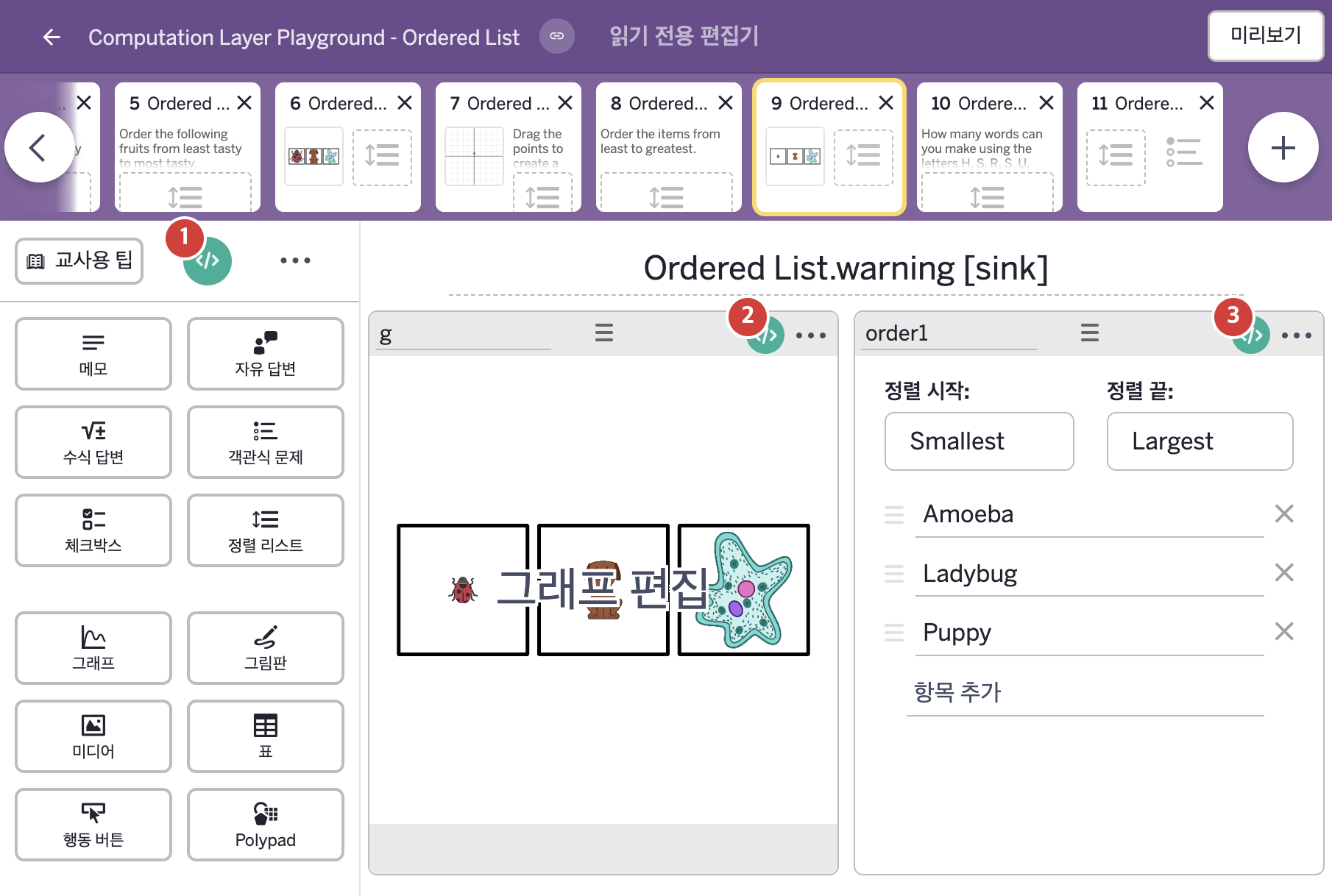
- Amoeba Ladybug Puppy
2. CL이 입력된 곳
| 번호 | 이름 | 종류 | CL 코드 원문, 번역, 설명 |
|---|---|---|---|
| 1 | master CL | SCREEN | subtitle: "${g.number("L[1]")}${g.number("L[2]")}${g.number("L[3]")}" ▶ 화면 제목 아래에 표시할 부제목(subtitle)은 |
| 2 | g | 그래프 | # Create a numberList using the order of the # items in the component. ▷ 구성요소 안 항목들의 순서로 숫자배열(numberList)을 만든다. numberList("L"): order1.order ▶ 그래프의 숫자배열 L은 정렬 리스트 order1에서 각 항목의 현재 위치를 나타내는 숫자배열( |
| 3 | order1 | 정렬 리스트 | # Creates a warning in the dashboard when the output # string is not blank. ▷ 출력된 글자가 비어 있지 않을 때 대시보드에 경고를 만든다. warning: # When the items are ordered according to the image size, display the following warning: ▷ 항목이 이미지 크기 순서대로 놓여 있으면 다음 경고를 보여 준다. when this.itemAtIndex(1) = 2 and this.itemAtIndex(2) = 3 "Student might be using the image size instead of actual size." # If not, don't show a warning. ▷ 그렇지 않으면 경고를 보여 주지 않는다. otherwise "" ▶ 정렬 리스트의 경고(warning)는 |