화면 1. Note.content [sink]
원본: Computation Layer 문서(Note (메모)) · Try It (원본 화면)
| 화면 번호 | 1 / 2 |
|---|
| 문서 항목 설명 (원문) | content Sets the content of a note, which is very useful for creating dynamic elements in the note. This also overwrites any text you enter in the note itself. (We will still display text written in the note component in the teacher dashboard, in the thumbnail, and in the teacher guide.) |
|---|
1. 화면 캡처 (빨간 번호 = 아래 표의 번호)
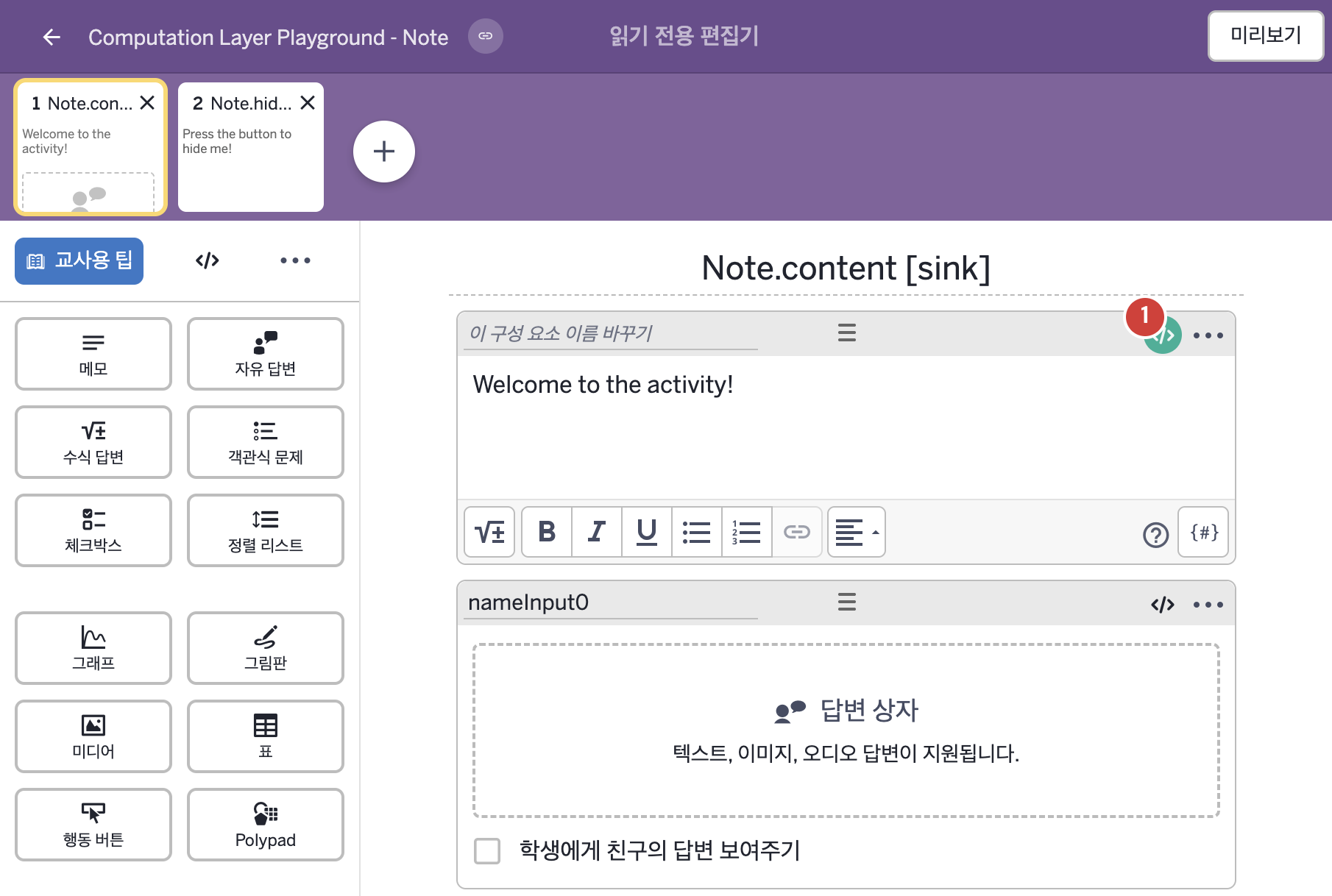
화면에 적힌 영어 문구(원문):
2. CL이 입력된 곳
코드 안의 회색 줄은 원문 영어 주석이고, 파란 줄은 그 영어 주석의 번역이며, 연분홍 줄은 코드가 하는 일의 설명이다.
| 번호 | 이름 | 종류 | CL 코드 원문, 번역, 설명 |
|---|
| 1 | 레이블 없는 메모 | 메모 | # This code imports the value a student typed into
# an input called “nameInput” and assigns it to a
# variable called “myName”.
▷ 학생이 "nameInput"이라는 입력칸에 입력한 값을 가져와 "myName"이라는 변수에 정한다.
myName = nameInput0.content
▶ 변수 myName은 자유 답변 구성요소 nameInput0에 학생이 입력한 값(nameInput0.content)으로 한다.
# This code injects that name variable into the
# content of a note.
▷ 그 이름 변수를 메모의 내용에 끼워 넣는다.
content: "Welcome to the activity, ${myName}!"
▶ 메모의 내용(content)은 "Welcome to the activity, ${myName}!"(활동에 온 것을 환영한다, myName!)로 한다.
${ }는 글자 안에 변수의 값을 끼워 넣는 표기이다. content는 메모에 직접 적은 글을 덮어쓴다.
|