홈 › Components › Multiple Choice and Checkboxes › 화면 11
화면 11. Choice.maxSelectedChoices [sink]
원본: Computation Layer 문서(Multiple Choice and Checkboxes) · Try It (원본 화면)
| 화면 번호 | 11 / 21 |
|---|---|
| 문서 항목 설명 (원문) | Sets how many choices a student is allowed to select. Only applies to Checkbox components. |
1. 화면 캡처 (빨간 번호 = 아래 표의 번호)
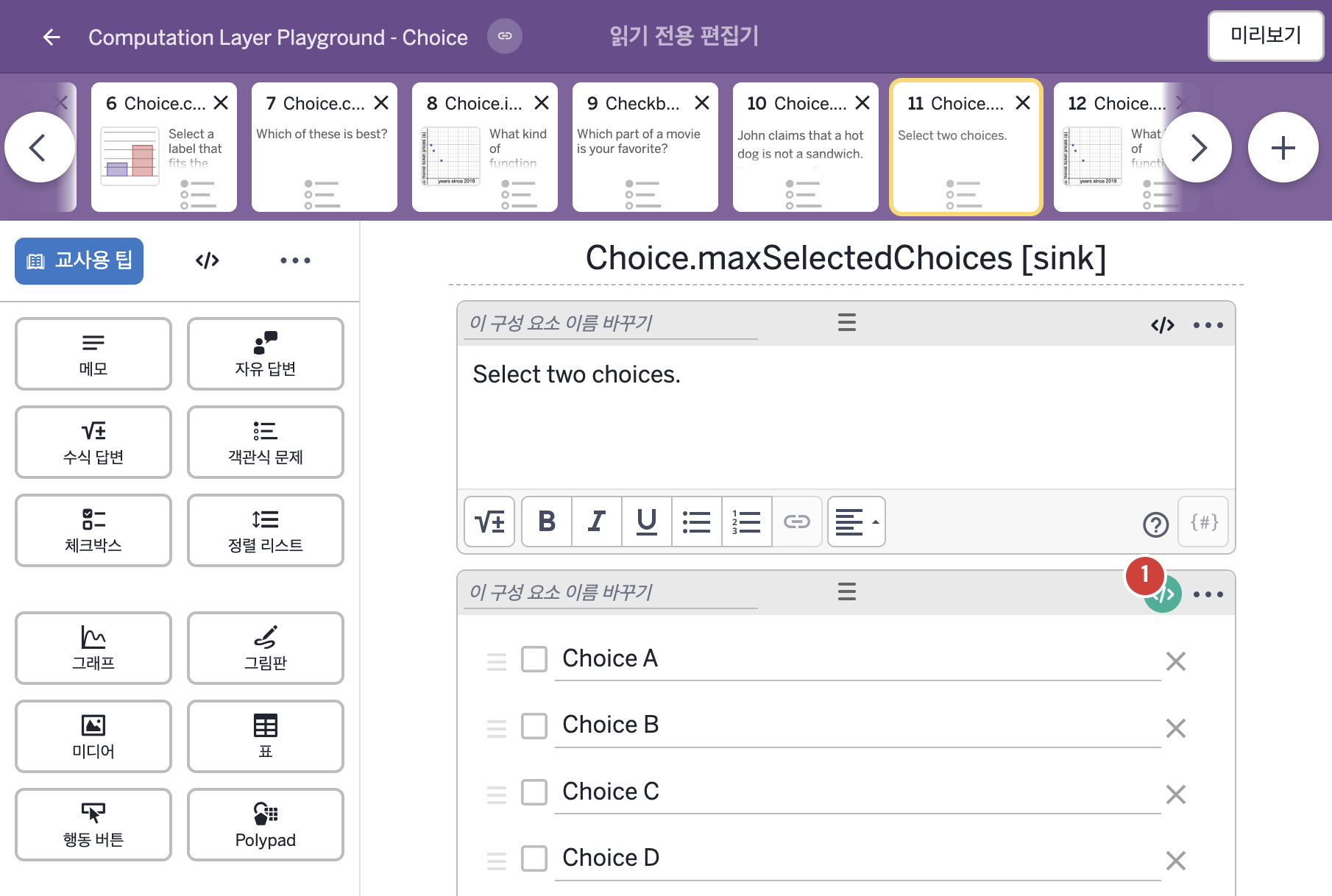
- Select two choices.
- Choice A Choice B Choice C Choice D Choice E
2. CL이 입력된 곳
| 번호 | 이름 | 종류 | CL 코드 원문, 번역, 설명 |
|---|---|---|---|
| 1 | 레이블 없는 체크박스 | 체크박스 | # Sets the maximum number of choices a student # can select. The remaining choices gray out # once the student has reached the maximum # number of choices they can select. ▷ 학생이 선택할 수 있는 보기의 최대 개수를 정한다. 학생이 그 최대 개수에 도달하면 나머지 보기는 회색으로 바뀐다. maxSelectedChoices: 2 ▶ 선택할 수 있는 보기의 최대 개수(maxSelectedChoices)는 2로 한다. |