홈 › Components › Multiple Choice and Checkboxes › 화면 9
화면 9. Checkboxes.prompt [sink]
원본: Computation Layer 문서(Multiple Choice and Checkboxes) · Try It (원본 화면)
| 화면 번호 | 9 / 21 |
|---|---|
| 문서 항목 설명 (원문) | Sets the small italicized prompt above the choices. If blank, no prompt will show up. If this sink is unused and the choice type is multi-select, we will use the default text: "(Select all that apply.)" |
1. 화면 캡처 (빨간 번호 = 아래 표의 번호)
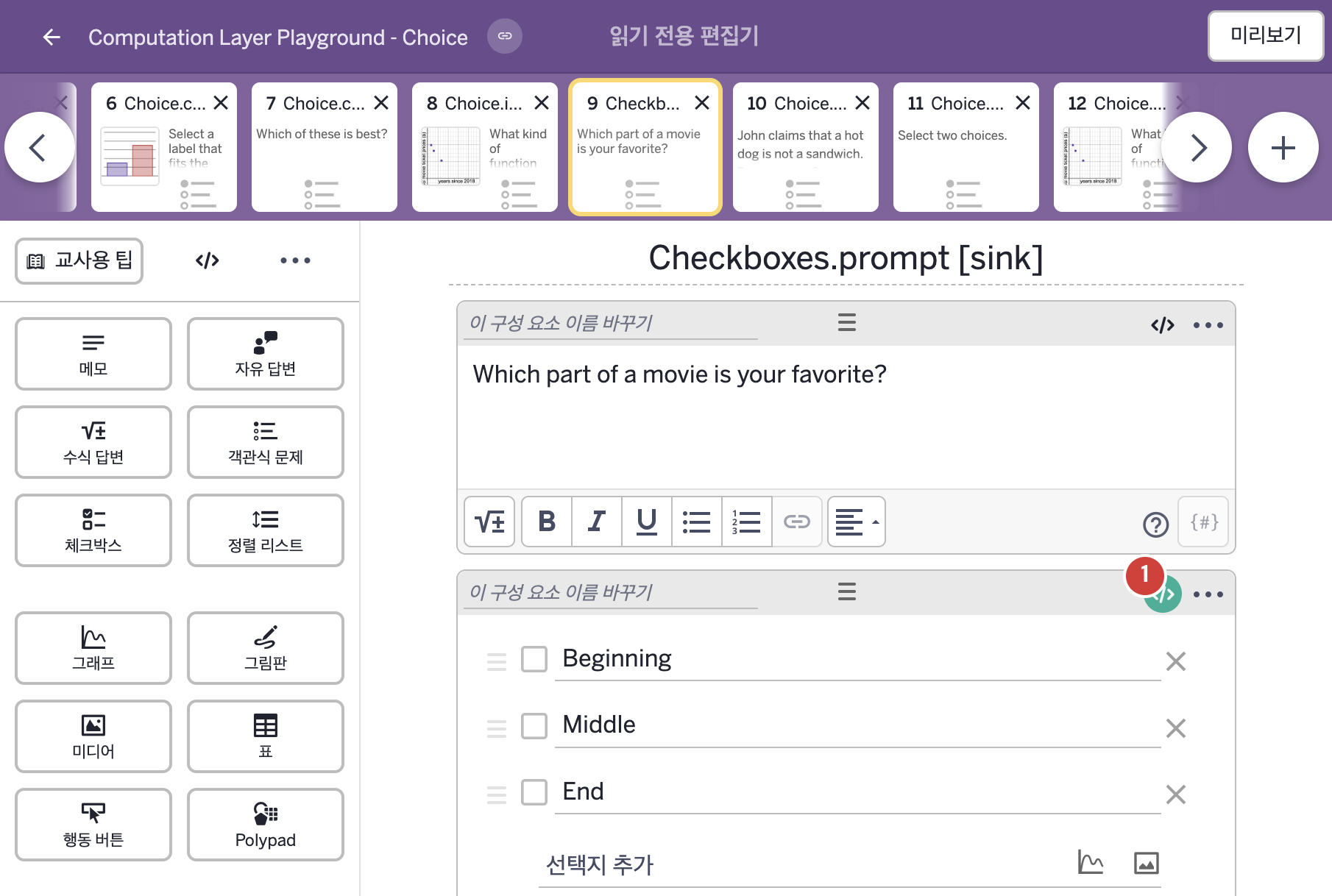
- Which part of a movie is your favorite?
- Beginning Middle End
2. CL이 입력된 곳
| 번호 | 이름 | 종류 | CL 코드 원문, 번역, 설명 |
|---|---|---|---|
| 1 | 레이블 없는 체크박스 | 체크박스 | # Change the italicized text above the # checkboxes from "(Select all that apply.)" # to "(Select at most 2 out of 3)". ▷ 체크박스 위의 기울임꼴 글자를 "(Select all that apply.)"(해당하는 것을 모두 고르시오)에서 "(Select at most 2 out of 3)"(3개 중 최대 2개를 고르시오)로 바꾼다. prompt: "(Select at most 2 out of 3)" ▶ 선택지 위 안내 문구(prompt)는 "(Select at most 2 out of 3)"(3개 중 최대 2개를 고르시오)로 한다. |