홈 › Components › Math Response (수식 답변) › 화면 12
화면 12. Math Input.errorMessage [sink]
원본: Computation Layer 문서(Math Response (수식 답변)) · Try It (원본 화면)
| 화면 번호 | 12 / 28 |
|---|---|
| 문서 항목 설명 (원문) | errorMessage An error to show to the student. Note: This will not show up in the teacher dashboard. (Use the "warning" sink to show warnings to the teacher.) |
1. 화면 캡처 (빨간 번호 = 아래 표의 번호)
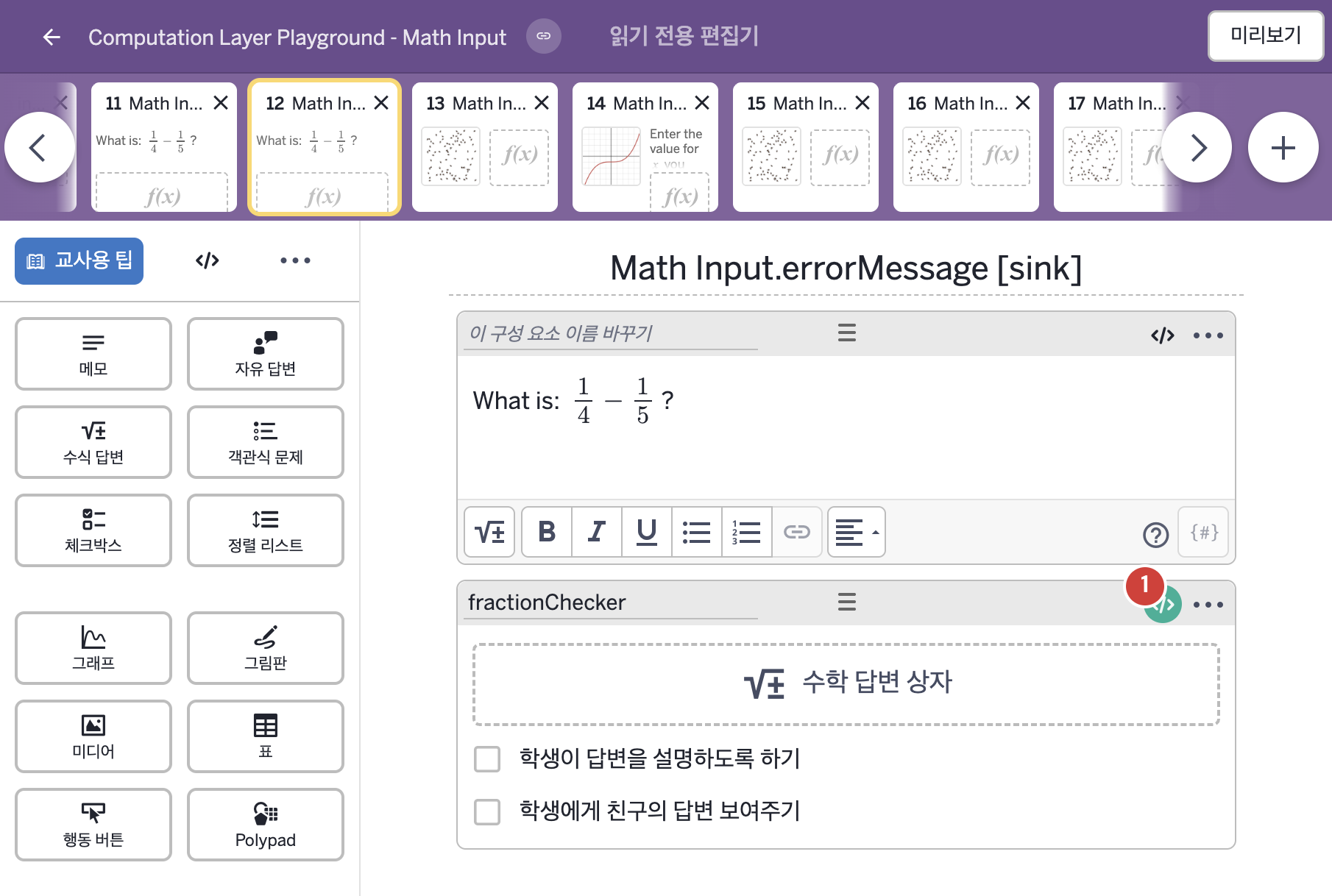
- What is: 1/4 − 1/5 ?
2. CL이 입력된 곳
| 번호 | 이름 | 종류 | CL 코드 원문, 번역, 설명 |
|---|---|---|---|
| 1 | fractionChecker | 수식 답변 | # Displays an error message to the student if they type # an answer that isn't a defined value. ▷ 학생이 정의되지 않은 값을 입력하면 오류 메시지를 보여 준다. errorMessage: when isUndefined(this.numericValue) "You have to type a valid number." otherwise "" ▶ 수식 답변의 오류 메시지(errorMessage)는 이 입력의 계산한 값이 정의되지 않았으면( |