홈 › Components › Graph and Graphing Calc › 화면 27
화면 27. Graph.correct [sink]
원본: Computation Layer 문서(Graph) · Try It (원본 화면)
| 화면 번호 | 27 / 29 |
|---|---|
| 문서 항목 설명 (원문) | Sets a Boolean value that determines whether or not a gray checkmark is displayed for the student's screen in the dashboard's summary view. |
1. 화면 캡처 (빨간 번호 = 아래 표의 번호)
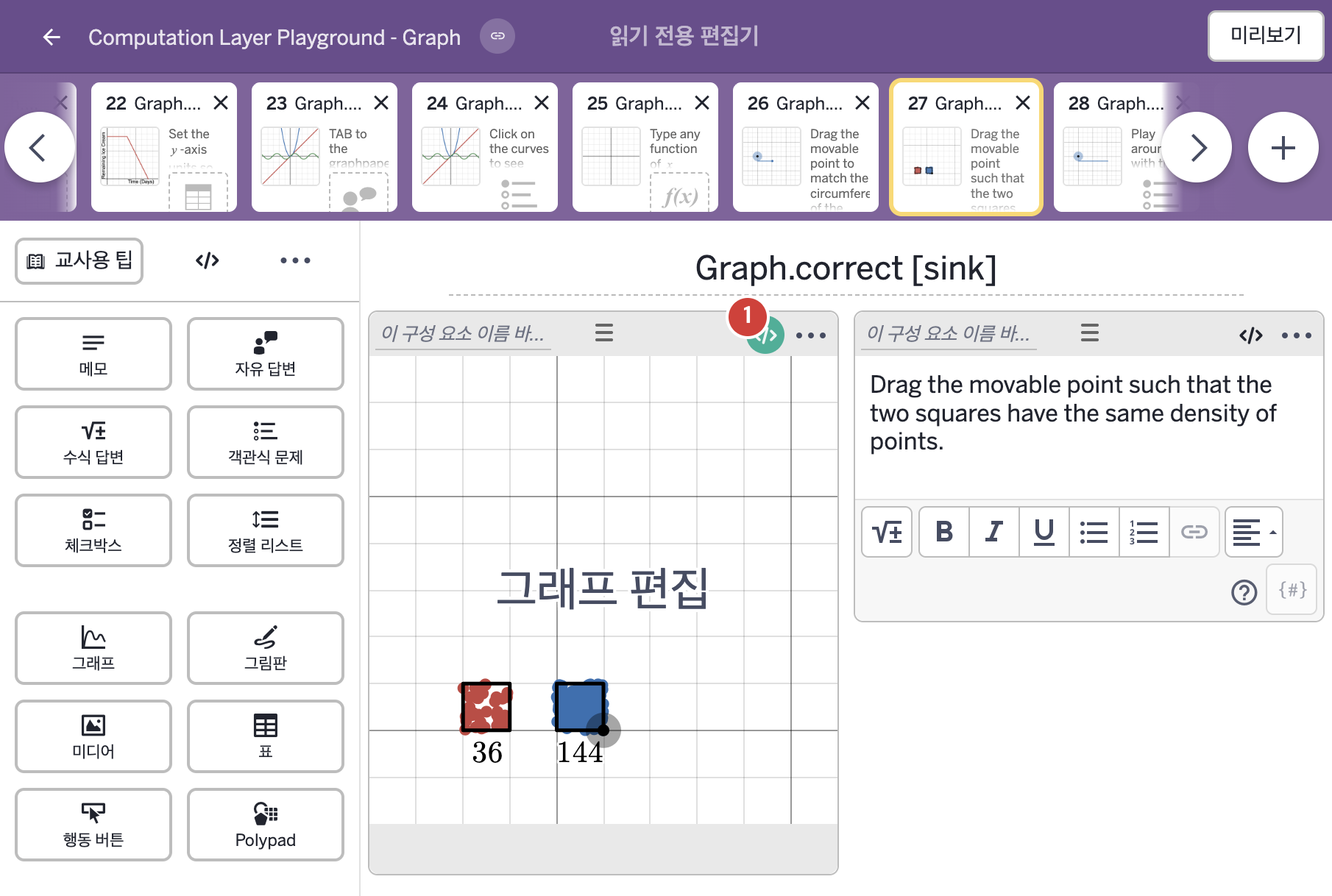
- Drag the movable point such that the two squares have the same density of points.
2. CL이 입력된 곳
| 번호 | 이름 | 종류 | CL 코드 원문, 번역, 설명 |
|---|---|---|---|
| 1 | 레이블 없는 그래프 | 그래프 | # Sets the screen's "correct" sink to "true" # if the student has created a square with the # side length of 2 units. ▷ 학생이 한 변의 길이가 2인 정사각형을 만들었다면 화면의 "correct" sink를 "true"로 정한다. correct: this.number("a") = 2 ▶ 정답 조건(correct)은 그래프 변수 "a"가 2이면 참, 아니면 거짓( |