홈 › Components › Graph and Graphing Calc › 화면 20
화면 20. Graph.pointLabel [sink]
원본: Computation Layer 문서(Graph) · Try It (원본 화면)
| 화면 번호 | 20 / 29 |
|---|---|
| 문서 항목 설명 (원문) | Sets a label for a point. This only works for points defined like A=(1,2), and the identifier needs to match the name given to the point (A in this case). Takes a string. The label next to the point exactly matches the provided string, so the label is turned off if the empty string is provided. |
1. 화면 캡처 (빨간 번호 = 아래 표의 번호)
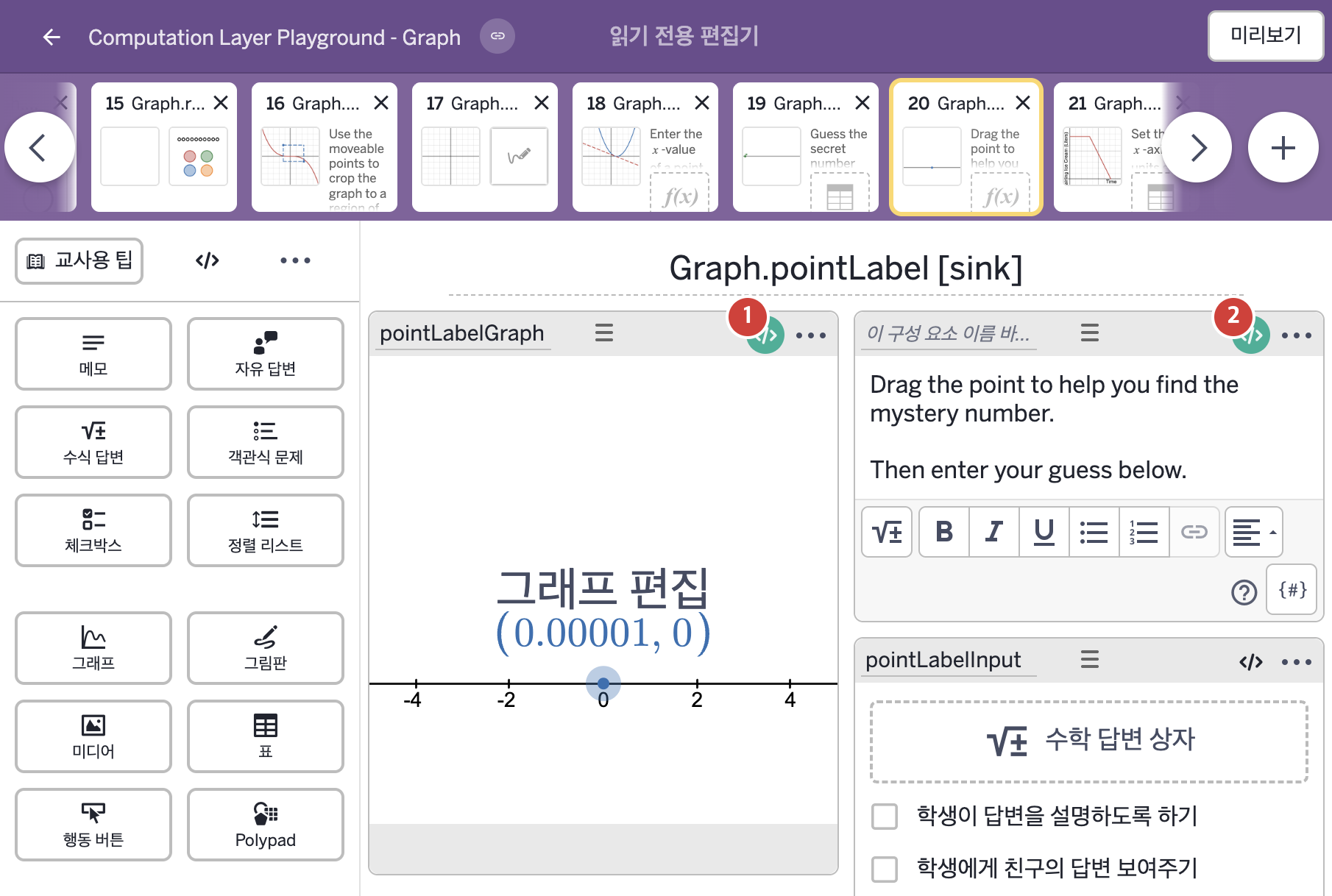
- Drag the point to help you find the mystery number. Then enter your guess below.
2. CL이 입력된 곳
| 번호 | 이름 | 종류 | CL 코드 원문, 번역, 설명 |
|---|---|---|---|
| 1 | pointLabelGraph | 그래프 | # For any named point in the graph, we can define the label using a string of text. # For LaTex, ensure that the text is surrounded by backticks ``. Labels can only be # one type of font. Either all LaTex or all regular font. Size and orientation of # the point label can be set in the graph. ▷ 그래프에서 이름 붙은 점은 글자로 라벨을 정할 수 있다. LaTeX를 쓰려면 글자를 백틱 ``으로 감싸야 한다. 라벨은 LaTeX 전체 또는 일반 글꼴 전체 중 한 가지만 쓸 수 있다. 점 라벨의 크기와 방향은 그래프에서 정할 수 있다. pointLabel("a"): when pointLabelInput.submitted "`${pointLabelInput.latex}`" when this.number("s_{uccess}") > 0.95 "🔥" when this.number("s_{uccess}") > 0.75 "🥵" when this.number("s_{uccess}") > 0.50 "😎" when this.number("s_{uccess}") > 0 "🥶" otherwise "" ▶ 점 a의 라벨(pointLabel)은 학생이 pointLabelInput을 제출했다면( |
| 2 | 레이블 없는 메모 | 메모 | # Some variables are created to help organize the possible # prompt and feedback messages. ▷ 안내 문구와 피드백 문구를 정리하기 위해 몇 가지 변수를 만든다. prompt0 = "Drag the point to help you find the mystery number.\n\n" ▶ 변수 prompt0은 "Drag the point to help you find the mystery number.\n\n"(비밀 숫자를 찾는 데 도움이 되도록 점을 끌어 옮기시오.)로 한다. |