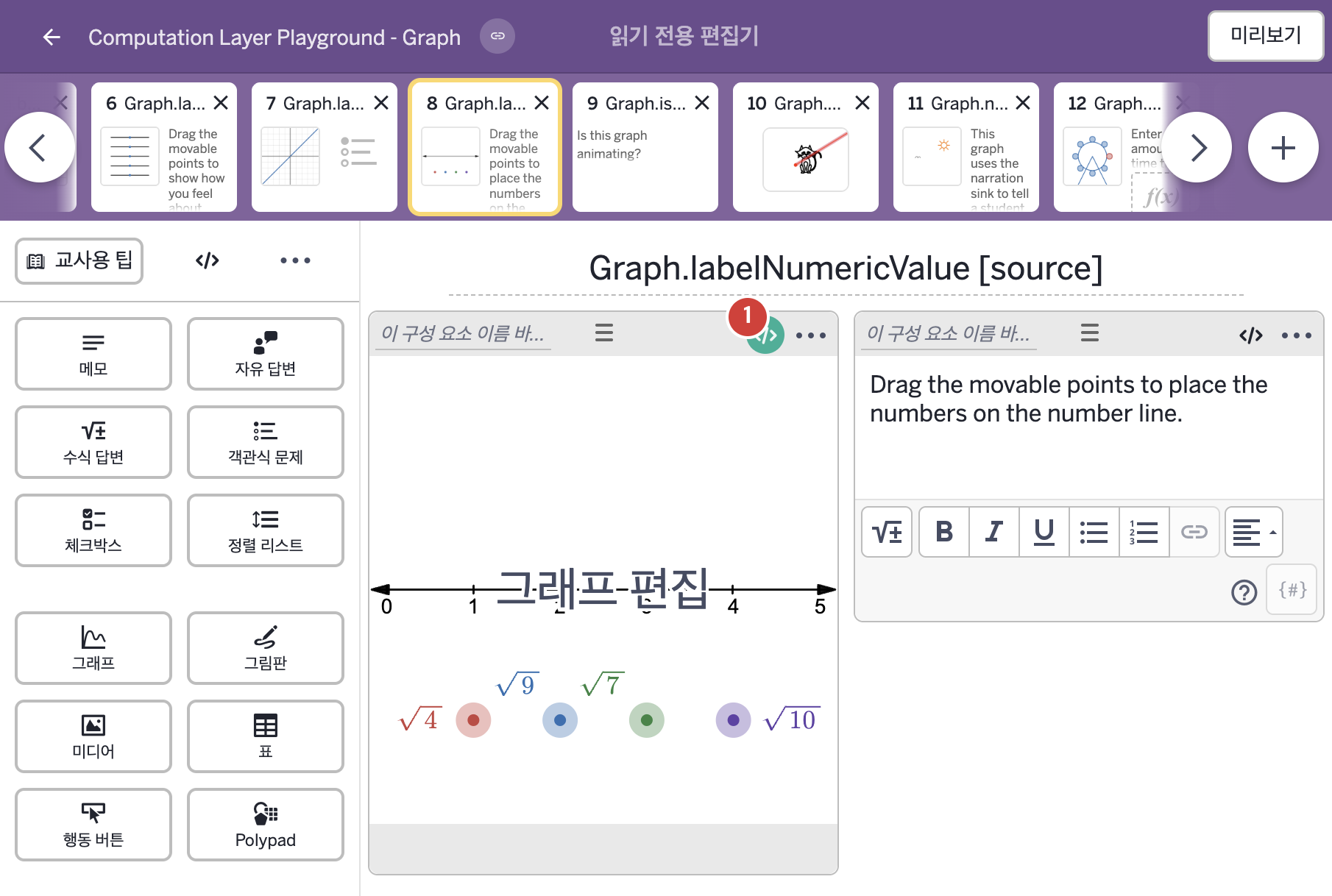
| 1 | 레이블 없는 그래프 | 그래프 | # This takes finds the difference between the x-value of the point
# and the numeric value of the point's label. The tolerance set for
# each point is 0.2 units
▷ 점의 x값과 그 점 라벨의 숫자값 사이의 차이를 구한다. 각 점의 허용 오차는 0.2 단위이다.
difference = simpleFunction("\\left|x-y\\right|","x","y")
▶ 변수 difference는 x와 y를 입력으로 받아 \left|x-y\right|, 즉 x와 y의 차이의 절댓값을 계산하는 함수(simpleFunction("\\left|x-y\\right|","x","y"))로 한다.
simpleFunction("…","x","y")는 LaTeX 글자로 쓴 식을 함수로 바꾸며, 첫 번째 인자는 식이고 나머지 인자는 입력 변수의 이름이다. 글자 안의 \\는 백슬래시 한 글자이므로 \left|x-y\right|라는 LaTeX 식이 된다. difference는 두 값이 얼마나 떨어져 있는지를 알려 주는 함수이다.
# c1-4 evaluates the "difference" function from above at the location of
# the movable point and the numeric value of its label.
▷ c1~c4는 "difference" 함수를 움직이는 점의 위치와 그 점 라벨의 숫자값에서 계산한다.
c1 = difference.evaluateAt(this.number("x_1"),this.labelNumericValue("a_1")) < 0.2
▶ 변수 c1은 difference.evaluateAt(this.number("x_1"),this.labelNumericValue("a_1"))의 결과가 0.2보다 작으면 참, 아니면 거짓으로 한다.
this.number("x_1")은 이 그래프에서 움직이는 점의 x 위치(변수 x_1)를 읽어 오고, this.labelNumericValue("a_1")은 점 a_1의 라벨에 적힌 내용을 숫자값으로 계산해 가져온다. difference.evaluateAt(…)는 함수 difference를 주어진 인자로 계산하며, 여기서는 이 두 값을 인자로 넣는다. 점의 위치와 라벨의 숫자가 0.2 이내로 가까우면 참이다.
c2 = difference.evaluateAt(this.number("x_2"),this.labelNumericValue("a_2")) < 0.2
c3 = difference.evaluateAt(this.number("x_3"),this.labelNumericValue("a_3")) < 0.2
c4 = difference.evaluateAt(this.number("x_4"),this.labelNumericValue("a_4")) < 0.2
▶ 변수 c2, c3, c4는 c1과 같은 방식으로, 각각 점 x_2~x_4와 라벨 a_2~a_4를 넣어 계산한 결과가 0.2보다 작으면 참, 아니면 거짓으로 한다.
# Adds a check mark to the summary screen of the dashboard if
# c1, c2, c3, and c4 are all true
▷ c1, c2, c3, c4가 모두 참이면 대시보드의 요약 화면에 체크 표시를 추가한다.
correct: c1 and c2 and c3 and c4
▶ 정답 조건(correct)은 c1, c2, c3, c4가 모두 참일 때만 참(c1 and c2 and c3 and c4)으로 한다.
and는 모든 값이 참일 때만 참이다. correct는 참이면 교사 대시보드 요약에 체크를 표시한다. 네 개의 점이 모두 허용 오차(0.2) 안에서 라벨의 숫자 위치에 놓였을 때 정답으로 처리한다.
|