홈 › Components › Challenge Creator (챌린지 크리에이터) › 화면 6
화면 6. Challenge Creator.responseBackground [Sink]
원본: Computation Layer 문서(Challenge Creator (챌린지 크리에이터)) · Try It (원본 화면)
| 화면 번호 | 6 / 6 |
|---|---|
| 문서 항목 설명 (원문) | responseBackground: Specify a thumbnail image for the response. | responseBounds: Set the bounds of the responseBackground. |
1. 화면 캡처 (빨간 번호 = 아래 표의 번호)
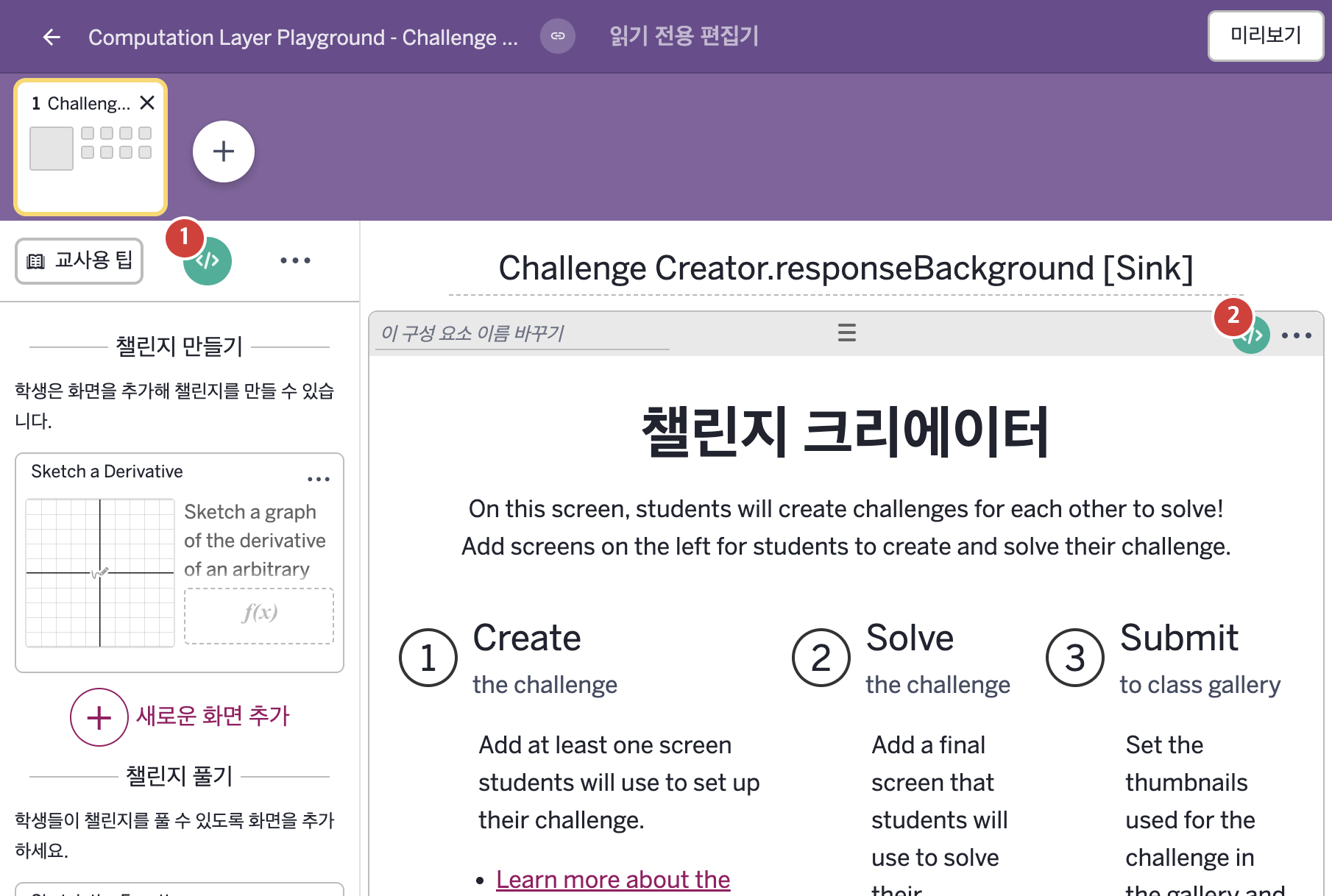
- On this screen, students will create challenges for each other to solve! Add screens on the left for students to create and solve their challenge.
2. CL이 입력된 곳
| 번호 | 이름 | 종류 | CL 코드 원문, 번역, 설명 |
|---|---|---|---|
| 1 | master CL | SCREEN | subtitle: "NOTE: This is a partial activity. For the completed version of this activity visit: https://teacher.desmos.com/activitybuilder/custom/630ff3a79c41203693d72a2a" ▶ 화면 제목 아래에 표시할 부제목(subtitle)은 "NOTE: This is a partial activity. For the completed version of this activity visit:"(참고: 이 활동은 일부만 담고 있다. 이 활동의 완성본은 다음 주소를 보시오:)와 완성본 주소 https://teacher.desmos.com/activitybuilder/custom/630ff3a79c41203693d72a2a로 한다. |
| 2 | 레이블 없는 챌린지 크리에이터 | 챌린지 크리에이터 | # Set the background of the response thumbnail to show # what the student sketched on the second screen. ▷ 응답 썸네일의 배경을 학생이 두 번째 화면에서 스케치한 것을 보여 주도록 정한다. responseBackground: layerStack(graphLayer(sketch2.calculatorState),sketchLayer(sketch1.sketch),sketchLayer(sketch2.sketch)) ▶ 응답 썸네일의 배경(responseBackground)은 sketch2의 그래프 상태, sketch1의 스케치, sketch2의 스케치를 차례로 넣어 쌓은 것으로 한다. |