홈 › Components › Challenge Creator (챌린지 크리에이터) › 화면 2
화면 2. Challenge Creator.preventChallengeCreationReason [Sink]
원본: Computation Layer 문서(Challenge Creator (챌린지 크리에이터)) · Try It (원본 화면)
| 화면 번호 | 2 / 6 |
|---|---|
| 문서 항목 설명 (원문) | preventChallengeCreationReason: Has the challenge creator correctly set up their challenge? Warning if not, empty string if so. |
1. 화면 캡처 (빨간 번호 = 아래 표의 번호)
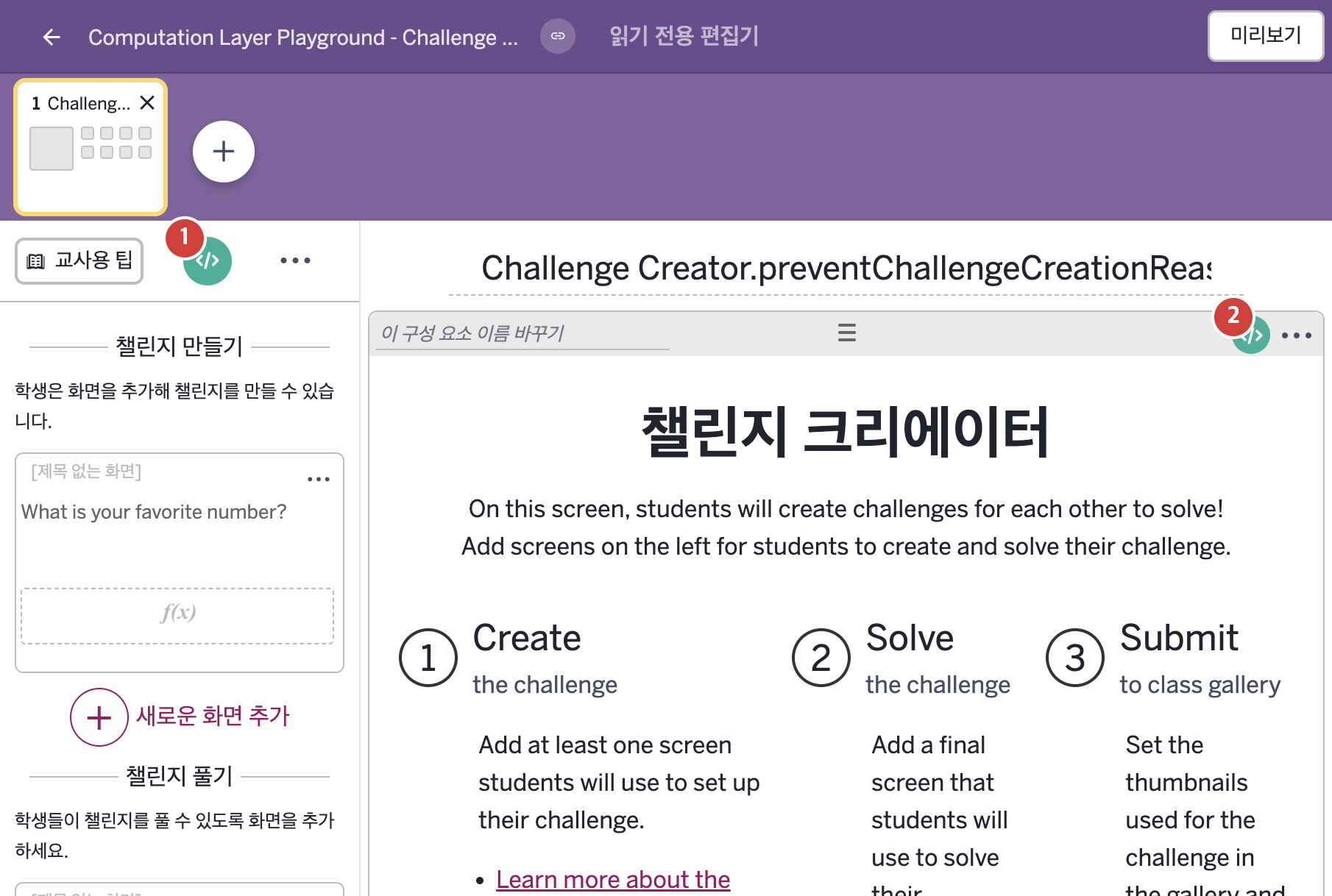
- On this screen, students will create challenges for each other to solve! Add screens on the left for students to create and solve their challenge.
2. CL이 입력된 곳
| 번호 | 이름 | 종류 | CL 코드 원문, 번역, 설명 |
|---|---|---|---|
| 1 | master CL | SCREEN | subtitle: "NOTE: This is a partial activity. For the completed version of this activity visit: https://teacher.desmos.com/activitybuilder/custom/631113fe5a3760f46d5b0b82" ▶ 화면 제목 아래에 표시할 부제목(subtitle)은 "NOTE: This is a partial activity. For the completed version of this activity visit:"(참고: 이 활동은 일부만 담고 있다. 이 활동의 완성본은 다음 주소를 보시오:)와 완성본 주소 https://teacher.desmos.com/activitybuilder/custom/631113fe5a3760f46d5b0b82로 한다. |
| 2 | 레이블 없는 챌린지 크리에이터 | 챌린지 크리에이터 | # Enable students to submit their challenge if the input contains a numeric value. # Otherwise disable the “Submit Challenge” button and #display the message “Enter a numeric value.” ▷ 입력칸에 숫자 값이 들어 있으면 학생이 챌린지를 제출할 수 있게 한다. 그렇지 않으면 "Submit Challenge"(챌린지 제출) 버튼을 비활성화하고 "Enter a numeric value."(숫자 값을 입력하시오.)라는 메시지를 보여 준다. preventChallengeCreationReason: when isDefined(inputCC1.numericValue) "" otherwise "Enter a numeric value." ▶ 챌린지 만들기를 막는 이유(preventChallengeCreationReason)는 inputCC1에 입력한 식을 계산한 값이 정의되어 있으면 빈 글자, 아니면 "Enter a numeric value."(숫자 값을 입력하시오.)로 한다. |