홈 › Components › Action Button (행동 버튼) › 화면 2
화면 2. Action Button.history [source]
원본: Computation Layer 문서(Action Button (행동 버튼)) · Try It (원본 화면)
| 화면 번호 | 2 / 12 |
|---|---|
| 문서 항목 설명 (원문) | historykey: string Gets the history of a variable that was defined using the "capture" sink. |
1. 화면 캡처 (빨간 번호 = 아래 표의 번호)
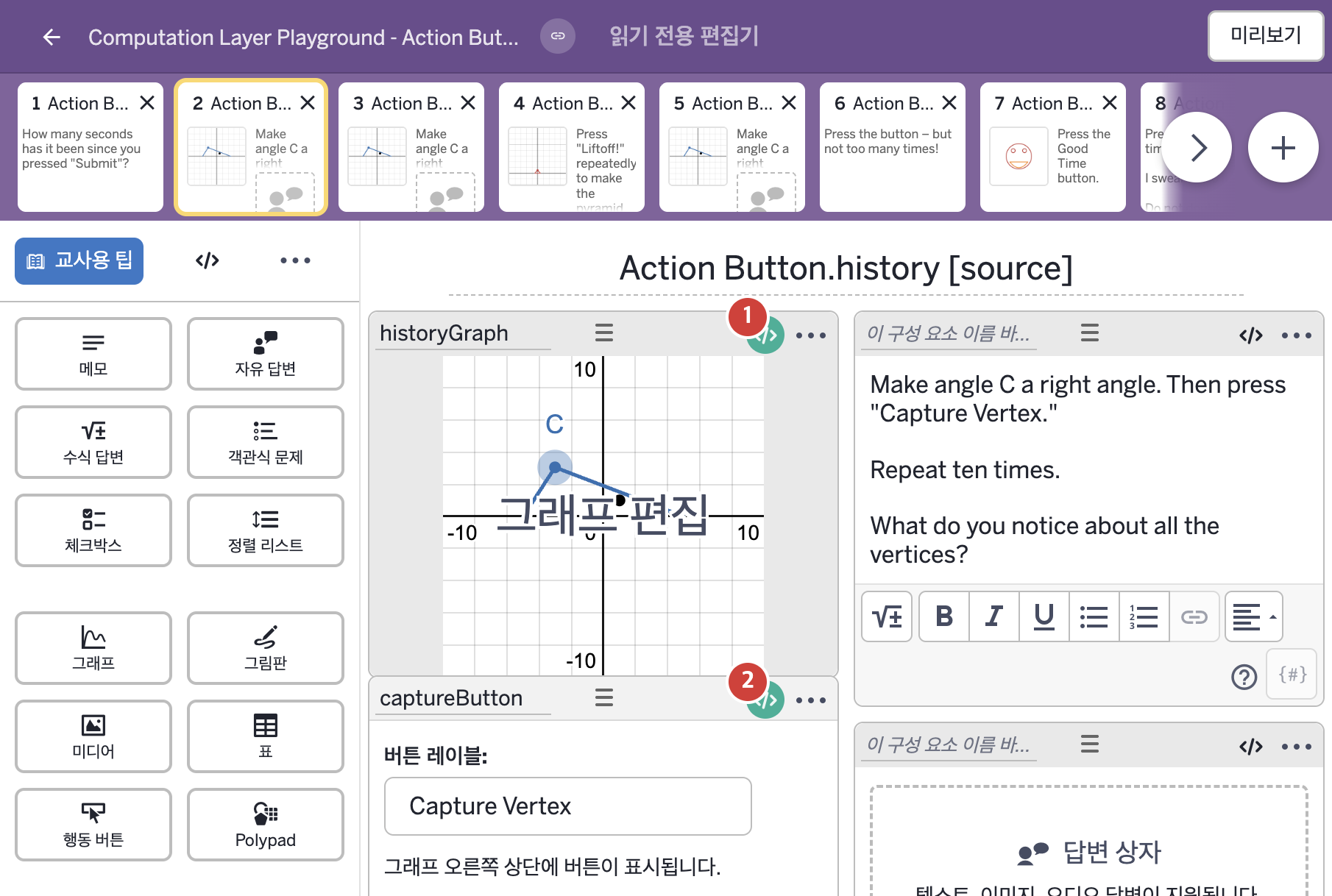
- Capture Vertex
- Make angle C a right angle. Then press "Capture Vertex." Repeat ten times. What do you notice about all the vertices?
2. CL이 입력된 곳
| 번호 | 이름 | 종류 | CL 코드 원문, 번역, 설명 |
|---|---|---|---|
| 1 | historyGraph | 그래프 | # The action button named "captureButton" knows that the "history" of "xCoord" # refers to the number "a" in a graph component that was defined there. # So now we take the history of all those "a" values and sink them into a # numberList called a_list, which we'll use in ways that are defined in this graph # component. (Same for "yCoord".) ▷ "captureButton"이라는 행동 버튼은 "xCoord"의 "기록(history)"이 그곳에서 정의된 그래프 구성요소의 숫자 "a"를 가리킨다는 것을 안다. 그래서 이제 그 "a" 값들의 기록 전체를 가져와 a_list라는 숫자배열(numberList)에 넣고, 이 그래프 구성요소 안에서 정의된 방식으로 쓴다. ("yCoord"도 마찬가지이다.) numberList("a_{list}"): captureButton.history("xCoord") ▶ 그래프의 숫자배열 a_{list}는 captureButton이 "xCoord"라는 이름으로 기록한 값들의 기록 전체( |
| 2 | captureButton | 행동 버튼 | # We're telling the action button to capture the variables "a" and "b" # from a graph component named "historyGraph". "xCoord" and "yCoord" # are names that capture, lastValue, and history all share. ▷ 행동 버튼이 "historyGraph"라는 그래프 구성요소의 변수 "a"와 "b"를 기록하도록 한다. "xCoord"와 "yCoord"는 capture, lastValue, history가 모두 함께 쓰는 이름이다. capture("xCoord"): historyGraph.number("a") ▶ "xCoord"라는 이름으로 기록할 값( |